

Optimizing your Google Business Profile is about much more than just filling out a few fields. It’s a continuous process of sending strong, consistent signals to Google—and increasingly, to AI models—that your business is the most relevant and trustworthy answer for local customers ready to buy.
Your Blueprint for Dominating Transactional Search
Forget generic checklists. This is a battle-tested blueprint for turning your Google Business Profile (GBP) into a powerful magnet for high-intent, transactional searches. At Transactional Marketing, this is our entire focus. We get our clients to show up when a customer with money in their hand is searching for "emergency plumber near me" or "AC repair open now." They have a problem, and they're ready to pay someone to solve it.
We're going to cut through the fluff and focus on the proven system that gets service businesses featured in the coveted Google Maps 3-Pack. The mission is simple: make your profile your most reliable source of new leads. This isn't just about traditional SEO; it's about AI optimization, ensuring your business is found by Large Language Models (LLMs) that power the next generation of search. From locking down your core business information to mastering reviews and photos, we’ll cover every essential pillar.
The Path to Local Dominance
Google's entire game is connecting its users with the best possible local solution, instantly. And the numbers back this up. Google has found that a whopping 46% of all searches have local intent. For a single-industry business, like a dedicated roofing company, this is everything.
Think about it: an optimized profile can pull in over 1,800 views every single month. What's even more revealing is that 84% of those views come from discovery searches—queries like "roofer near me," not from people who already know your brand name. These are transactional search terms, and it's where you find new customers.
This journey follows a clear path: first, you establish a solid profile foundation. Then, you consistently optimize it. Finally, you earn those top rankings that drive calls.
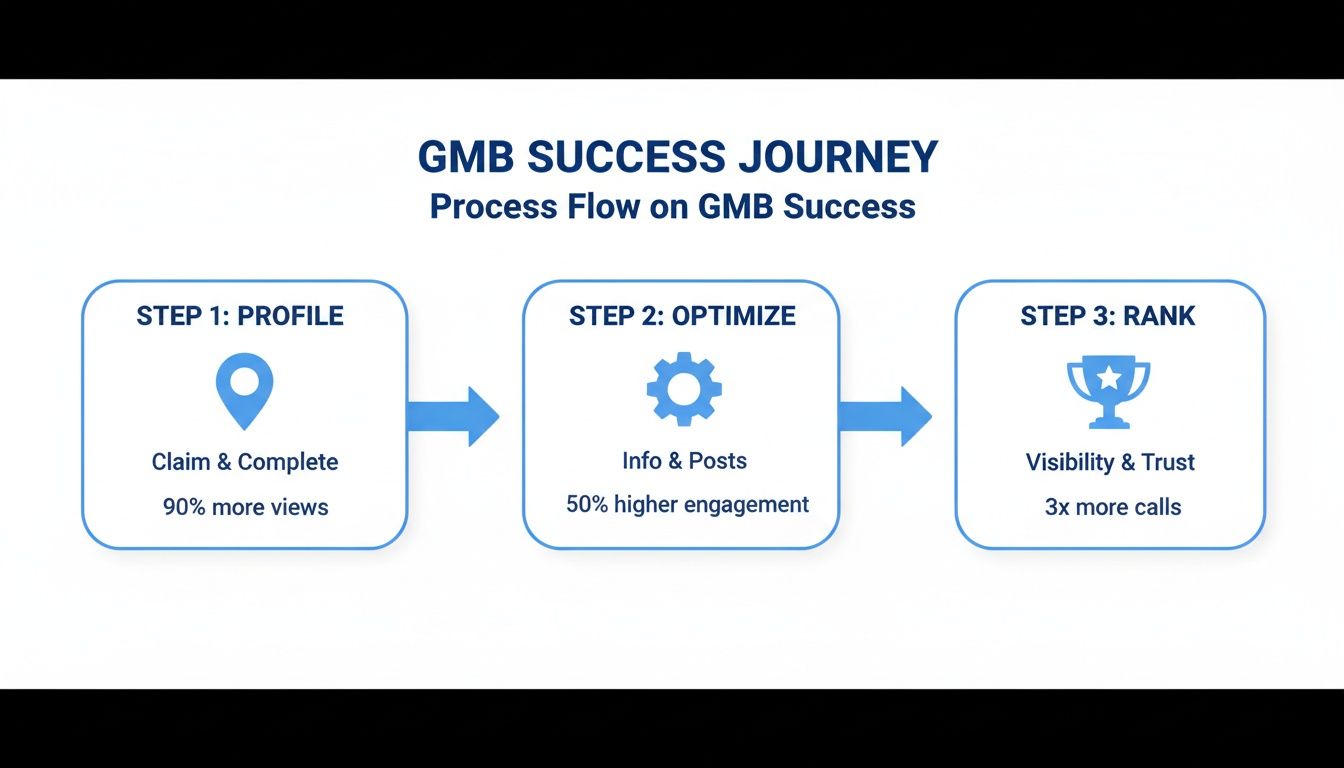
The key takeaway here? Ranking isn't a "set it and forget it" task. It's the direct result of ongoing, focused optimization.
GBP Optimization Impact on Transactional Searches
To truly understand how this works, let's break down the direct impact of specific GBP features on attracting customers who are ready to make a move. This table shows how key optimizations directly influence high-intent "near me" searches—the exact transactional terms we target.
| GBP Feature | Why It Matters for 'Near Me' Searches | Potential Impact |
|---|---|---|
| Primary Category | This is the single most important signal you send to Google about what you do. Get it right, and you're in the game. | Shows up for broad searches like "plumber near me." |
| Services & Products | These allow you to target long-tail keywords like "tankless water heater installation" or "emergency leak repair." | Attracts highly-qualified customers with specific needs. |
| Positive Reviews | Social proof is huge. A high star rating builds immediate trust and makes your listing stand out from competitors. | Increases click-through rate from the 3-Pack by 20-30%. |
| Google Posts | Posts let you highlight special offers, new services, or urgent availability, creating a sense of immediacy. | Drives direct calls for timely promotions like "Same-Day AC Service." |
| Business Hours | Crucial for "open now" searches. Inaccurate hours mean lost calls and frustrated potential customers. | Captures after-hours or emergency service leads. |
As you can see, each element of your profile plays a strategic role in converting a searcher into a paying customer.
Why This Blueprint Works
We've used this exact system to generate hundreds of additional phone calls for our clients every single month. The secret is our proven system: a laser focus on the specific transactional search terms that drive revenue, ensuring your business shows up at the exact moment a customer is ready to buy.
Your Google Business Profile isn't a static listing in a phone book. It's a dynamic, 24/7 digital storefront. Our Google Maps optimization technology ensures you show up in the top three, turning clicks into customers and letting you own your local market.
Mastering this requires constant attention to detail. For many business owners, this is where bringing in specialized expertise through local SEO outsourcing services can make all the difference, ensuring every element is always working to your advantage.
Ultimately, a well-executed GBP strategy is a cornerstone of any effective plan for local business marketing strategies. Consider this your roadmap for turning a simple business listing into an engine for real, measurable growth.
Building a Foundation of Trust with Google
Before you can even hope to show up for high-value transactional searches like "roofer near me," you have to earn Google’s trust. Think of it this way: Google is a matchmaker, and it’s only going to recommend businesses it knows for a fact are legitimate, reliable, and accurately represented. The first and most critical step is building a rock-solid foundation of consistent data.
It all starts with claiming your Google Business Profile. If you haven't done this yet, stop everything and do it now. An unclaimed profile is like an empty storefront—it tells potential customers (and Google) that you're not actively engaged. Claiming it gives you the keys to control your information and start optimizing for the transactional terms that matter.
The Critical Importance of NAP Consistency
Once you have control, the next job is to achieve ironclad NAP consistency. This is a non-negotiable in local SEO. NAP stands for your business Name, Address, and Phone number. These three pieces of information must be identical everywhere your business shows up online, right down to the last comma.
So, why does this matter so much? Google's algorithm is constantly crawling the web, pulling data from thousands of sources like online directories, social media, and industry-specific websites. When it finds conflicting information, it gets confused and its trust in your business plummets. This is also critical for AI optimization, as LLMs rely on consistent data to confidently recommend your business.
Even a tiny variation can throw things off:
- Name: "Smith & Sons Roofing" vs. "Smith and Sons Roofing Inc."
- Address: "123 Main St." vs. "123 Main Street"
- Phone: "(555) 123-4567" vs. "555.123.4567"
To us, these look the same. But to an algorithm, they can signal two entirely different businesses. This inconsistency is a major red flag that can get you booted from the Google Maps 3-Pack, making you invisible to customers ready to spend money on transactional searches.
We see this all the time. A new client comes to us because their phone has stopped ringing, and a quick audit reveals dozens of old addresses or phone numbers floating around online. Cleaning this up is often the first thing that unlocks real ranking improvements and helps them show up for transactional search terms.
Auditing and Correcting Your Online Footprint
Fixing this requires a NAP audit. The first step is to establish a single, canonical version of your business information. Decide right now if you're using "St." or "Street," if you're including "LLC" in the name, and then stick with it everywhere, religiously.
Next, start searching for your business name online and checking your listings on major directories like Yelp, Angi, and others that matter in your specific industry. We believe in separating these strategies; an SEO plan for a roofing company is completely different from one for a dental business. Correcting these errors usually means logging into each platform and manually updating your profile. It's a tedious process known as citation building for local SEO, but it's absolutely essential for building the authority Google demands.
Defining Your Service Areas for Mobile Businesses
This part is make-or-break for any business that travels to its customers—think HVAC techs, plumbers, or pest control experts. If you operate from a home office or don't have a physical storefront that customers visit, you should hide your physical address in your GBP settings.
Instead of a single map pin, Google lets you specify the cities, zip codes, or general regions you serve. This tells the algorithm exactly where to show your profile when someone searches "air conditioning repair near me" within your territory. This is a core part of our Google Maps optimization service. Just be realistic. Don't list a massive area you can't actually cover efficiently, as that can dilute your local relevance.
By meticulously handling these foundational elements—claiming your profile, enforcing strict NAP consistency, and accurately defining your service areas—you create an unambiguous, trustworthy signal. This is the bedrock upon which a high-ranking profile is built. It gives Google the confidence it needs to put your business at the top of the list when a local customer needs you most.
Targeting the Right Customers with Precision
Once your business information is locked down and consistent, it's time to start thinking about who you actually want to attract. This is where we move beyond just being visible and start getting relevant for high-value, transactional searches. Your single most powerful tool for this? Your business categories.
Think of your primary category as the big, bold sign hanging over your digital door. It tells Google, in no uncertain terms, what you do. If you fix roofs, your primary category is "Roofer." If you're a dentist, it's "Dentist." This is how you show up for a transactional search term like "roofer near me." Simple. Getting this right is absolutely non-negotiable.
But the real magic—and where the most profitable jobs are won—is in your secondary categories.
Layering Categories to Capture High-Intent Searches
So many businesses just set their primary category and call it a day, leaving a huge amount of money on the table. Google lets you add multiple secondary categories to signal your specializations. This is exactly how you connect with a customer who isn't just looking for any roofer, but one who can solve their specific, often urgent, problem.
This strategy is what separates you from the generalist down the street. Let’s look at a couple of real-world examples, keeping in mind that an SEO strategy for a dental practice should be a completely separate article from one for a roofer:
- A Dental Practice: Your primary category is "Dentist," of course. But what about the person who cracked a tooth on a Saturday afternoon? By adding "Emergency Dental Service" as a secondary category, you instantly become a contender for that high-urgency, high-value search.
- A Roofing Company: You're a "Roofer," sure. But to land those big commercial contracts, you need to add categories like "Commercial Roofer" or even "Metal Roofing Contractor." That’s how you get in front of property managers instead of just homeowners.
These secondary categories are powerful signals. They tell Google and AI models that you’re not just another jack-of-all-trades, but an expert in a specific niche. This precision is what makes our clients' phones ring with the right kind of jobs.
We see it all the time: the businesses that absolutely dominate the Google Maps 3-Pack are the ones that have meticulously matched their secondary categories to their most profitable services. It's a simple tweak that shifts your visibility from broad to razor-sharp, attracting customers who are much further along in the buying process and ready to make a decision.
Reinforcing Your Expertise with the Services Feature
After your categories are dialed in, you can drill down even further with the "Services" feature. This is where you can list out every single thing you offer. Think of it as your full service menu, leaving no doubt about what you can do for a customer.
This is your chance to use the exact language your best customers are typing into Google. Don't just list "Roof Repair." Break it down and create individual service entries for things like:
- Emergency Storm Damage Repair
- Residential Shingle Replacement
- Flat Roof Leak Detection
- Commercial TPO Roofing Installation
For a dental practice, this means moving beyond "General Dentistry." You should be adding specific, high-value services like "Emergency Root Canal," "Same-Day Dental Crowns," or "Invisalign Treatment." Every single service you add is another keyword-rich signal to Google, reinforcing the expertise you established with your categories.
The impact here is huge. Recent data shows that a staggering 86% of all views on Google Business Profiles now come from "discovery" searches based on categories, like "dentist open now" or "AC repair near me." You can add up to nine secondary categories to define your business, and frankly, failing to use them is one of the top reasons service businesses underperform online. You can dig into more of these findings on GBP performance from Birdeye.com.
By strategically choosing your categories and then detailing every last service, you create a profile that speaks directly to Google's algorithm and, more importantly, to your ideal customer. This level of precision targeting ensures that when someone has an urgent, specific problem, your business shows up as the most qualified solution. This is how you stop chasing every lead and start attracting the ones that will actually grow your business.
Winning Over Customers Before They Even Pick Up the Phone
A fully optimized Google Business Profile is more than just a business listing; it's your first point of contact with potential customers. This is where you start building trust and showing Google you're an active, reputable player in your local market. Features like photos, Posts, and your Q&A section are your digital handshake—they let you engage with people and prove your expertise right from the search results page.
These are the elements that grab the attention of customers making transactional searches, which is our entire focus here at Transactional Marketing. When someone’s AC dies and they search "air conditioning repair near me," they're scanning profiles for visual proof of professionalism and quick answers. A profile packed with recent photos and helpful info builds immediate confidence and makes them far more likely to call you instead of a competitor with a bare-bones listing.
Showcase Your Work with High-Quality Photos
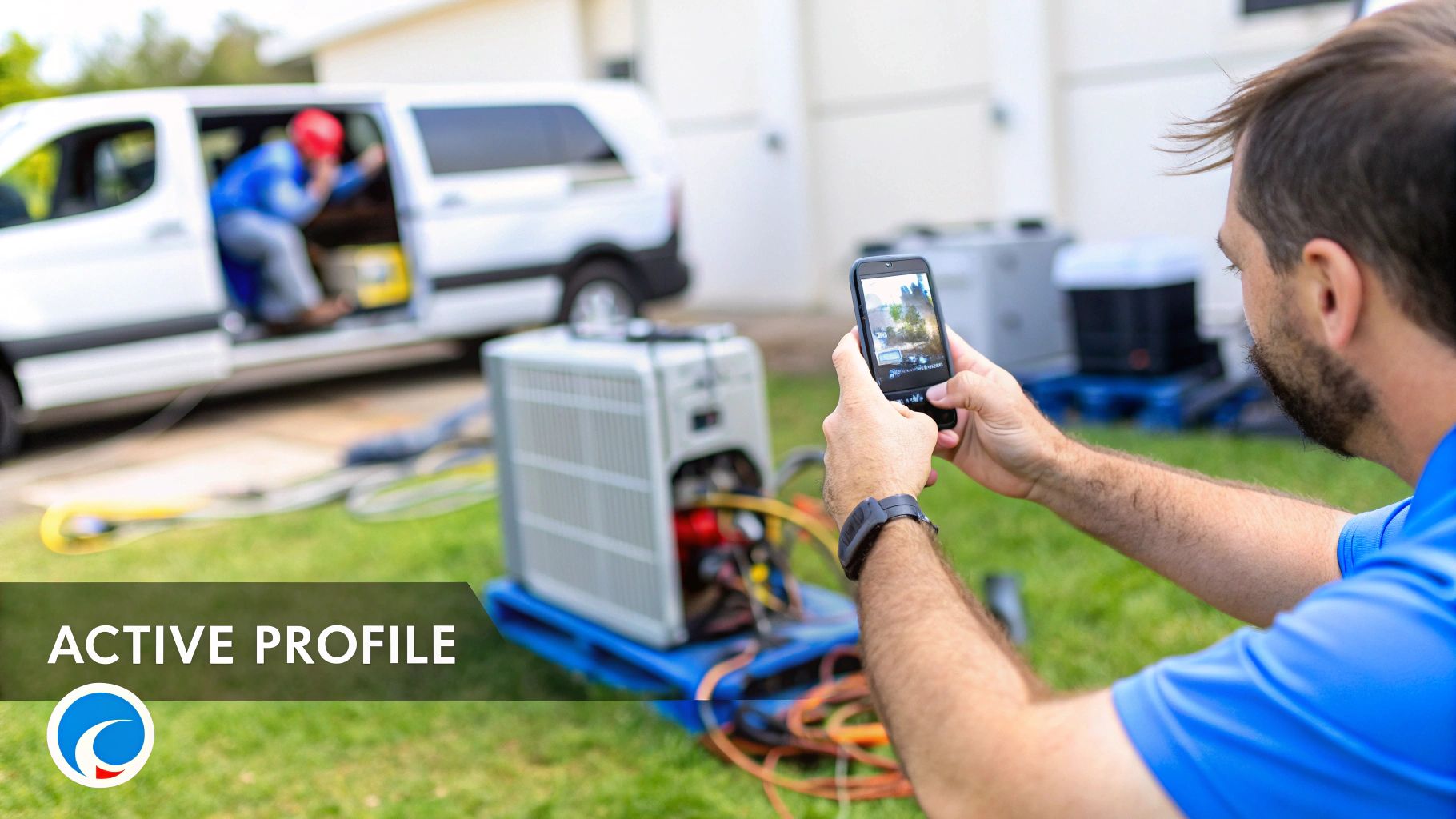
Photos might just be the single most powerful part of your profile. They offer instant, tangible proof of your quality and professionalism. It's not just a hunch; Google's own data shows that businesses with photos get 42% more requests for driving directions and 35% more clicks to their websites. This isn't about vanity—it's about building credibility on the spot.
Ditch the stock photos. Instead, get in the habit of uploading a steady stream of high-resolution, authentic images that tell your business's story. This constant activity signals to Google that your business is healthy and active.
Here are a few ideas that work wonders:
- Before-and-After Shots: These are pure gold for roofers, remodelers, and landscapers. Nothing demonstrates the value you deliver better than a dramatic transformation.
- Team Photos: Put a human face on your business. Photos of your uniformed technicians with clean, branded vans build trust and familiarity.
- Action Shots: A plumber working under a sink or an electrician at a panel shows you’re a real, boots-on-the-ground operation.
- Equipment Photos: This subtly highlights your investment in professional-grade tools, reinforcing your expertise.
Keep in mind that most of your customers are looking at your profile on their phones. Your business needs to look its best on a small screen, which is a core principle we follow when building mobile-optimized sites designed to turn visitors into callers.
Use Google Posts Like Free Ad Space
So many businesses ignore Google Posts, and it's a huge missed opportunity. Think of them as free, temporary billboards right on your profile. They’re perfect for grabbing the attention of someone in that crucial decision-making moment. You can use them to create a sense of urgency, highlight a specific service, or push a timely offer.
Most posts expire after seven days, which actually works in your favor. It encourages you to provide frequent updates, something Google's algorithm loves to see.
Use them strategically to announce things like:
- "Same-Day AC Repair Service Available!"
- "10% Off Emergency Leak Repair This Week."
- "Now Offering Commercial Pest Control Services."
Every post is another piece of fresh content tied to your profile, giving you one more shot to show up for the exact transactional keywords your customers are using.
Take Control of the Conversation with the Q&A Section
The Questions & Answers section is another area that's often neglected, which is a massive mistake. Here’s why: anyone can ask a question on your profile, and—more importantly—anyone can answer it. If you're not actively managing this space, you’re letting strangers and competitors shape your business's narrative.
The best approach here is to get out in front of it. You can, and absolutely should, seed this section yourself.
Think about the top five questions you get on nearly every sales call. Now, go to your own Google Business Profile, ask those questions, and then immediately log in to answer them yourself—thoroughly and professionally. This proactive move not only gives potential customers valuable information upfront but also lets you naturally work in keywords for your most profitable services.
By pre-populating your Q&A, you can address common concerns, overcome sales objections, and showcase your expertise before a customer even has to ask. This builds trust and shortens the path from searcher to paying customer.
Turning Customer Reviews into a Ranking Engine
When it comes to local service businesses, reviews are the ultimate currency of trust. They aren't just feel-good testimonials; they are a direct, powerful ranking factor that can make or break your visibility for the most valuable search terms. We see reviews as a core part of our strategy to get clients showing up for transactional searches like "dentist near me," where a high star rating can be the deciding factor for a customer who needs a problem solved right now.
A steady stream of positive reviews tells Google's algorithm that your business is active, trustworthy, and actually delivering on its promises. This is a massive signal that helps push you into the coveted Google Maps 3-Pack, which translates directly into more phone calls and booked jobs every single month.

Building a System for Consistent Reviews
Simply hoping for reviews is not a strategy. You need a systematic, repeatable process for asking every single happy customer for their feedback. This approach transforms each completed job into another valuable ranking signal that fuels your growth.
The key is to make it incredibly easy for your customers. A simple text message or email sent shortly after you've finished the job, with a direct link to your Google review page, is usually the most effective method. You want to catch them while the great experience is still fresh in their minds.
This proactive approach builds what's known as review velocity—the rate at which you acquire new reviews. A consistent, steady flow is far more powerful in Google's eyes than getting a dozen reviews one month and then crickets for the next two.
Transactional Marketing has a proven system that literally gets customers' websites showing up on page one of Google, typically within 30 to 60 days. Automating the review process is a critical component of this success, ensuring a consistent stream of positive signals that Google wants to see.
Why Responding to Every Review Is Non-Negotiable
Your work isn't finished once a customer leaves a review. Responding to every single one—both the good and the bad—is non-negotiable for a couple of key reasons. First, it shows potential customers you're engaged, professional, and you actually care about feedback. Second, it sends yet another positive activity signal back to Google.
A thoughtful response to a positive review reinforces the customer's good feelings and makes them feel heard. When it comes to negative reviews, a prompt and professional reply can often defuse the situation and demonstrates your commitment to customer satisfaction for all future prospects to see.
While optimizing your profile brings customers in, it's the quality of your service that secures the positive feedback. It's crucial to avoid the common pitfalls in customer service that can tarnish your online reputation before it even gets started.
The Real-World Impact of Review Velocity
Here's where it gets really interesting. Maintaining a steady stream of reviews delivers tangible results that directly impact your bottom line. We've seen performance data show that each additional Google review can drive roughly 80 website visits, 63 direction requests, and 16 phone calls on average.
Think about that. When you consider that Google now hosts 80% or more of all online reviews in most service industries, it's clear this is the primary hub where customers make their buying decisions.
This data proves that building a powerful review engine isn't just about reputation management. It's a direct driver of the high-value, ready-to-buy leads we're all after. By turning your happy customers into online advocates, you create a self-sustaining cycle that continuously boosts your rankings and, most importantly, keeps your phone ringing.
Your Google Business Profile Questions, Answered
Even with the best game plan, you're bound to run into some specific questions when you're deep in the trenches of Google Business Profile optimization. Getting these answers right helps you sidestep common mistakes and keep your focus where it belongs: winning those high-intent, transactional searches.
Let's dive into some of the most frequent questions we get from service businesses just like yours. Our entire focus at Transactional Marketing is getting our clients to pop up for the exact phrases customers type when they're ready to pull out their wallets, like "roofer near me" or "air conditioning repair near me." Nailing these details is how you capture that business.
Can I Put Keywords in My Business Name?
I get this one all the time, and the answer is a hard no. It's tempting to change your name from "Dallas Roofing" to something like "Dallas Emergency Roofing Experts" to get an edge, but this is a direct violation of Google's guidelines.
This tactic is called keyword stuffing, and it's a surefire way to get your profile suspended. Your business name on your profile has to match your real-world name—the one on your truck, your business license, and your official paperwork. Google's algorithm is smart enough to catch these tricks, and the risk of getting penalized just isn't worth it. Trust the rest of your profile, like your categories and services, to do the heavy lifting for your keywords.
How Long Until I See Better Rankings?
While every market has its own quirks, our proven system at Transactional Marketing typically gets a client's business showing up on the first page of Google within 30 to 60 days. The secret is a laser-focused strategy targeting the specific, high-value transactional search terms your customers are using right now.
Of course, a few things can affect that timeline:
- Your Competition: A roofer in a huge city is going to have a tougher fight for the top spot than a plumber in a small town.
- Profile History: A brand-new profile needs time to build trust and authority. An older, established profile that just needs a tune-up will see results faster.
- Your Effort: How consistently you're optimizing your profile—especially getting new reviews and adding fresh photos—makes a massive difference.
Remember, GBP optimization is a marathon, not a sprint. It’s the consistent, steady effort that wins and holds those coveted spots in the Google Maps 3-Pack.
Why Did My Business Disappear from Google Maps?
It’s a heart-stopping moment when you realize your business has vanished from the map. Don't panic. It's usually caused by a handful of common issues. A sudden drop in visibility often means Google has lost some trust in your profile or no longer sees it as prominent or relevant. This could be anything from a new competitor outworking you to simple NAP inconsistencies that have thrown the algorithm for a loop.
If your business suddenly goes dark on Maps, it's a red flag that a core ranking signal is broken. This could be a suspension for violating a guideline, or it could just be that your competitors have seriously stepped up their game with reviews and posts, effectively pushing you out.
Figuring out the "why" is the only way to fix it. We often find that a thorough audit is needed to pinpoint the root cause. If you're wrestling with this, understanding why your business is not showing up on Google Maps is the first step to getting back in the game.
How Often Should I Be Updating My Profile?
Your Google Business Profile isn't a "set it and forget it" tool. Think of it more like a living, breathing part of your marketing. Google loves to see activity—it signals that your business is open, active, and engaged with customers.
We recommend getting into a weekly rhythm. Here’s a simple checklist to follow:
- Add 1-3 New Photos: Show off a recent project, your team in action, or new equipment.
- Publish One Google Post: Talk about a special offer, highlight a specific service, or share a quick company update.
- Respond to All New Reviews: Make it a goal to reply within 24 hours. It shows potential customers you care.
- Check Your Q&A: See if any new questions have been asked and provide a helpful answer.
This steady drumbeat of updates is a powerful signal to Google that your business is a top contender for those valuable transactional searches. It's this commitment that we see translate into hundreds of more calls every month and thousands more every year for our clients.
At Transactional Marketing, we turn your Google Business Profile into your most effective customer-generating machine. Our system is built to make your phone ring by putting you in front of the customers who are ready to buy now. Stop leaving money on the table and see how our Google Maps optimization services can make your phone ring.