


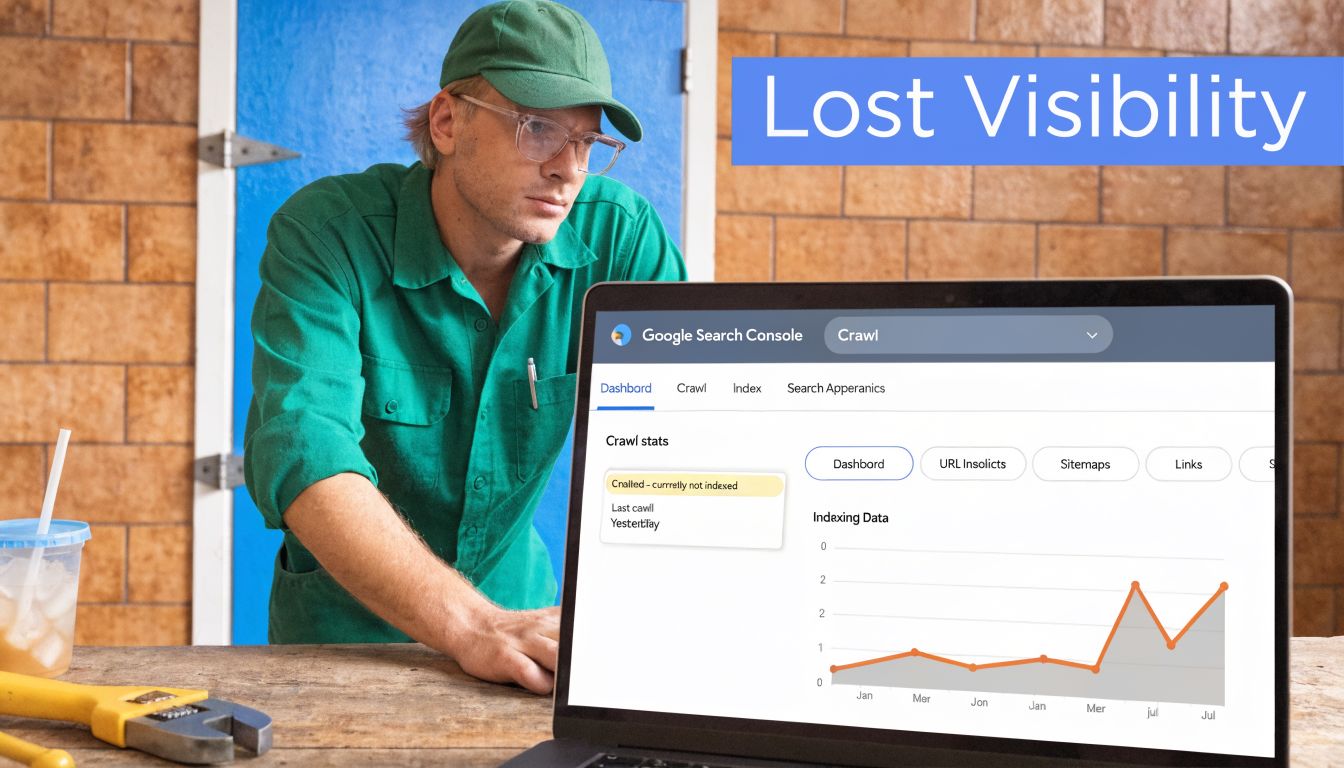
You publish a new city page for “emergency plumber near me.” Or a treatment page for “Invisalign dentist near me.” Google crawls it. Search Console shows Crawled – currently not indexed. Then nothing happens. No rankings. No map visibility boost. No calls from that page.
That status is not a harmless warning. It means Google saw the URL and decided it didn’t deserve a spot in search.
For local service businesses, that decision hurts twice. You lose the chance to rank in organic results for transactional searches, and you weaken the supporting page set that helps your local relevance in Google Maps. If your business depends on people searching with money in hand, a proper crawled – currently not indexed fix is not a cleanup task. It’s a lead generation task.
Why 'Crawled – Not Indexed' Is Costing Your Business Money
A plumber, roofer, pest control company, or dentist usually notices this after launching new service pages or location pages. The page exists, the URL works, and Googlebot has already visited it. Yet it still doesn’t show up where buyers are searching.
That’s the problem in plain English. Google crawled the page and chose not to index it. If it’s not indexed, it won’t rank for the searches that bring in jobs, appointments, and booked revenue.
Why this hits local businesses harder
Local SEO isn’t just about having a homepage and a Google Business Profile. It depends on strong service pages, city pages, and topical pages that reinforce what you do and where you do it. When those pages stay out of Google’s index, they don’t help you show up for searches like “AC repair near me” or “dentist near me.”
The local impact is serious. Unindexed pages fail to contribute to map pack rankings, where 46% of all Google searches occur, and unresolved indexing issues can lead to 20-30% lower local lead conversion for service SMBs according to Onely’s analysis of crawled currently not indexed issues.
Business reality: If your best service-area pages aren’t indexed, you’re not competing for the searches most likely to turn into phone calls.
A lot of owners make the same mistake after seeing this report. They assume Google just needs more time. Sometimes that’s true. Often it isn’t. When the same high-value pages sit in this bucket week after week, Google is signaling a quality, rendering, or authority problem.
What this usually means in practice
For local companies, the pages most likely to get excluded are often the ones built too quickly:
- Thin city pages with swapped city names and no unique proof
- Service pages that say the same thing as five other pages on the site
- JavaScript-heavy pages where key content doesn’t render properly for Googlebot
- Weakly linked pages that look unimportant inside your own site
If you want a broader perspective on why these indexing delays drain visibility, insights from Sight AI on indexing are worth reading alongside your own Search Console data.
This is why I’m opinionated about it. If the page targets a transactional search term, fix it fast. Don’t let a non-indexed page sit there pretending to be an asset.
Your First Diagnostic Steps Inside Search Console
Don’t start rewriting pages blindly. First, figure out whether you have a page problem, a template problem, or a site-wide quality problem.
Start with the Pages report
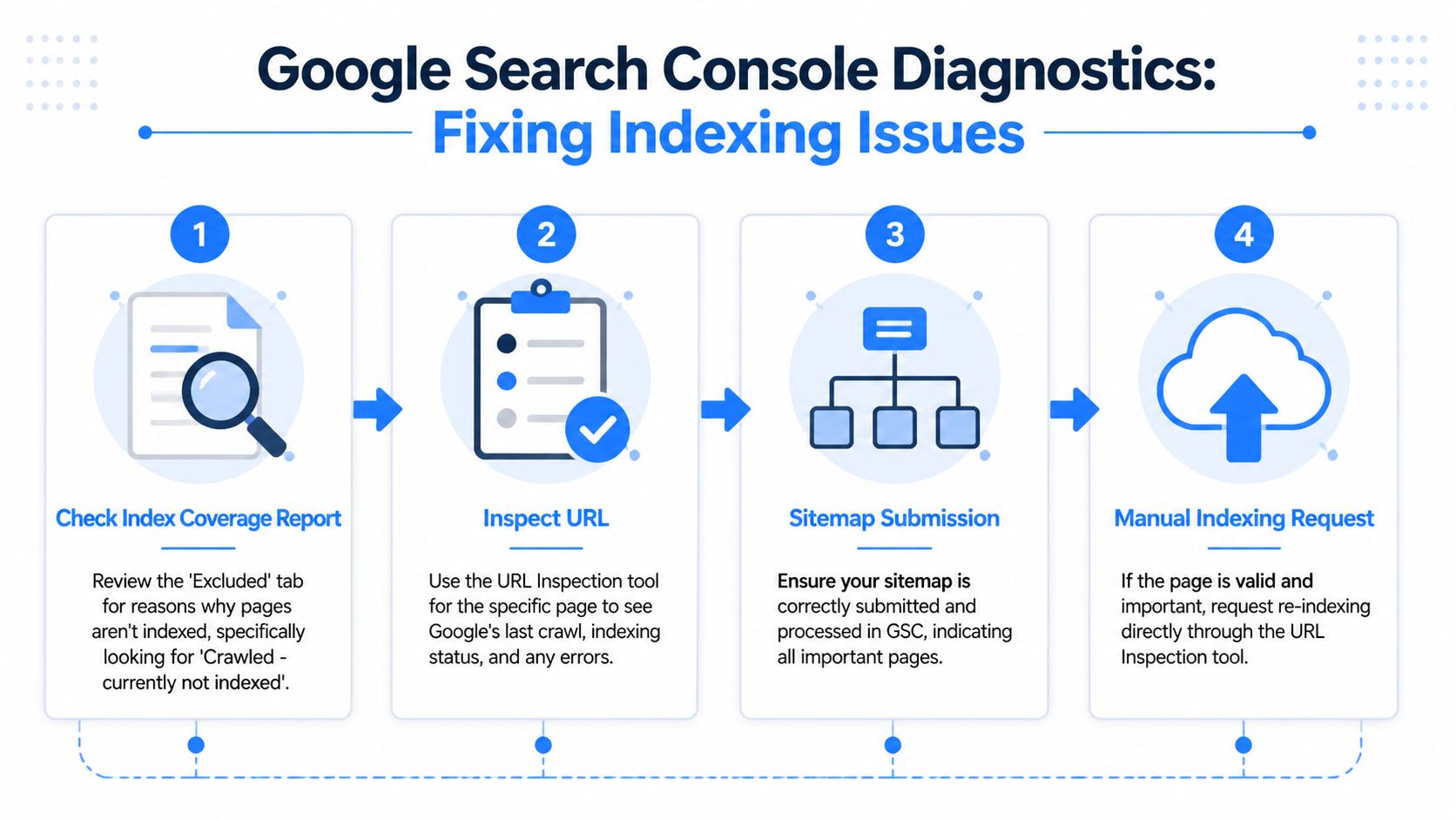
Open Google Search Console and go to Indexing > Pages. Find the bucket labeled Crawled – currently not indexed and open it.
Look for patterns, not isolated URLs.
Ask these questions:
- Are these mostly service-area pages? That points to duplicate or low-value local content.
- Are these all blog pages? That often means weak topical relevance or poor internal linking.
- Are these new pages only? That may be normal indexing delay.
- Are these high-intent money pages? That needs immediate action.
A proven process is to use the Coverage or Pages report to identify patterns first, then inspect specific URLs. If a live test passes and the underlying quality issues are fixed, requesting indexing can lead to a 70% indexing uplift in 2-4 weeks, according to Outrank’s walkthrough on crawled but not indexed pages. The same source also warns that a large volume of affected URLs usually signals a broader site issue, not something a few manual requests will solve.
If dozens of pages in the same template are excluded, stop treating it like a single-URL problem.
Use URL Inspection on real examples
Pick a few affected URLs. Don’t choose random ones. Pick one city page, one service page, and one page that matters commercially.
Paste each into URL Inspection and check:
Is the page indexable?
Confirm there’s no noindex instruction and no robots.txt block.Does the live test pass?
If Google can fetch the page live, the issue is less likely to be access-related.What does rendered HTML look like?
If important headings, body copy, reviews, or internal links are missing, rendering could be your issue.Was the page included in the sitemap?
Important pages should be in the XML sitemap. Not because sitemaps force indexing, but because they reduce ambiguity.
Check your setup before guessing
Some business owners don’t even trust the data because Search Console was configured loosely, or key properties were missed. If you need a clean baseline, use this guide on setting up Google Search Console properly.
If the pattern still isn’t obvious, use a formal review process like SEO audit services as a framework. The point isn’t to buy an audit. The point is to think like an auditor and verify technical signals before changing content.
What your diagnosis should produce
By the end of this review, you should be able to label the issue as one of these:
| Pattern | Likely issue |
|---|---|
| A few isolated pages | Page-level quality or intent mismatch |
| One page type repeatedly excluded | Template duplication or weak differentiation |
| Pages render poorly in live test | JavaScript or technical rendering issue |
| Many important URLs excluded | Site-wide authority or architecture problem |
That diagnosis matters. Without it, most “fixes” are just motion.
Fixing High-Priority Technical & Quality Issues
Most local businesses don’t have an indexing problem. They have a value problem.
Google doesn’t index pages because you published them. Google indexes pages when it believes they deserve visibility. For local service sites, the biggest offender is low-effort location and service content.

Fix the page like it has to win a search result
The three primary causes of this status are low-quality content, JavaScript rendering issues, and low website authority, according to ZipTie’s breakdown of crawled currently not indexed causes.
For a local business, “low-quality content” usually looks like this:
- Same paragraph repeated across city pages
- Generic copy with no proof, no specifics, and no local context
- Thin service pages that don’t answer real buyer questions
- AI-written text that sounds polished but says nothing useful
That page won’t win “roofer near me.” It probably shouldn’t.
What a better page actually includes
A strong local page needs to prove three things fast:
- You do the service
- You do it in that area
- You’re credible enough to trust with the job
That means adding elements such as:
- Real service details about what’s included, what problems you solve, and when to call
- Local proof like neighborhood references, service-area specifics, and relevant testimonials
- Trust signals such as licenses, certifications, technician information, office location details, and contact information
- Original media including job photos, staff photos, or process visuals
- Clear intent match so the page speaks to emergency, quote, repair, install, or treatment searches instead of broad fluff
Practical rule: If the page could rank for a buyer-ready search, it has to sound like it was written by someone who actually does the work.
A lot of quality fixes overlap with technical SEO. If you need a checklist for that side of the job, this resource on technical SEO issues that block performance is a good companion.
Don’t ignore rendering and page health
Some pages look fine to humans but break for Googlebot. That happens on JavaScript-heavy sites where content loads late, key modules fail, or internal links don’t appear in rendered HTML.
Check for:
- Missing content in the live rendered test
- Broken scripts that hide headings or body copy
- Slow mobile load times
- Template elements loading while primary content lags behind
This walkthrough is useful if you want to see the broader troubleshooting mindset in action:
The hard truth is simple. A weak page doesn’t become index-worthy because you clicked “Request Indexing.” It becomes index-worthy when the page is actually worth surfacing.
Boosting Authority with Internal Links and Backlinks
A good page can still stay unindexed if your site treats it like an afterthought.
Google uses internal links to understand importance. If your “water heater repair in Mesa” page has no meaningful links pointing to it, while your blog archive has dozens, you’re sending the wrong signal.

Internal links are your first authority lever
One practical fix is to upgrade the page, then link to it from pages Google already trusts. The benchmark advice here is specific. Expand unindexed pages to over 1,500 words with E-E-A-T signals, then link to them from at least 5 indexed hub pages. That combined approach can recover 55% of non-indexed pages, based on the source material in this indexing recovery video reference.
For local service sites, your best hub pages are usually:
- Homepage
- Main service pages
- Primary city or service-area pages
- Topical service silos
- Strong blog posts already indexed and relevant
A simple internal linking plan
Use this structure:
| Link source | What to link to | Why it helps |
|---|---|---|
| Homepage | Core service pages | Signals business priority |
| Main service page | City variants or sub-services | Reinforces topical relationship |
| Location page | Related service page | Builds service-area depth |
| Indexed blog post | Relevant money page | Transfers context and crawl paths |
Don’t force exact-match anchors everywhere. Write links naturally, but make sure the linked page is clearly described.
A buried page often stays a buried page. Google can’t treat it as important if your own site barely acknowledges it exists.
Backlinks still matter
If your whole domain looks weak, some pages will stay deprioritized no matter how much copy you add. Quality backlinks help Google trust the site behind the page.
For local companies, useful backlink sources include:
- Local business associations
- Chambers of commerce
- Industry directories with real standards
- Local sponsorships
- Community partnerships
- Relevant vendor or manufacturer pages
If you want a grounded overview of what that looks like in practice, this guide from BlazeHive on boost local presence with link building is a solid reference.
A broader site-strength strategy also matters. This explainer on how to increase website authority covers the bigger picture beyond one URL.
The key point is this. Internal links tell Google the page matters on your site. Backlinks help convince Google your site matters at all.
Validating Your Fixes and Tracking Results
After you improve the page, don’t keep poking it every day. Track it with discipline.
What to do after changes go live
Use URL Inspection on your updated page. Run the live test again. If the page renders correctly and the content has materially improved, submit a Request Indexing request for your highest-priority URLs.
Keep that list short. Focus on pages tied to real transactional searches, not every low-value URL on the domain.
Then monitor three things:
- The count of pages in the Crawled – currently not indexed bucket
- Whether priority pages move into indexed status
- Whether those pages begin appearing for local transactional queries
What progress actually looks like
Indexing is rarely instant. The healthier pattern is that the count of excluded pages starts dropping over time, especially after content, architecture, and rendering problems are fixed.
Business owners often look only at index status. That’s too narrow. You should also watch whether indexed pages start earning impressions for city + service terms, and whether map visibility improves in the same service areas.
A reporting system should connect technical cleanup to business outcomes. That means tying page indexation to keyword movement, city-level visibility, and lead trends. If you want to see how that kind of measurement should look, review examples of client SEO reporting dashboards.
Don’t confuse motion with improvement
Some actions feel productive but don’t prove anything:
- Re-requesting indexing every day
- Resubmitting unchanged pages
- Chasing random low-value URLs
- Celebrating “indexed” before rankings or calls move
What matters is whether your fixed pages start competing for searches with commercial intent. For a local business, success is not “Google noticed my page.” Success is “my page is now eligible to bring in someone searching for a service right now.”
Turn 'Not Indexed' Pages into Transactional Leads
A page that isn’t indexed is invisible at the moment it should be selling your service.
That’s why a crawled – currently not indexed fix matters so much for local businesses. When you improve weak pages, solve rendering issues, and strengthen internal authority, you turn dead URLs into assets that can rank for searches like “air conditioning repair near me,” “exterminator near me,” or “dentist near me.”
Those are transactional searches. The person searching isn’t browsing casually. They’re looking to hire, book, or call.
If your pages stay out of Google’s index, you miss those buyers before the competition even has to beat you. If your pages get indexed and supported properly, you give your business a real chance to show up in organic search and reinforce local relevance where map visibility is won.
Common Questions About Indexing Issues
Why does URL Inspection say indexed while the Pages report says not indexed
This confuses a lot of people, and it leads to wasted work.
The reason is reporting lag. The main Pages report can lag behind the live URL Inspection tool by 15-30 days, and 72% of SEOs have wasted time fixing pages that were already indexed because of this gap, according to Rank Math’s explanation of the reporting discrepancy.
So if URL Inspection shows the page is indexed, don’t panic just because the Pages report hasn’t caught up yet.
Check the live status before you touch the page again. Otherwise you may “fix” something that isn’t broken.
How long should I wait after fixing a page
Wait long enough for Google to reprocess the page and the report to refresh. That means thinking in weeks, not hours.
If you made a real improvement to content quality, internal linking, or rendering, give Google room to reassess it. If you made no meaningful change, waiting won’t help because there’s nothing new to evaluate.
Should I ever change the URL slug
Sometimes, yes. But only as a last resort.
If the page has been substantially improved, passes inspection, has support from internal links, and still won’t move after a reasonable monitoring window, a fresh URL can be worth testing. This is not the first move. It’s the cleanup move after better fixes have already failed.
Use it carefully. If you change the slug, keep the new page stronger than the old one, update internal links, and avoid creating another near-duplicate.
If your service pages are being crawled but not indexed, you’re losing visibility for searches that can turn into booked jobs and new patients. Transactional LLC helps local service businesses fix indexing problems, improve Google Maps visibility, and rank for transactional search terms that lead to calls, appointments, and revenue.