


A customer in your service area searches “AC repair near me” or “dentist near me.” They need help now. They're not researching for next quarter. They're trying to hire someone today.
If your Google Business Profile is incomplete, unverified, or poorly set up, Google sends that customer to somebody else. That's the true cost of bad Google Business Profile setup. It isn't a messy listing. It's missed calls, missed appointments, and jobs that should've gone to you.
Why Your GBP Is Your #1 Tool for Transactional Searches
A homeowner searches “water heater repair near me” at 7:10 a.m. A patient searches “emergency dentist near me” during lunch. A driver searches “tow truck near me” from the side of the road. In each case, the first real sales page they see is usually your Google Business Profile on Search and Maps.
That is why your GBP drives so many high-intent leads. Transactional searches happen fast. People want proof, proximity, and a clear way to contact you without clicking through five pages of your website.
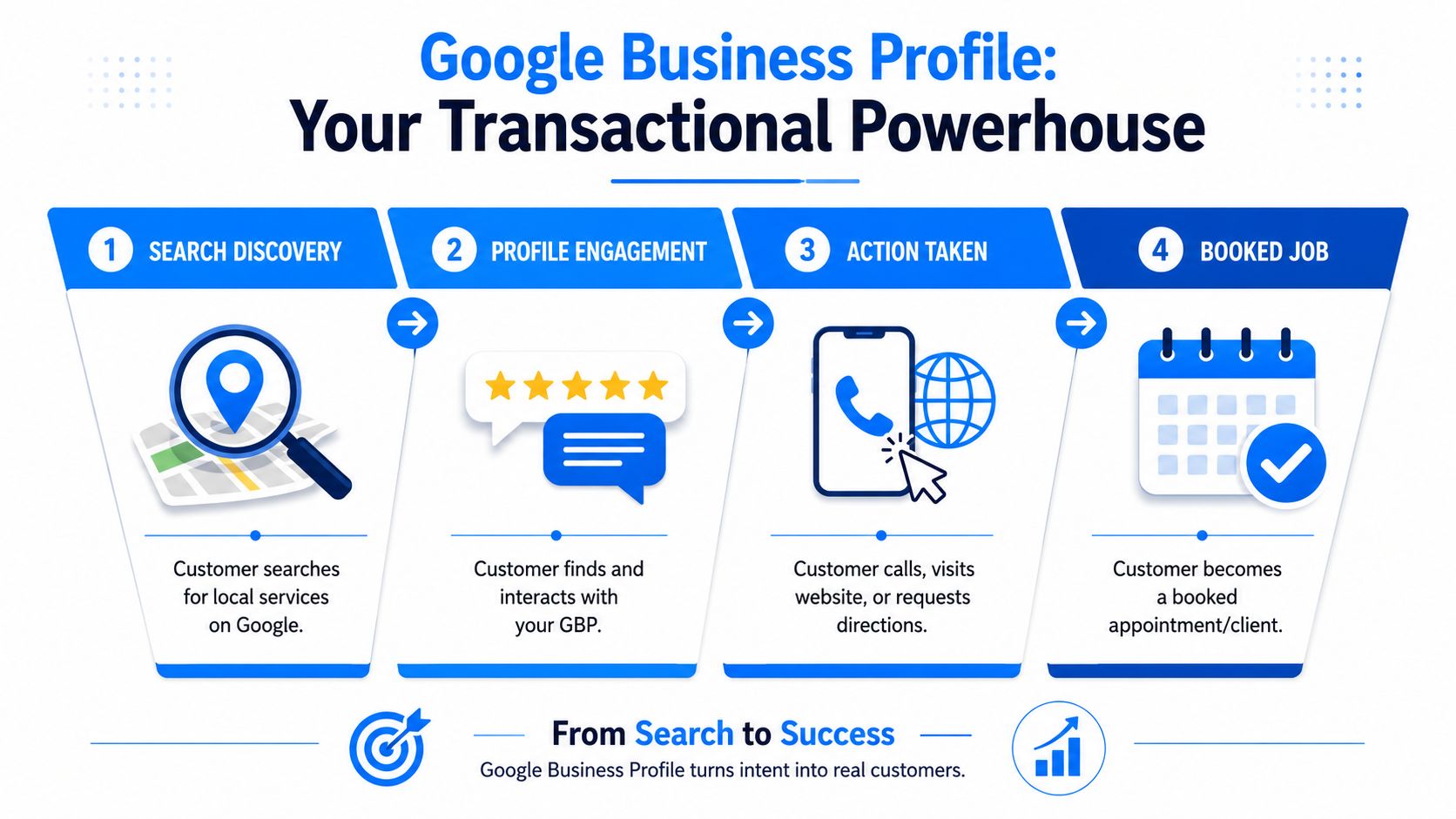
Transactional searches live in Search and Maps
If you run HVAC, plumbing, roofing, pest control, dental, chiropractic, or med spa marketing, your GBP is a revenue asset. It influences whether Google shows you in the map pack, whether a searcher trusts you in seconds, and whether that person taps Call instead of backing out and choosing a competitor.
Treat setup and optimization accordingly. This is not profile housekeeping. It is front-line sales work for people with money in hand.
A strong profile gives Google clean local signals and gives searchers immediate answers: what you do, where you operate, when you're open, whether people trust you, and how to reach you now. Weak or incomplete data creates hesitation. Hesitation kills calls.
Practical rule: If your profile is vague, Google has less confidence ranking it, and customers have less confidence calling it.
Why this also matters for AI optimization
AI-driven search features pull from structured business information. Your Google Business Profile contains the exact details these systems need: business name, categories, services, service area, hours, reviews, and contact options.
That gives one asset two jobs. It helps you compete for ready-to-buy local searches today, and it gives search systems a cleaner source to reference as AI-assisted results keep expanding.
If you want the baseline definition, read what Google Business Profile is and how it works. Then treat your GBP like what it is: your transactional storefront on Google, built to rank in the map pack and turn searches into calls and booked jobs.
Initial Setup and Verification Your Gateway to the Map Pack
Most business owners rush into photos, posts, and service lists before they handle the one step that enables visibility. That's backward. Verification comes first.
Google recommends a strict sequence for setup: create or sign in to a Google Account, add or claim the business, enter the exact real-world business name, choose the fewest accurate categories, then complete verification before optimization through Google's Business Profile setup guidance. Follow that order. Don't improvise.
The setup order that avoids problems
Use this sequence exactly:
Use the right Google account
Pick an account your business will keep long term. Don't build your profile on a former employee's login or a random personal Gmail.Add or claim the business
Search for your business first. If a profile already exists, claim it. If not, create it.Enter your real-world business name
Use the actual name customers see on your signage, legal docs, and branding. Don't stuff in extra keywords.Choose the fewest accurate categories
Your primary category should describe what you mainly sell. If you're a roofer, say roofer. Don't blur your profile with broad labels if the service is specific.Complete verification before optimization
This is the gate. Until you finish it, your profile doesn't have the trust needed to function as a real local asset.
Why verification matters so much
A lot of local businesses act like verification is a technical nuisance. It isn't. It's how you prove to Google that you're a legitimate business operating at a real location or as a real service-area business.
If you skip it, delay it, or mess it up, you handicap the entire profile. No serious map visibility strategy starts with an unverified listing.
If you want map pack visibility, treat verification like a priority job, not a task you'll “get to later.”
Common verification issues
Google can offer different verification paths depending on the business and situation. The exact method can vary, so the smart move is simple: follow the prompts inside your profile manager and make sure your business details are clean before you submit anything.
A few practical rules help:
Match documents and profile details
Your business name, address, and public details should align across the board.Use a legitimate location setup
Google only allows profiles for eligible physical locations or service-area businesses, as noted in the setup guidance above.Avoid duplicates before you verify
If you create a second listing for the same location, you can create a bigger mess than the one you were trying to solve.
For businesses serious about local SEO, I also recommend connecting your broader search data stack early. A related step is setting up Google Search Console correctly, so you can track what search terms already trigger impressions and where your visibility is weak.
Core Profile Fields The Data That Wins Local Customers
Most profiles don't underperform because Google is unfair. They underperform because the business owner filled in the basics and stopped. The core fields are where local intent gets translated into search visibility.
If you want your profile to rank for transactional terms, every field needs to answer a buyer's question and help Google classify your business correctly.
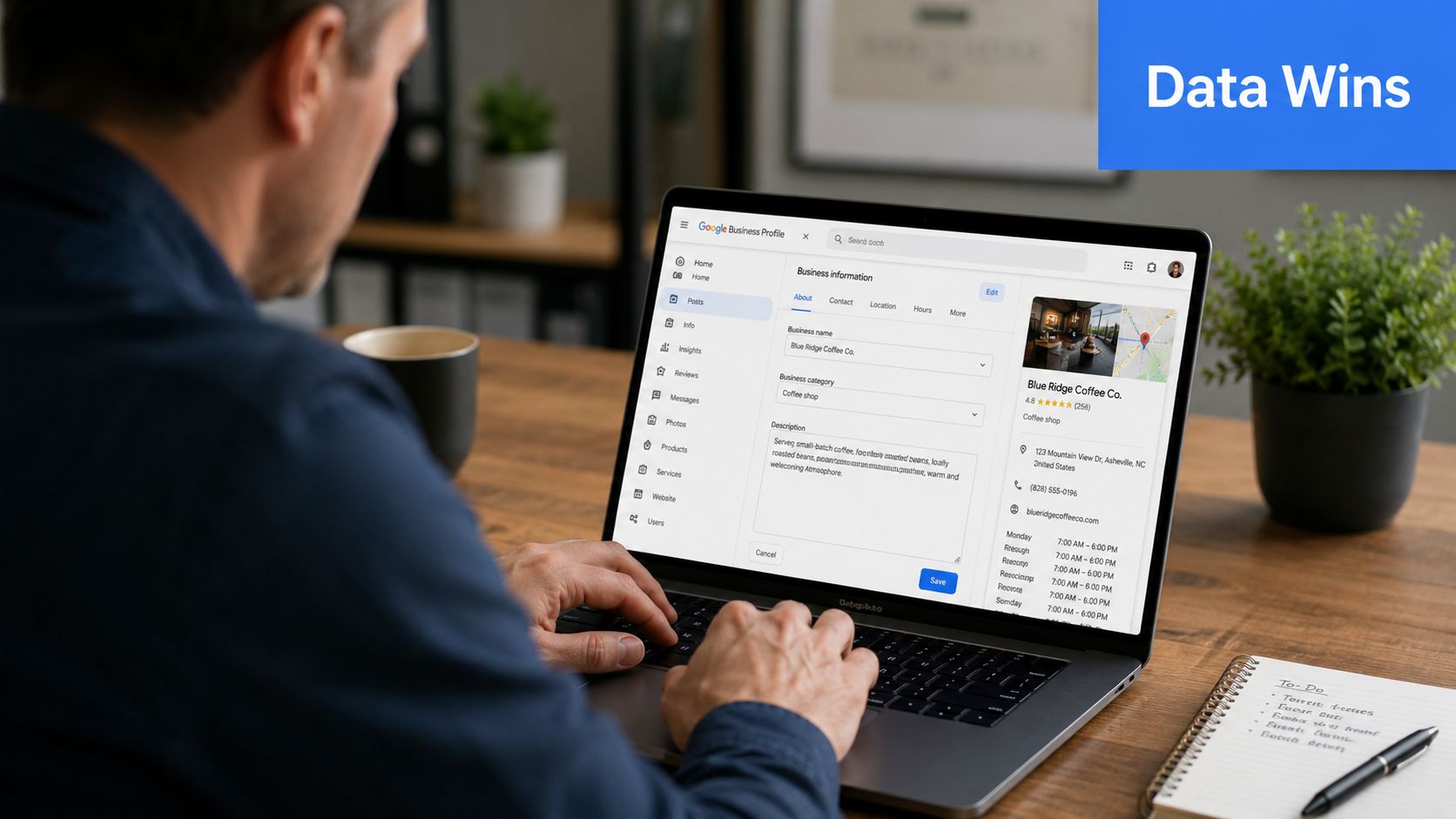
Categories decide what searches you deserve
Your category strategy should be tight. Google says categories help determine how the profile appears. That means this field isn't decoration. It's classification.
Here's the practical difference:
| Business type | Weak category choice | Strong category choice |
|---|---|---|
| Roofing company | General Contractor | Roofer |
| Dental office | Health Consultant | Dentist |
| Plumbing company | Home Improvement | Plumber |
| Pest control business | Cleaning Service | Pest Control Service |
Use the fewest accurate categories that describe your core business. The primary category should reflect the service you most want to win in local search. Secondary categories should support the core, not muddy it.
Name, address, service area, and phone must be exact
Many profiles often encounter difficulties. Business owners start “optimizing” by adding city names, extra keywords, or inconsistent service details. That usually makes the profile weaker, not stronger.
Keep these fields disciplined:
Business name
Use the actual business name only.Address or service area
If you serve customers at their location, configure your service area correctly. If you operate from a storefront or office that customers can visit, your address needs to be precise and accurate.Phone number
Use a phone line your team answers. The best ranking profile in your market won't help if nobody picks up.Hours
Set hours accurately. If you offer emergency service, make sure your operations support the expectation your listing creates.
A strong GBP doesn't just describe your business. It removes friction for the customer who wants to contact you right now.
Services and descriptions should mirror buyer intent
The services section is where you can sharpen your relevance for long-tail local searches. Don't leave it vague.
A roofing business shouldn't stop at “roofing.” Add the actual work customers search for: roof repair, roof replacement, storm damage repair, leak repair, and inspection-related services if those are real offers. A dental office should define services like emergency dentistry, dental implants, teeth whitening, and cleanings if they're offered. An HVAC company should reflect repair, installation, replacement, and maintenance.
Write descriptions for clarity, not fluff. Your wording should sound like something a real customer would understand in three seconds.
For businesses thinking ahead on AI optimization, this matters even more. Structured service data helps search systems connect your profile to specific local needs. If you want a useful outside perspective on where this is headed, read how to dominate AI search in 2026. The core idea is simple: cleaner local relevance wins.
The fields you should audit first
If I were reviewing your profile today, I'd check these first:
Primary category accuracy
Does it match the main transactional service you want?Service list depth
Does it reflect the actual jobs and patient services you sell?Location model
Is the profile configured properly as a storefront or service-area business?Contact consistency
Do your main phone number, hours, and website path align with the customer experience?
Bad setup creates ambiguity. Good setup creates relevance. In local SEO, relevance wins calls.
Content and Engagement Turning Browsers into Booked Jobs
A prospect finds your profile at 4:30 p.m. after a pipe burst, a tooth cracks, or the AC stops cooling. They are not researching for fun. They are deciding who to call right now, and your Google Business Profile has a few seconds to win that job.
That is why content and engagement matter so much. Ranking gets you seen. A sharp, active profile gets the click, the call, and the booking.

Google users often act directly from the profile instead of visiting a website first. That makes your photos, posts, service presentation, and response habits part of the sales process, not just profile maintenance.
Photos sell competence fast
Customers judge service quality before they read a word. Weak photos make your business look small, sloppy, or inactive. Strong photos make the next step feel safe.
Use images that answer the buyer's real question: "Can this company handle my job?"
Team photos
Show branded uniforms, technicians, front desk staff, or clinicians. People want to see a real business, not stock images.Work examples
Show completed jobs, before-and-after results, and accurate examples of the services you want more of.Facility photos
Make your office or storefront easy to recognize. That lowers hesitation for first-time visitors.Brand signals
Include trucks, signage, tools, treatment rooms, and equipment that prove legitimacy.
If you want more high-intent leads, stop uploading random images. Add photos that support the buying decision.
Posts and updates help you convert urgency into action
An inactive profile looks neglected. An active profile looks open, responsive, and in demand.
Use Google Posts to match the searches that bring in ready-to-buy customers. Promote seasonal services, limited appointment availability, emergency service windows, financing offers, and timely demand spikes. An HVAC company should post during heat waves. A roofer should post after storms. A dentist should highlight emergency appointments and high-value treatments people already search for.
This supports your map pack performance in a practical way. Searchers see a business that looks current, relevant, and ready to take the job now.
If you publish location pages, service pages, or blog content on your site, keep that message aligned with your GBP. This guide to content marketing for local businesses explains how to build that support system.
Engagement features remove friction
Every extra step costs you calls. If someone has to dig for answers, compare confusing service names, or wait hours for a reply, they move to the next listing.
Use the features that shorten the path from search to contact:
| Feature | Why it matters | Best use |
|---|---|---|
| Booking options | Gives customers a direct way to schedule | Dental, med spa, chiropractic, consultations |
| Messaging | Captures quick pre-sale questions | Teams that can respond fast |
| Services or product-style listings | Makes offers easier to understand | Repair types, treatment categories, service packages |
Only turn on what your team will manage well. Slow replies and stale information cost trust.
Operational discipline also matters here. Some businesses use internal systems or outside partners to keep profile content, updates, and local pages aligned. For example, Transactional LLC provides Google Maps optimization, GMB setup support, and AI-driven content planning for service businesses, alongside broader local SEO work. The important point is ownership. Someone on your team, or a partner you trust, needs to run the profile like a lead-generation asset tied directly to calls and booked jobs.
Mastering Reviews and Ongoing GBP Management
Reviews are the trust layer that turns visibility into booked work. A customer comparing two local businesses often makes the decision on social proof, not on branding language.
If you want more transactional customers, you need a review process that runs every week, not once in a while when someone remembers.
Review generation should be systematic
Most business owners ask for reviews randomly. That produces random results. Build a repeatable process instead.
Ask at the right moments:
Right after a successful service visit
The customer is happiest when the problem is solved.At the front desk or checkout
This works well for dental, chiropractic, and med spa practices.In follow-up communication
Send a short, direct request after the appointment or completed job.
The ask should be simple and human. Don't over-script it. Just make it part of your workflow.
Respond to every review like prospects are watching
Because they are.
A reply to a positive review shows that your business is active and appreciative. A reply to a negative review shows professionalism, restraint, and problem-solving. Future customers read those exchanges to judge how you handle real situations.
Here's the standard I recommend:
Positive reviews
Thank the customer and reference the service if appropriate.Negative reviews
Stay calm, avoid defensiveness, and move resolution offline when needed.Questionable reviews
Review them against Google's policies and flag when appropriate, but don't assume every bad review will disappear.
Don't treat review responses as customer service leftovers. Treat them as public sales copy written in real time.
Ongoing management keeps the profile competitive
Google Business Profile isn't a set-and-forget asset. Hours change. Services change. Photos get old. Questions go unanswered. Competitors improve.
A disciplined monthly review should include:
- Hours and holiday accuracy
- Fresh photo uploads
- Review response checks
- Service list updates
- Q&A monitoring
- Performance review inside the profile dashboard
If you want a practical system for building review momentum around local buyer intent, this resource on getting more reviews and dominating transactional search is worth reading.
Troubleshooting and Your Optimization Checklist
Most GBP problems come from violating policy or creating conflicting business data. Google says the highest-risk setup mistakes include using a business name that doesn't match its physical presence, using an inaccurate address or service area, and creating more than one page for the same location, which can cause display problems through Google's Business Profile guidelines.
Three problems that need fast action
Profile suspension
Check your name, address, and category choices first. If you added keyword stuffing or set up a questionable location model, fix that before you appeal.Verification loop
Review every core business detail for consistency. Mismatched information often causes repeated friction.Duplicate listings
Stop creating new profiles for the same location. Identify the existing listing and work through ownership or support channels instead of multiplying the problem.
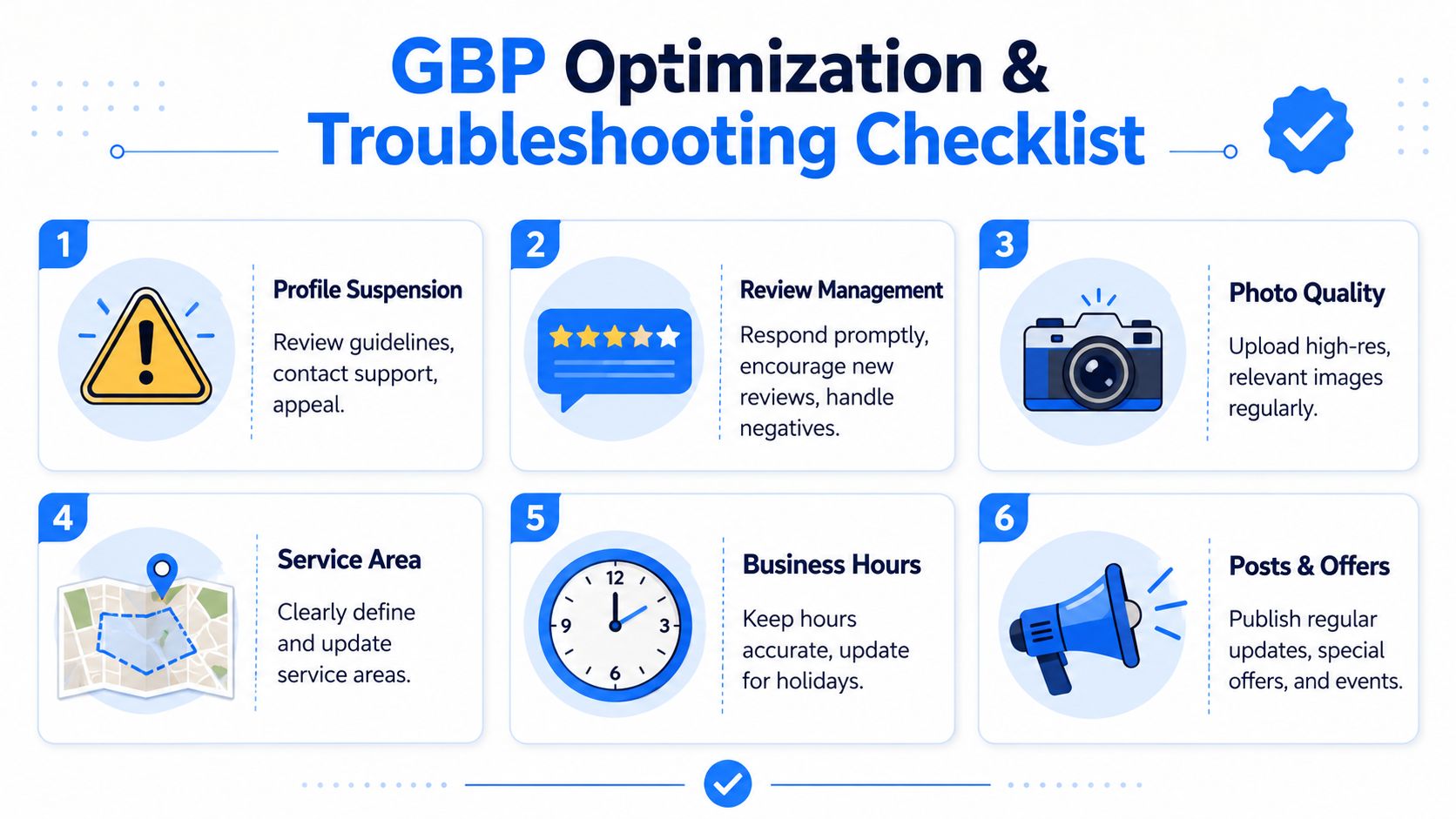
Quick optimization checklist
- Verify the profile
- Use the exact real business name
- Choose the most accurate primary category
- Set the address or service area correctly
- Complete hours, phone, website, and services
- Upload strong photos
- Publish updates regularly
- Ask for reviews consistently
- Respond to reviews and questions
- Audit the profile every month
If you want help turning your Google Business Profile into a real lead channel for local transactional searches, talk to Transactional LLC. They work with service businesses on local SEO, Google Maps optimization, AI-driven content strategy, and the systems needed to turn visibility into calls, jobs, and patients.