


Your rankings look fine. Your traffic report says people are finding you. But the phone isn't ringing the way it should.
That usually means one thing. You're getting clicks from high-intent searches, then losing those visitors before they take action. For a local service business, that's not a reporting problem. It's a revenue leak.
This matters most on transactional searches. Searches like “plumber near me,” “emergency electrician,” or “AC repair in [city]” come from people who are ready to hire. When those visitors bounce, you're not losing casual browsers. You're losing booked jobs.
If you want to understand how to reduce bounce rate, start there. Don't treat bounce rate like a vanity metric. Treat it like a measure of how many ready-to-buy people land on your site and leave without calling, booking, or checking your Google Business Profile.
Why a High Bounce Rate Kills Local Service Leads
A local service website doesn't need to entertain people. It needs to confirm three things fast. You do the work, you serve the area, and you're the right company to call now.
When that doesn't happen, the visitor leaves. They don't spend time comparing your brand story or reading your company history. They hit back and call the next provider in the map pack or the next site in organic search.
What a bounce means on a service page
On a blog post, a bounce can be harmless. Someone reads the answer they needed and leaves.
On a service page targeting a transactional keyword, a bounce usually means something more expensive. It means the page failed to earn the next step.
Practical rule: If someone searched with clear buying intent, your page should move them toward a call, form fill, direction request, or another high-intent action.
That's why bounce rate needs to be evaluated by page type. A general article about furnace maintenance and a page targeting “24 hour furnace repair near me” should not be judged the same way.
The leaky bucket problem
Most local business owners don't have a traffic problem. They have a conversion path problem.
The common pattern looks like this:
- The click happens: Your page appears for a local search that should bring leads.
- The page hesitates: It loads slowly, feels generic, or hides the next step.
- Trust breaks: The visitor doesn't immediately see local proof, service details, or contact options.
- The lead disappears: They return to Google and choose another company.
This is why bounce rate has to connect back to lead generation. If your site leaks visitors from transactional searches, your ad spend, SEO work, and Maps visibility all produce less return.
There's another layer now. AI-driven search tools and large language model interfaces are increasingly built around usefulness, clarity, and engagement. A page that satisfies intent quickly, clearly, and credibly has a better shot at being surfaced, cited, or trusted. A weak page doesn't just lose today's click. It can lose future visibility too.
For local SEO, the bottom line is simple. If your page doesn't hold attention long enough to produce action, your competitors get the calls.
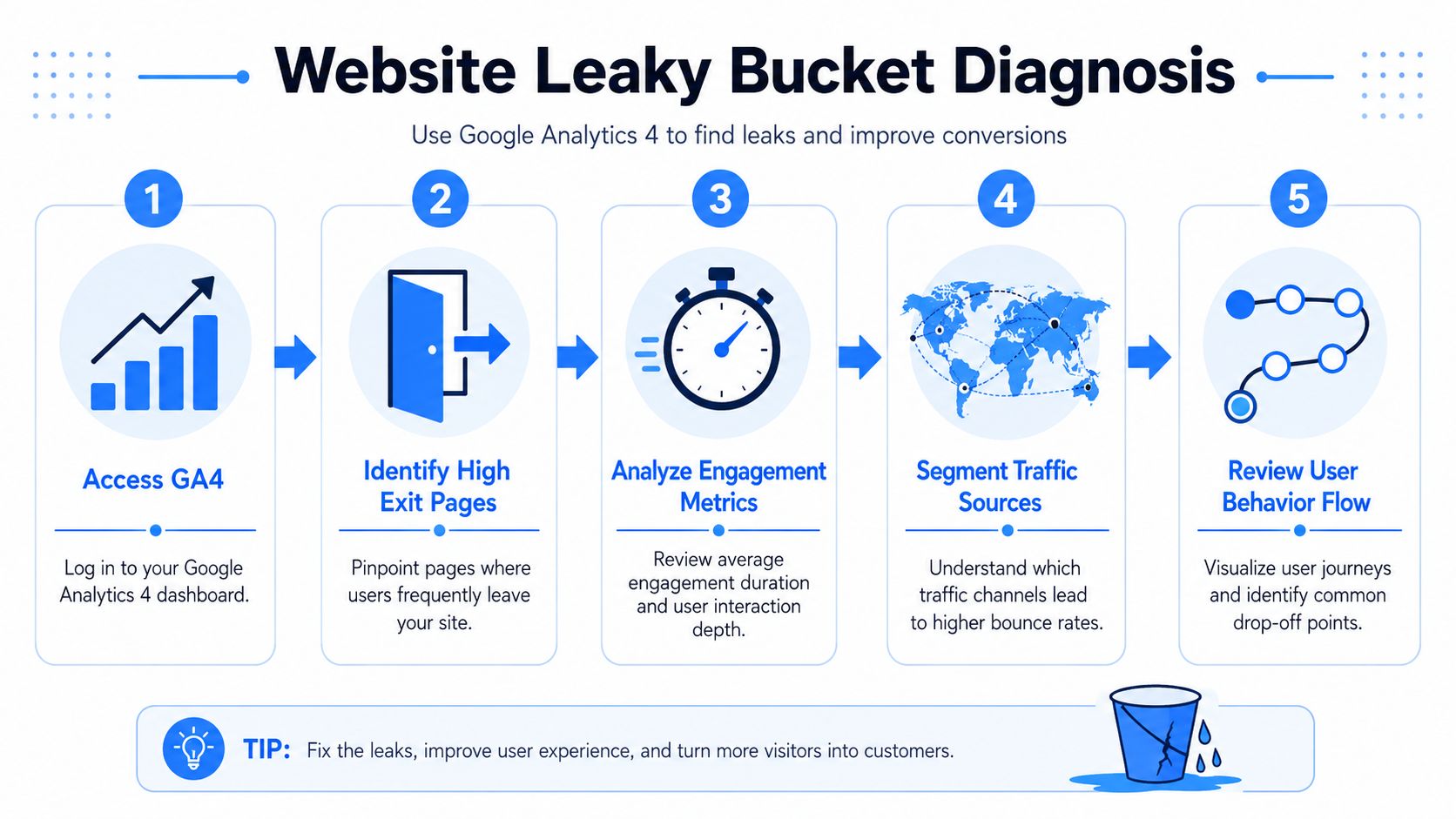
Diagnosing Your Website's Leaky Bucket
Before you change headlines, redesign buttons, or rewrite service pages, identify where visitors are dropping off. Most businesses waste time fixing the wrong pages.
Start in Google Analytics 4. Look at your service pages, city pages, and landing pages tied to real buying intent. Those are the pages that should produce calls and booked jobs. If one of them is getting traffic but not engagement, that page deserves attention first.
Know the difference between a bad bounce and a good one
A lot of older advice about how to reduce bounce rate is outdated because the metric changed in GA4. As explained in Semrush's guide to bounce rate in GA4, a high bounce rate can be normal or even desirable on some pages, and GA4 counts sessions as engaged when they last at least 10 seconds, include a conversion event, or include 2+ page/screen views.
That matters for local businesses.
If someone lands on your contact page, sees your number, and calls you, that one-page visit may still be a successful session. If someone lands on a service page, stays briefly, and leaves without interacting, that's a very different outcome.
Use this lens when reviewing data:
| Page type | High bounce may be acceptable | High bounce is a problem |
|---|---|---|
| Contact page | Visitor got the number and called | Visitor couldn't find contact info |
| Blog post | Visitor got a quick answer | Post attracts the wrong audience |
| Core service page | Rarely | Visitor didn't trust, understand, or act |
| City landing page | Rarely | Page failed to confirm local relevance |
What to check first in GA4
Don't get buried in reports. Focus on a few useful checks.
- Pull your top landing pages and isolate pages tied to core services.
- Compare engagement by source so you can see whether organic search, Maps traffic, or paid traffic behaves differently.
- Review engagement duration on money pages. Short visits with no action usually indicate friction.
- Check conversion paths to see whether users ever reach quote forms, booking pages, or click-to-call events.
- Look for drop-off patterns by city page or service page type.
If you want a structured process, use this website audit guide from Transactional to review technical issues and page-level problems before you start rewriting content.
A high bounce rate on a blog can be a content issue. A high bounce rate on your “water heater repair” page is usually a sales issue.
Add direct feedback when analytics isn't enough
Numbers tell you where visitors leave. They don't always tell you why.
For pages with clear commercial intent, short feedback prompts can help uncover friction. If you sell or book through a Shopify flow, exit survey forms for Shopify can give you a simple way to capture why a visitor abandoned the page. The same principle works on service sites too. Ask what stopped them from booking, calling, or requesting a quote.
That kind of feedback often reveals issues analytics won't. Confusing pricing language, unclear service area coverage, weak trust signals, or a missing next step.
Secure Transactional Clicks with Speed and Mobile UX
When someone needs an emergency service, patience disappears fast. They're usually on a phone, they're under time pressure, and they're comparing options in seconds.
That's why technical performance comes first. Before you rewrite copy or tweak design, make sure the page loads quickly and works cleanly on mobile.

Speed is not a cosmetic fix
According to BrightEdge's bounce rate benchmark, 53% of mobile visitors leave a page that takes more than 3 seconds to load. For local service businesses, that's one of the clearest explanations for disappearing leads.
A visitor searching “electrician near me” isn't browsing for fun. If your page stalls, they leave before they even see your offer, your reviews, or your phone number.
Google has also documented that mobile pages built with AMP load substantially faster than standard mobile pages. The larger point is simple. Faster rendering lowers abandonment, especially when mobile traffic dominates.
What to fix before you touch design
A prettier page won't save a slow page. Use a performance-first sequence.
- Measure the page first: Run important service pages through PageSpeed Insights and review Core Web Vitals.
- Shrink media before upload: Compress and resize images so mobile users aren't loading oversized files.
- Reduce front-end weight: Minify CSS and JavaScript, and defer non-critical scripts where possible.
- Remove clutter: Old plugins, unnecessary widgets, and bloated themes often create hidden delay.
- Test real mobile behavior: Open the page on your own phone and try to call, scroll, and submit a form.
If your team is working on a broader rebuild, this resource on mobile optimized sites is useful for reviewing what a service business mobile experience should support.
Your homepage can survive a little friction. Your emergency service pages usually can't.
What good mobile UX looks like for local SEO
A strong mobile experience for transactional search isn't complicated. It's direct.
Your top section should load fast, show the service, show the location, and make contact easy. Buttons need enough size to tap. Text needs to be readable without zooming. The call button should be visible without hunting through the page.
A few things consistently hurt bounce rates on local sites:
- Hero sections that hide the offer: If the first screen is all branding and no service, users hesitate.
- Tiny contact options: If the phone number isn't tappable, you're adding friction to the highest-intent action.
- Layout shifts: When buttons move while the page loads, people mis-tap or lose trust.
- Heavy image banners: Large decorative visuals often slow the exact pages that need speed most.
The businesses that win transactional search usually make a simple decision. They prioritize access over aesthetics. That's how you keep the visitor long enough to become a lead.
Match Your Content to Your Customer's Search Intent
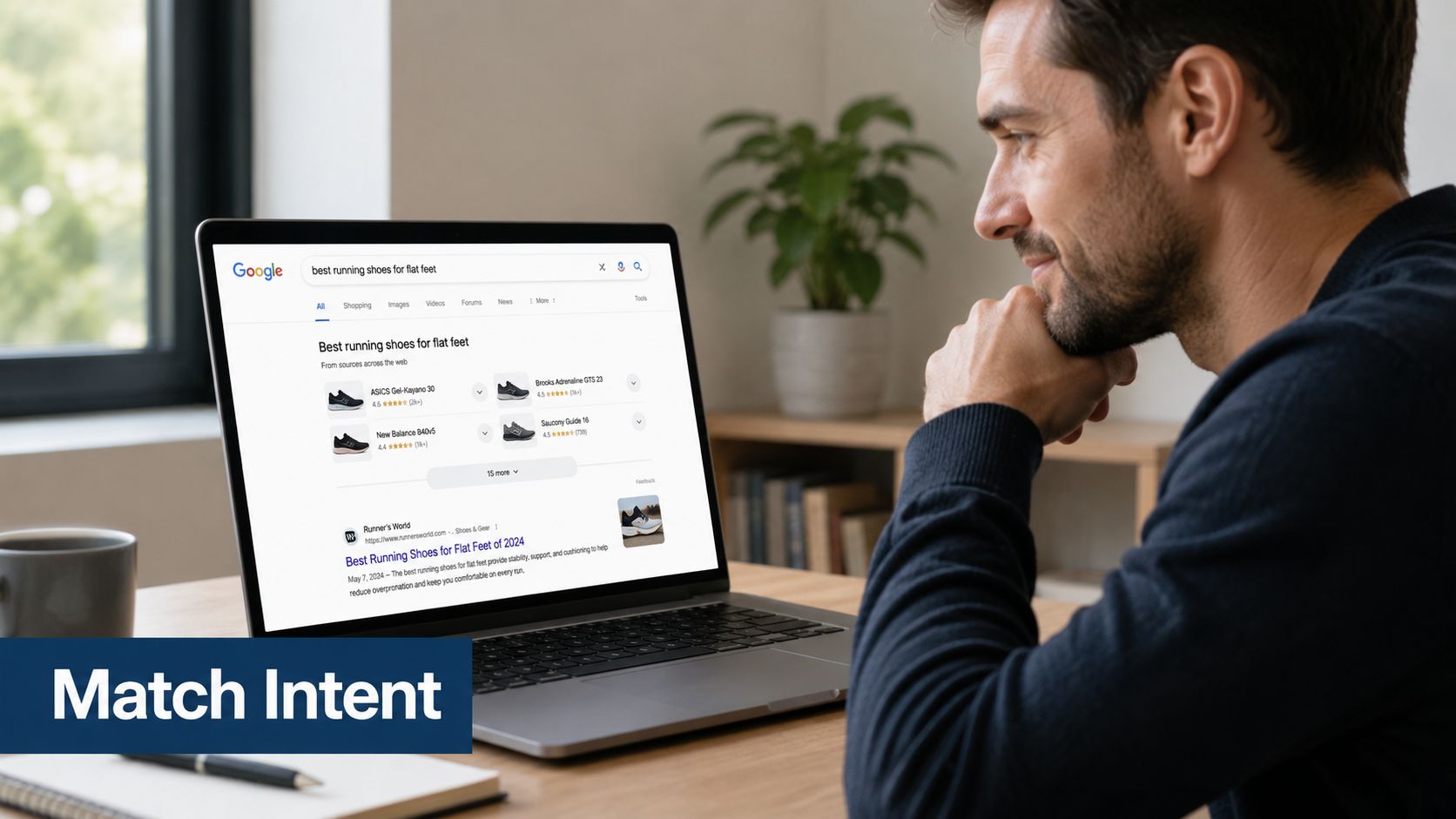
Once the page loads, the visitor asks one question fast. “Am I in the right place?”
If your page doesn't answer that immediately, bounce rate climbs even when rankings are strong. As a result, many local businesses lose qualified leads. They target the right keyword, then send traffic to a page that feels generic, broad, or disconnected from the actual search.
Confirm the search instantly
Nielsen Norman Group emphasizes fighting for the second click, and strong bounce-rate guidance consistently points back to alignment between search intent, page content, and the next step. It also helps when the page title, URL, meta description, and on-page copy all match what the visitor expected to find, as noted in Nielsen Norman Group's article on reducing bounce rates.
For local service pages, that means your message should confirm intent above the fold.
If someone searched “roof repair in Austin,” the page should not open with a vague headline like “Quality Roofing Solutions for Every Home.” It should clearly say what you do and where you do it.
Audit your service pages like a buyer
Use a simple buyer-eye review. Open the page and answer these questions in a few seconds.
- Does the headline match the search? The H1 should reflect the service and location naturally.
- Does the page show local relevance? Use local job photos, neighborhood references, service area mentions, or location-specific proof.
- Does the copy address urgency? Transactional searches usually come from someone with a problem now, not later.
- Does trust appear early? Licensing, insurance, certifications, and local reviews should be visible without scrolling far.
- Is the next action obvious? A quote request, booking option, or click-to-call path needs to appear quickly.
If your keyword targeting is too broad, the page will feel broad too. This guide on keyword research best practices is a good reference for tightening page intent around real local buying terms.
A service page should feel like an answer to a specific local problem, not a brochure for the whole company.
Why this also matters for AI visibility
AI-driven search systems are built to identify the clearest answer, not the most bloated page. When your page directly matches the user's problem, location, and desired action, it becomes easier for both human visitors and AI systems to understand what the page is for.
That means clear headings, plain language, short sections, and direct service descriptions matter more than clever marketing copy. Local relevance matters too. A page that clearly states the service, city, and proof of capability is easier to interpret and easier to trust.
For service businesses, intent matching is one of the most practical ways to improve both bounce behavior and future search visibility.
Turn Clicks into Calls with Strong CTAs and Local Proof
A lot of pages lose leads after they've done the hard part right. The visitor arrived from a transactional search, the page loaded, and the offer made sense. Then the page failed to ask for action clearly enough.
Often, bounce rate presents itself as a conversion issue. People don't always leave because they're unconvinced. Sometimes they leave because the next step feels vague, buried, or inconvenient.
Build a page that makes calling easy
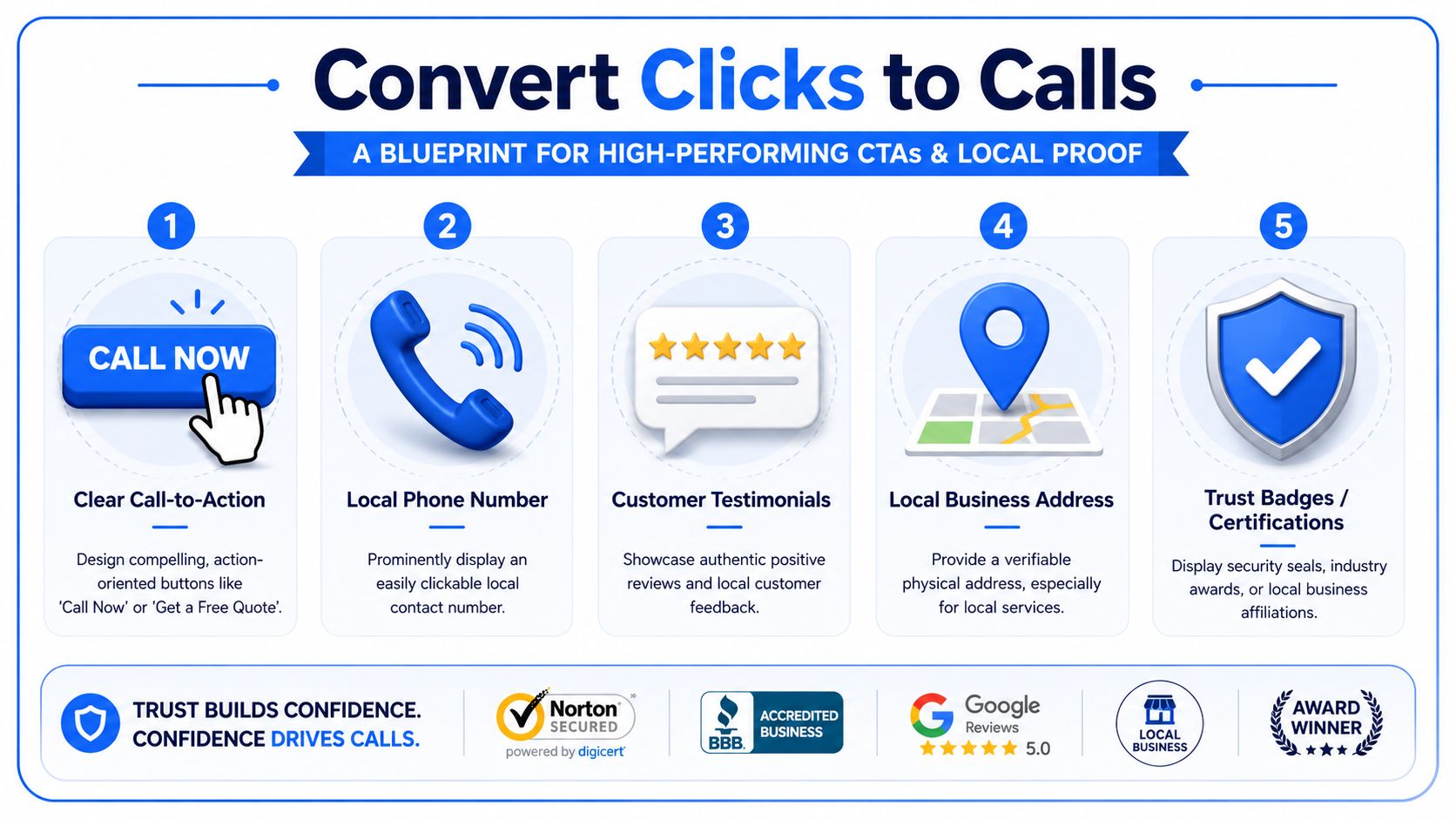
For local services, the best CTA is usually the one that removes the most friction. On mobile, that often means a visible tap-to-call button. On desktop, it may mean a quote form with a clear promise of what happens next.
Use this checklist on your core service pages:
- Put the phone number in the top section: Make it local, visible, and clickable.
- Repeat the CTA naturally: Don't rely on one button at the top and hope people scroll back.
- Use direct wording: “Call now,” “book service,” and “request a quote” outperform vague language.
- Keep forms short: Ask only for what your team needs to respond.
- Add reassurance near the CTA: Service area, hours, response expectations, or credentials reduce hesitation.
If you're testing how different call prompts work across video or landing experiences, this breakdown of comparing CTA overlay vs verbal CTA is useful because it highlights how presentation affects response.
Local proof reduces hesitation
Trust is local. A service business gets more conversions when the page looks anchored in the market it serves.
That means adding proof elements that reassure the visitor they're dealing with a real local company, not a generic template. Strong options include local reviews, a physical address when appropriate, service-area details, certifications, and photos from actual jobs.
A few practical additions often help:
| Element | Why it helps |
|---|---|
| Embedded map or service area reference | Confirms local presence |
| Reviews from nearby customers | Builds relevance and trust |
| Neighborhood or city pages | Supports hyperlocal intent |
| License and insurance details | Reduces perceived risk |
If you're trying to strengthen the review side of that equation, this resource on getting more reviews can help you build more visible local proof across your website and Google Business Profile.
If the page feels generic, people assume the service will be generic too.
Connect your website and Google Maps presence
One of the most overlooked bounce rate fixes is improving the landing page connected to your Google Business Profile. People often discover a business in Maps first, then click through to the website for final validation.
If that landing page lacks reviews, service-area cues, neighborhood relevance, or a strong call path, the visitor often leaves and chooses another listing. That's why your Maps visibility and website experience have to support each other. The search may begin in Google Maps, but the conversion often depends on what the site confirms next.
Stop Guessing and Start Converting with Our Proven System
Most bounce-rate advice stays too generic to help a service business that depends on local leads. You don't need abstract engagement tips. You need a system that keeps high-intent visitors from slipping away after they click.
The practical sequence is straightforward. Diagnose which pages are leaking. Fix the technical issues first. Align each page to the exact transactional query. Then make the next step impossible to miss.
What actually works
The strongest approach is a performance-first optimization sequence. Measure PageSpeed and Core Web Vitals, compress media, minify CSS and JavaScript, defer non-critical scripts, remove unnecessary bloat, and verify mobile responsiveness before changing content. That layered approach is consistent with the guidance outlined in WP Rocket's bounce rate optimization article.
After that foundation is in place, page-level improvements start working better. Better headlines help because visitors see them. Better CTAs matter because the page is stable enough to use. Stronger local proof helps because the buyer hasn't already left.
Why local service companies need a tighter system
A home service company, dental office, pest control brand, or med spa doesn't win by attracting random traffic. It wins by showing up for transactional search terms in the right cities and turning those clicks into calls.
That requires discipline:
- Page intent has to be precise: One page for one core service and market focus.
- Google Maps and website signals need alignment: Your listing and landing page should reinforce each other.
- Content needs to answer buying intent: Not just rank, but convert.
- AI search visibility needs clarity: Clear service pages are easier for search systems to understand and surface.
The biggest mistake is trying to fix bounce rate with surface-level changes. New colors, larger logos, and generic homepage rewrites rarely solve the issue. Most of the time, the leak sits in one of three places. Load speed, intent mismatch, or weak conversion paths.
If you want better results from local SEO, improve those first. That's how you reduce wasted traffic, protect your best leads, and turn more searches into booked jobs.
If your business is getting traffic but not enough calls, Transactional LLC helps fix the gap. We focus on transactional search terms, Google Maps visibility, and conversion-focused local SEO that turns “near me” searches into real jobs, patients, and booked appointments. If you want a team that can tighten your pages, improve local rankings, and build a system designed for high-intent leads, reach out and start the conversation.