


A roofer searches “roofer near me” from his own phone and sees three competitors occupying the Google Maps results. His company is buried on page two, even though the website is fast, the crews are busy, and the service area is clear. That moment exposes the core problem: customers with urgent, transactional intent are finding someone else first.
Learning how to get a Google Business Profile in 2026 isn't a vanity exercise. It's the entry point for appearing when someone searches “air conditioning repair near me,” “dentist near me,” or “roofer near me.” Transactional Marketing focuses on those searches because the person making them usually has a problem, a budget, and a reason to call now.
The process is one continuous workflow. You need to confirm eligibility, choose the right profile type, build the listing accurately, complete verification, and protect the profile after approval. Verification alone doesn't guarantee visibility. Google's local results depend on relevance, distance, and prominence, so the profile must continue to reflect a legitimate, active business. (Google Maps ranking factors explained)
The Moment a Local Business Realizes It Is Invisible
A dental practice can have a polished website, steady patient demand, and accurate service pages, yet disappear when nearby patients search Google Maps for a dentist. The problem is often the missing or unmanaged Google Business Profile. Local buyers see the businesses Google can identify, evaluate, and display with confidence.
A profile connects local SEO, Google Maps optimization, and AI-assisted discovery. Its category, services, location, reviews, and business details help Google interpret which searches match the business. A claimed and verified listing also gives the owner control over core information customers see.
Google's listing product has changed names over time. It launched as Google Local in March 2004, moved into Google Maps in 2005 as the Google Local Business Center, became Google My Business in June 2014, and was rebranded as Google Business Profile in late 2021. (Google Business Profile history) The current setup runs through Google Search and Google Maps, rather than the old standalone dashboard.
That history still causes practical problems. Owners follow outdated instructions, search for menus that no longer exist, create duplicate listings, or treat the profile as a directory form completed once. Google expects the listing to represent a real business operating at a legitimate location or service area, with evidence that the operator controls it.
The practical objective: put the business in front of people searching for the exact service they are ready to buy.
A website supports local visibility alongside the profile. It adds service detail, city relevance, and paths to contact the business, while the profile gives Google a structured local entity to evaluate. Together, they support Transactional Marketing's focus on high-intent searches rather than broad traffic that rarely produces calls.
Eligibility determines the rest of the workflow. A roofing company classified as a storefront despite operating as a service-area business may submit the wrong address, struggle with verification, and face avoidable enforcement later. The profile needs to match the operation before its categories, photos, and business description are built.
Choosing the Right Profile Type Before You Start
A roofing company can lose weeks during setup by choosing a storefront profile for a business that only sends crews to job sites. Decide how customers interact with the business before entering its details. Google separates storefront, service-area, and hybrid businesses, and that choice controls which address information the profile may show. See the Google Business Profile eligibility guidelines before creating the listing.
A plumbing company with a staffed shop and a counter where customers collect supplies fits the storefront model. A pest control operator who works from home and travels across several counties fits the service-area model. A roofing company with a legitimate staffed yard that customers can visit, alongside crews traveling to job sites, may qualify as a hybrid business.
Home addresses require full transparency. Google expects the listed location to reflect how the business operates. If customers do not visit the property and it is not staffed as a customer-facing premises, select a service-area profile and hide the public address. Google also says a virtual office cannot be listed unless it is staffed during business hours, and a business without permanent on-site signage is not eligible to appear as a storefront. (Google eligibility rules for service-area businesses)
Make the classification fit the real operation
| Profile Type | Address Shown on Profile | Service Areas Required | Best Fit For |
|---|---|---|---|
| Storefront | Yes, if the location meets Google's eligibility rules | Not necessarily | Plumbing shops, dental offices, and staffed customer-facing locations |
| Service-area | No public address when customers aren't served there | Yes | Mobile roofers, pest control companies, plumbers, and HVAC operators |
| Hybrid | Yes, when customers can visit the eligible location | Yes, for traveling services | Roofing companies with a staffed yard and traveling crews |
The service-area model does not bypass verification. Google may still request proof that the business operates legitimately, while eligible service-area businesses can appear in local pack results without displaying a physical address. (Service-area businesses and local pack eligibility)
Set the operating model before completing the profile. A roofer should not publish a residential address merely because the form accepts it. That exposes a private location, creates an eligibility problem, and can force another verification process when Google reviews the listing later. Read this overview of what a Google Business Profile is and the guide to Google Business Profile verification before choosing the verification path.
The decision also affects post-approval risk. Google can suspend a profile when its public details, location, or business model conflict with how the company operates. Keep the selected type accurate as the business changes, and make any later edits reflect real operations rather than an attempt to gain broader map visibility.
Building the Profile in Google Search and Maps
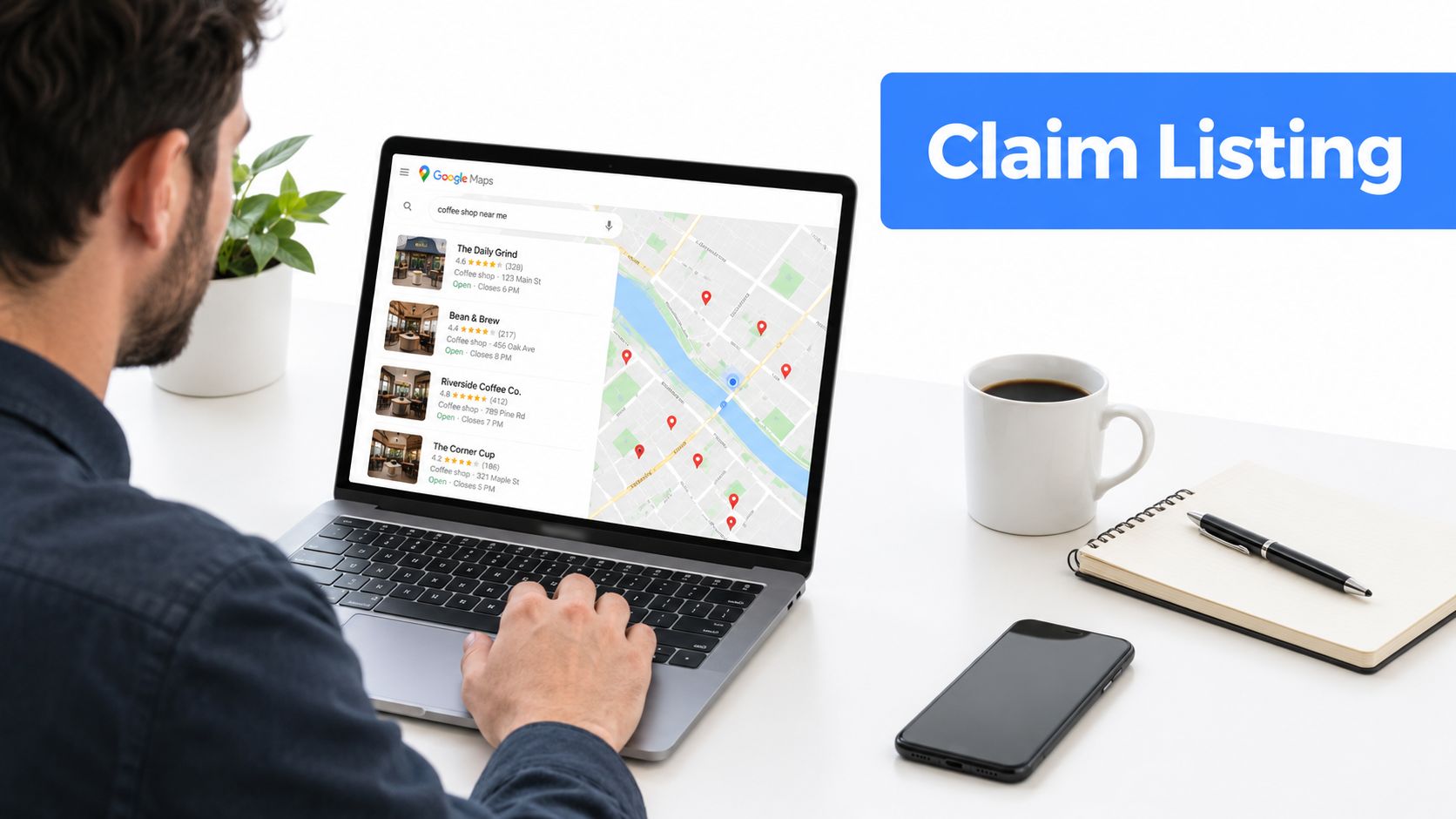
Start with the Google account that should own the profile long term. Use an account controlled by the business, not an employee's personal login that may disappear when someone changes roles. Go to business.google.com/create, search the business name, and check whether Google already shows an unclaimed listing before starting a new profile.
A duplicate listing creates unnecessary cleanup. If an existing profile appears, claim it through the available ownership path instead of creating another version with a slightly different name. Google Maps also offers a direct route through the Maps app when a listing already exists without an owner.
Complete the fields that shape relevance
The primary category is one of the most consequential choices in the build. Select the closest category from Google's available list, not a custom phrase that sounds more persuasive. A roofing company should identify the core business Google recognizes, while secondary categories can clarify related services without turning the profile into a keyword list.
Use secondary categories selectively, with around nine available as a practical upper boundary in the setup approach described here. The category should reflect what the business does, not every service it might occasionally provide.
Services should be written as phrases customers use. “Emergency furnace repair,” “roof leak repair,” and “invisalign consultation” are clearer than internal department names. The description can explain the business naturally, but keyword stuffing won't make an ineligible service relevant.
Hours need the same care. Add regular hours, then maintain special hours for holidays, closures, and unusual schedules. Incorrect hours frustrate customers and create poor signals when people call or visit expecting the business to be open.
Service-area businesses should identify actual cities and postal codes rather than relying on vague radius circles. The service area should match where crews can realistically travel and where the business wants transactional visibility. A pest control company shouldn't claim an enormous territory it can't serve promptly.
Enter the address exactly as it appears in the relevant postal record, including suite or floor details where applicable. Mismatched suite formatting can complicate verification. A P.O. box shouldn't replace a legitimate business address, and a toll-free number may create additional friction when Google is evaluating local business control.
A short video showing the live Google workflow can help owners recognize which account and creation path they're using:
Before submitting, check the name, category, address visibility, phone number, hours, services, and service areas together. A profile that is technically complete but describes the wrong business model can be harder to verify and harder to optimize for searches such as “dentist near me” or “air conditioning repair near me.”
Picking the Verification Method That Actually Works
Google doesn't let every business choose every verification route. The available option depends on the profile, location, business model, and signals Google has available. Current methods include phone or text, email, live video call, mail or postcard, and bulk verification for businesses with 10 or more locations. Verification reviews can take up to 5 business days. (Google verification methods and review timing)
| Method | Typical Turnaround | Code Recipient | Evidence Required | Best For |
|---|---|---|---|---|
| Phone or text | Depends on Google's availability | Owner or authorized manager with access to the listed number | Code delivered by call or text | Businesses with a monitored local phone |
| Depends on Google's availability | Owner or authorized manager with an eligible email address | Code or verification action by email | Businesses whose domain or account qualifies | |
| Video | Review can take up to 5 business days | Owner or authorized representative using a mobile phone | Real-time proof of location and operations | Storefronts and service-area businesses with clear evidence |
| Postcard | Mailing time varies by location | Person able to receive mail at the business address | Unique mailed code | Eligible businesses with reliable physical mail access |
| Bulk | Review process depends on Google | Authorized operator managing multiple locations | Business and location information for 10 or more locations | Multi-location operators |
Phone or email can be the simplest route, but they're only useful when Google offers them and the business controls the destination. A home-service operator may see video or postcard instead. A multi-location company with 10 or more locations can explore bulk verification rather than handling each location as an isolated setup. (Google Business Profile verification support)
Video verification is often the most practical route when the business can document real operations. Google's instructions call for a real-time mobile video, not a desktop recording. Start outside with the storefront or signage and street context, move inside to show operational evidence, then include management proof such as a restricted area, branded workspace, or opening a register. (Google video verification guidance)
Record for proof, not production quality. Show the street, the business identity, the working environment, and something only an operator would normally control.
If Google offers postcard verification, enter the address precisely before requesting it. A suite or floor omission can send the mail somewhere it can't be matched. If the postcard never arrives, don't request repeated codes immediately. Confirm the address, check mail handling with the property manager, review whether the business is eligible for the address shown, and use the support path or another offered method when available. A postcard code expires after 30 days, so enter it as soon as it arrives. (Google video and postcard verification guidance)
A P.O. box doesn't prove that customers can find or visit the operating business. Home-service operators should document the legitimate operating model rather than trying to turn a mail destination into a storefront. The evidence must support the profile type selected at the start.
Staying Verified and Avoiding Suspensions After Approval
Verification passes one hurdle, but Google's enforcement systems continue to monitor profiles after approval. Ordinary edits can trigger suspension or re-suspension when they conflict with the business's real-world operation, so treat the listing as an ongoing record, not a permanent approval. Follow Google's Business Profile verification and enforcement guidance whenever the business changes.
Ranking-driven edits create avoidable risk. Do not add keywords to the business name, rotate categories repeatedly, publish an address that does not match the operating model, or change NAP details without updating the wider citation ecosystem. Each change should reflect a genuine business change and remain consistent across the profile, website, and directories.
Protect the evidence behind the listing
Keep records that connect the business to its location and operation. Useful documents include:
- Utility bills: Retain records linking the operating address with the business.
- Business licenses: Keep current licensing documents available for a reinstatement request.
- Lease agreements: Preserve the lease or occupancy document for a rented location.
- Verification evidence: Keep the signage, workspace, and operational proof used during approval.
Address changes require care. Moving from one legitimate location to another differs from correcting a formatting error. Update the profile only after the business operates from the new address, then align the website and citations. An address change used only to pursue rankings can undermine the profile's credibility.
Soft suspensions are easy to miss because the dashboard still shows access while the listing disappears from public Search or Maps. Check the profile from a signed-out browser and from the service cities that matter. Monitor calls, messages, and profile actions too, since dashboard access alone does not confirm customer visibility.
Reinstatement works best when the evidence tells one consistent story. Match the original approval evidence, explain the actual business model, and submit the request through the profile dashboard.
Limit changes immediately after approval. Adding managers, changing ownership, editing the name, and replacing categories in quick succession can create unnecessary review risk. If a suspension occurs, respond inside the dashboard and provide documentation that matches the original business details rather than relying on informal email chains.
Use this guide on what to do when a Google Business Profile is suspended when the listing disappears and the reason is unclear.
Turning a Verified Profile Into Map Pack Rankings
Verification activates the profile. It doesn't automatically place the business in the map pack for transactional searches. Google evaluates local results through relevance, distance, and prominence, so the first month should build accurate service alignment and credible activity rather than produce random edits. (Google Maps ranking factors)
A practical 30-day sequence
Day 1 through Day 7 should focus on fundamentals. Confirm the primary category, complete the service list, check hours, and refine service areas to match the cities and postal codes the business genuinely serves. Review the profile from a customer's perspective. Would someone searching “roofer near me” understand what the company does and where it works?
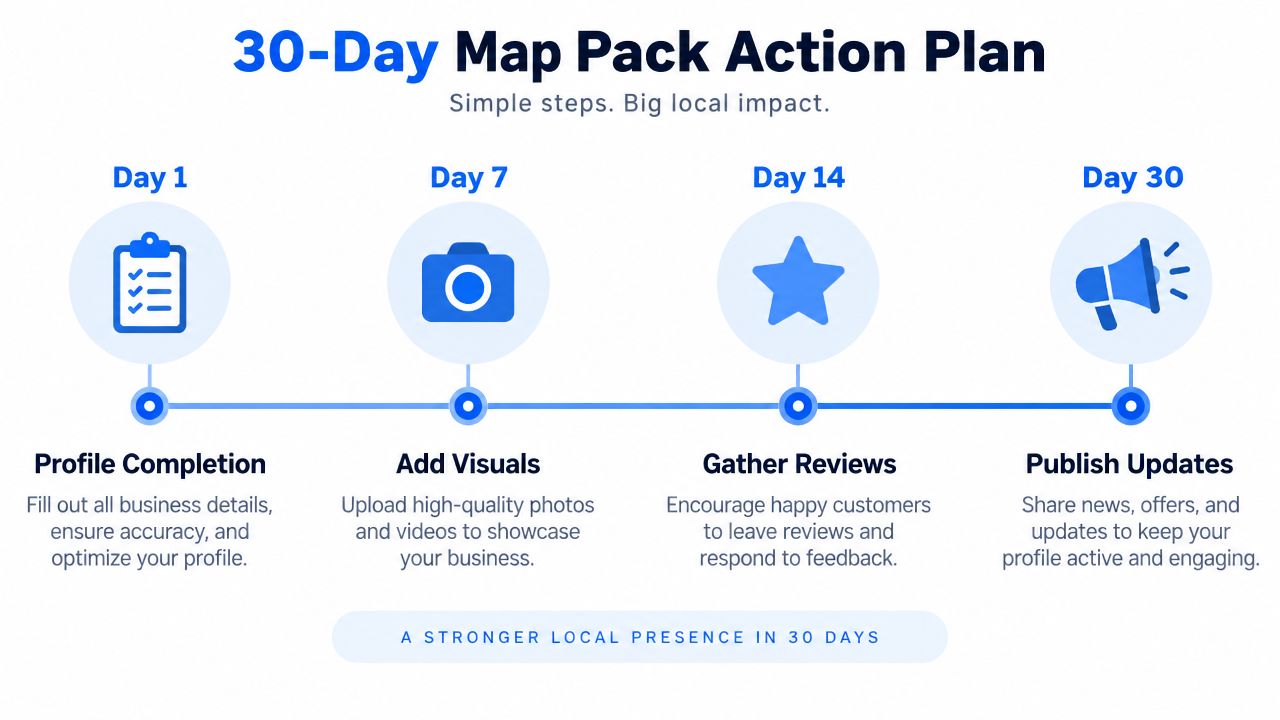
Day 7 through Day 14 is the time to add genuine visuals and request reviews from completed jobs. Upload photographs tied to real work, crews, equipment, and locations. Don't use stock images or staged evidence that doesn't represent the company. Ask satisfied customers for an honest review without scripting their language or offering an incentive.
Day 14 through Day 21 can add buyer-intent questions and answers, while the team cleans up inconsistent citations. Questions such as whether the roofer handles emergency leaks or whether the dentist accepts new patients reflect how people search. A useful local SEO resource can also help teams rank higher in Morris Township by connecting profile work with local search fundamentals.
Day 21 through Day 30 should connect the profile to measurement. Use tagged website links, call tracking that preserves a reliable business number, and reporting that separates profile actions from organic website visits. The important outcome isn't a flattering view count. It's whether people request directions, call, message, book, or submit a lead for the service they searched.
Transactional Marketing can support this workflow with Google Business Profile setup, Google Maps optimization, service-focused content, and reporting for local search activity. The central target remains specific intent, such as “air conditioning repair near me,” “dentist near me,” and “roofer near me,” rather than generic visibility.
For the ranking mechanics behind the sequence, review these Google Maps ranking factors. Then audit the profile regularly, keep business information aligned across the web, and make every update serve a real customer need.
Transactional LLC helps service businesses create and optimize Google Business Profiles, improve Google Maps visibility, target transactional searches, and connect local SEO with focused website content. Visit Transactional LLC to discuss a profile and map optimization workflow built around the service cities and searches that drive calls.