


You update your Google Business Profile after a customer calls the wrong number, arrives outside your listed hours, or asks why your service area doesn't match what they saw in Google Maps. Meanwhile, someone searching “roofer near me,” “HVAC repair near me,” or “dentist near me” is ready to contact a provider. If your profile shows inaccurate information, that search can become a competitor's job.
Knowing how to edit Google Business Profile means more than finding the right button. Each change affects the information customers use to decide whether to call, visit, or request service. It can also affect how Google evaluates your business for transactional searches. The practical objective is simple: keep the listing accurate, verified, and aligned with the services and locations you serve.
Understanding the Modern Google Business Profile
A roofing company owner who still looks for the old Google My Business app can lose valuable time before making a basic update. Google announced in November 2021 that Google My Business would be renamed Google Business Profile, with merchants able to claim and verify profiles directly through Google Search or Maps. The Google My Business app was retired in 2022, moving routine management toward the surfaces where customers already discover local businesses. Google's profile management guidance documents the current workflow.
That change matters for transactional marketing. A profile isn't just a digital brochure that sits beside your website. It presents your business name, category, hours, contact information, photos, services, and location details at the moment someone searches for a solution. For a plumber competing for “plumber near me,” the listing is part of the customer's decision interface.
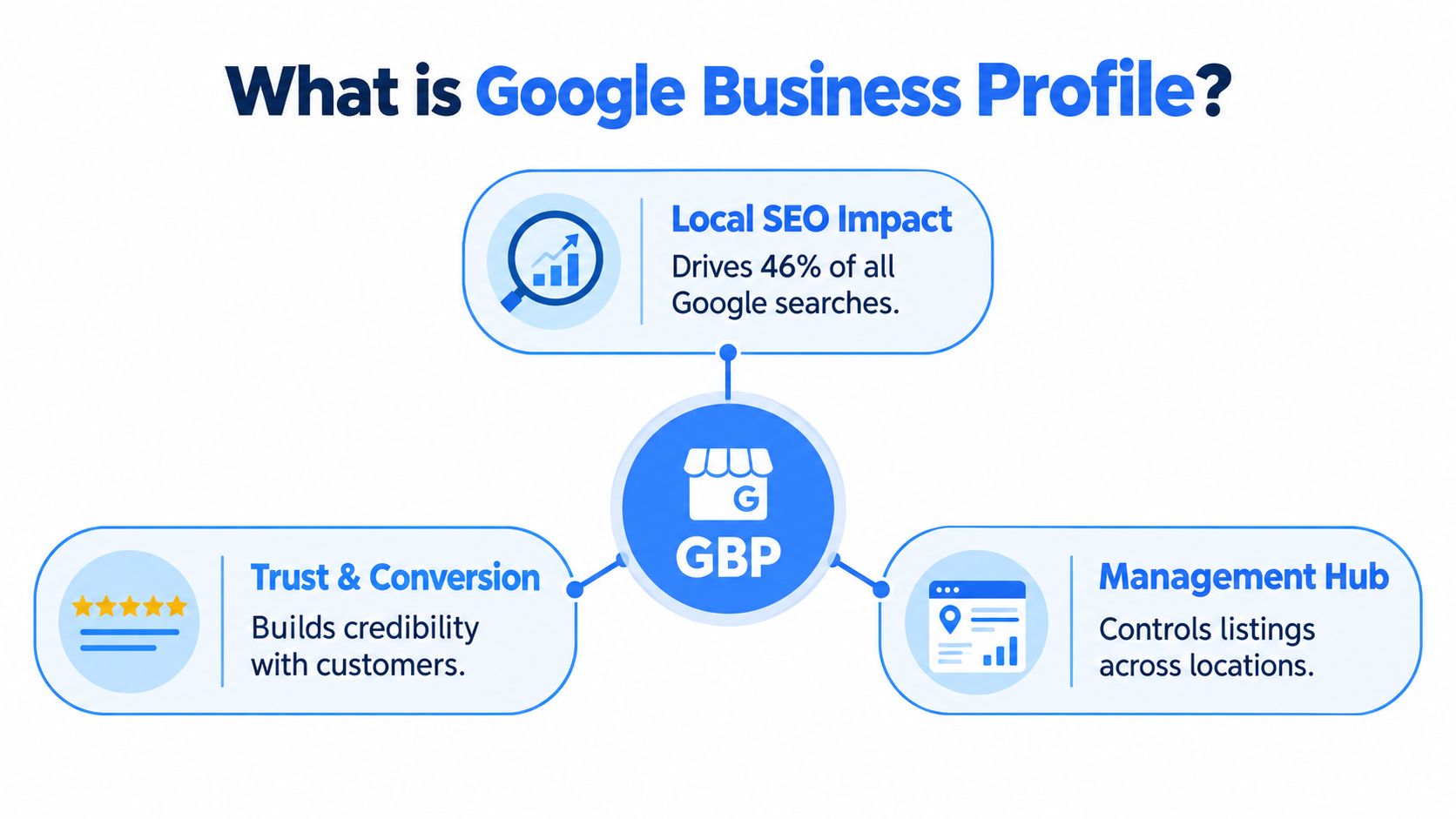
Why the profile affects local visibility
Google says local results rely primarily on relevance, distance, and prominence. Relevance reflects how closely the profile matches the search. Distance considers how far the business is from the search location or location term. Prominence reflects how well known the business is, with Google noting that links, articles, directories, review count, and review score can contribute to local prominence. Google explains these local ranking factors.
Editing a category, service, or operating hour won't guarantee a top-three Maps position. It can, however, improve the accuracy of the information Google and customers use to understand your business. Verification also helps a business appear across Google Search and Maps, which makes profile ownership a basic requirement for serious local search management.
The profile as a transaction control point
Consider two HVAC businesses serving the same city. One lists emergency repair, accurate evening availability, a working phone number, and a service area that reflects its real operations. The other has outdated hours and an old phone number. Both may have capable technicians, but only one gives a ready-to-buy searcher a clear next action.
That distinction is why Transactional Marketing focuses on searches with commercial intent. A person typing “air conditioning repair near me” isn't casually researching the industry. They may be comparing providers and deciding who receives the call. Learn more about what a Google Business Profile is before treating edits as routine administration.
Accessing Your Profile for Edits
Google gives owners two main routes into the editing interface. On desktop, sign in to the Google Account linked to the profile, search for your business name and city, select Edit profile, change the relevant information, and choose Save. Searching the business directly is usually faster than navigating through multiple account menus.
The desktop workflow
Use this sequence when you need to change a phone number, address, hours, photos, or another customer-facing field:
- Use the linked account: Sign in to the Google Account that owns or manages the profile.
- Find the listing: Search Google for the business name and city.
- Enter edit mode: Select Edit profile from the profile management panel.
- Change one logical field group: Update the information that needs correction.
- Save and document: Submit the change, then record what was changed and when.
The account matters because Google connects editing authority to profile access. If the profile doesn't appear, switching between personal and business Google Accounts may resolve the issue. If access still fails, the business may need to claim the listing or complete verification. Google's guidance on getting a Business Profile covers the ownership foundation behind these edits.
The mobile workflow
In the Google Maps app, open Maps, select Business, choose Edit profile, update the relevant field, and save. The mobile path is useful when a manager is standing at a location, confirming a new entrance, checking holiday hours, or correcting a phone number after a call-routing change.
The interface can vary by account, device, and profile status, but the principle stays consistent. Edit information from the Google surface where customers see it, rather than relying on an old dashboard bookmark or an unofficial third-party listing tool.
The short demonstration below reinforces the path through the profile controls:
Updating Hours, Services, and Attributes
Hours, services, and attributes answer different customer questions, so they shouldn't be treated as interchangeable fields. Hours tell a searcher whether contacting you now makes sense. Services clarify what you do. Attributes help Google and customers understand relevant characteristics of the business.
Google permits owners to update core details such as operating hours, contact information, address, and photos through the profile editing workflow. Accurate information supports relevance because it gives Google a clearer connection between the listing and the searcher's intent. It also protects conversion quality. A profile that attracts a call but sends the caller to a disconnected number isn't performing its commercial job.
Hours are operational data
Update regular hours when your schedule changes, then review special or holiday hours before customers rely on them. A service business with emergency availability should distinguish normal operating times from the way it handles urgent calls. Don't imply round-the-clock availability if calls go to voicemail without a response process.
The practical test is whether a customer can act on the displayed hours. If someone searching “HVAC repair near me” sees that you're open, the phone should be answered or routed to a dependable intake process. A mismatch between displayed availability and actual response creates a poor customer experience, even if the profile technically ranks.
Services should reflect real work
Use the services area to describe work your business provides. An HVAC company might separate repair, maintenance, installation, and indoor air quality work. A dental practice may distinguish examinations, cleanings, emergency care, and restorative procedures. The wording should help customers understand the service without turning the field into a list of unrelated keywords.
Google's local ranking guidance explains that relevance measures how well a Business Profile matches a search. Accurate service information gives the profile useful context for transactional searches, but it doesn't replace broader prominence or proximity signals. Adding services also won't justify claiming work the business doesn't perform.
Attributes and service-area decisions
Attributes can communicate meaningful characteristics, such as accessibility or ownership information, when those options apply to the business. Select only attributes that are accurate and support a real customer decision. Inflated or careless details weaken trust.
Service-area businesses face a separate choice about location visibility. A plumber or pest-control company may serve several cities without operating a customer-facing office in each one. Google allows eligible businesses to hide a physical address from customers when they operate as service-area businesses. That setting should reflect the actual operating model, not an attempt to create a virtual location in every target city.
| Profile field | Customer question | Editing standard |
|---|---|---|
| Hours | Can I contact or visit now? | Match actual availability |
| Services | Can this business solve my problem? | List genuine offerings |
| Attributes | Does this business fit my needs? | Select only accurate options |
| Address or service area | Where does this business operate? | Follow the real-world setup |
Distance still matters in local results, so changing a service area can't guarantee visibility in every city. The strongest profile is the one that describes the business truthfully while making its relevant services easy to understand.
Managing Business Roles and Permissions
A profile becomes harder to control when every employee, agency, and vendor uses the same Google Account. Shared credentials make it difficult to identify who changed a phone number, replaced a category, or edited the address. They also create unnecessary security risk when a contractor stops working with the business.
Use Google's access controls instead. The owner retains primary authority over the profile, while managers can handle approved operational work. A member or lower-level collaborator may have narrower access depending on the profile setup and Google's available role options. The exact labels and permissions can change, so review the current controls inside the profile rather than assuming every account has identical capabilities.

A safer access workflow
- Keep ownership centralized: The business owner or accountable internal leader should retain owner access.
- Invite individual accounts: Add a team member or agency through their own Google Account instead of sharing credentials.
- Match access to duties: Give daily operators the access they need for hours, photos, and routine updates, while limiting structural changes.
- Review access after staffing changes: Remove former employees and vendors promptly.
- Record important changes: Note who submitted major edits and what evidence supports the update.
Managers can help maintain the information customers see, but the owner should control high-risk decisions involving the business name, address, primary category, and eligibility. A clear approval process prevents a well-meaning employee from making a change that creates a verification problem.
Operational rule: Give people enough access to maintain the listing, not enough access to redefine the business without review.
For multi-location companies, assign responsibility by location or operational area where possible. A local manager may know whether a holiday schedule is correct, while a central marketing team may oversee category consistency and reporting. Separating those responsibilities creates accountability without slowing ordinary maintenance.
The Verification Requirement for Full Access
Verification establishes that the business owner or authorized representative controls the profile. Google requires verification for full editing access, although some basic information may be editable before verification. An unverified listing therefore offers limited control at the exact point when a business needs reliable ownership of its local presence.
Google determines the available verification method automatically. Depending on the business type, public information, region, and business hours, the options may include phone, SMS, email, video, or postcard. You can't choose any method you prefer if Google doesn't offer it for that profile.
Verified and unverified profiles compared
| Profile status | What it may allow | Practical limitation |
|---|---|---|
| Unverified | Some basic edits may be available | Full profile control isn't unlocked |
| Verified | Broader editing and management access | Changes remain subject to review |
| Verification in progress | The requested verification process continues | Avoid changing key identity details |
Postcard verification requires entering the five-digit code Google sends, and Google says verification reviews can take up to five business days. During verification, don't edit the business name, address, or category. Google warns that changing those details can require the verification process to restart. Google's verification instructions explain the available methods and restrictions.
Prepare before requesting verification
Check the official business name, eligible address or service-area configuration, primary category, phone number, and website before starting. For a service-area business, confirm that the profile represents a real operating business rather than a city-specific placeholder. For a multi-location company, verify that each location has a legitimate identity and isn't duplicating another profile.
Verification isn't an SEO shortcut. It doesn't guarantee a top Maps placement, and it doesn't override relevance, distance, prominence, or review signals. It does give the authorized business broader control over information customers see, which makes it a foundational step for targeting searches such as “roofer near me” or “dentist near me.”
Businesses that need help with Google Business Profile verification should treat the process as an ownership and eligibility exercise, not merely a formality. The evidence and business details need to agree before submission.
Navigating the Edit Review Process
Saving an edit doesn't mean the public listing changes immediately. Google reviews edits to verified profiles for guideline compliance, and Google says many changes take up to 10 minutes to review, while some can remain pending for as long as 30 days. Google's edit review documentation defines the statuses and explains why certain changes need additional care.
That range challenges a common operating assumption: pressing Save isn't the same as publishing. A new phone number may appear quickly, while an address, category, or service-area change can require closer review. If a business plans a move or seasonal schedule change, submitting the edit shortly before customers need it creates avoidable risk.
Read the status instead of guessing
Google assigns one of three outcomes:
- Accepted: The updated information appears publicly.
- Not approved: Google couldn't confirm the information or found that it didn't meet requirements.
- Pending: Review remains underway.
Check the profile in Search and Maps after submitting the change. Record the previous value, new value, submission timestamp, current status, and the date the new information becomes visible. This simple record creates an audit trail for a marketing team managing multiple locations or service areas.
Deployment discipline: Change one logical field group, verify the result, then move to the next major update.
Separate low-risk maintenance from structural edits
Holiday hours, photos, contact details, and routine attributes usually represent ordinary maintenance when they reflect reality. Business name, primary category, address, and service-area configuration deserve a slower process because they can affect eligibility, verification, and how Google understands the business.
For an address change, check whether Google can find the location. If the address isn't found, Google may require the owner to re-enter highlighted details or adjust the map pin so it points to the correct place. A service-area business may need to hide its physical address from customers rather than inventing a public office location.
Don't repeatedly submit the same rejected change without diagnosing the cause. Review the real-world branding, location evidence, category fit, and profile guidelines first. Google reported 80 million place edits published and 13 million fake or fraudulent Business Profiles blocked or removed in 2025 in its Maps transparency data, showing why edits operate inside a large trust-and-safety system rather than a cosmetic SEO dashboard. Google's Business Profile help center provides the broader policy and management context.
If a profile becomes restricted or suspended, stop making random edits and resolve the underlying eligibility or guideline issue. The Google Business Profile suspension guidance is a useful reference for deciding what to review before seeking reinstatement.
Transactional LLC provides Google Business Profile setup, optimization, category alignment, service updates, and local SEO support for service businesses competing for transactional searches. Visit Transactional LLC to discuss a profile editing and Google Maps strategy built around the calls your business wants to capture.