


At 9 p.m., a homeowner realizes the air conditioner is running but the house isn't cooling. They type air conditioning repair near me, open a result, and look for someone who serves their neighborhood, answers after hours, and makes calling easy. If your HVAC website makes them sort through unrelated blog posts to find those answers, you've made the booking harder than it needs to be.
What a Content Silo Is and Why Local Searches Need One
That homeowner is making a transactional search. They have a problem, a budget, and a phone in hand. Your website needs to answer the immediate question and provide a direct route to service.
A content silo is a deliberately connected group of pages covering a service and the decisions surrounding it. For air conditioning repair, the service hub explains what you repair, where you work, and how to book. Supporting pages address symptoms, repair costs, urgency, and repair-versus-replacement decisions.
A blog archive usually organizes posts by publication date. A silo organizes them by topic and customer need. A homeowner reading about warm air from the vents should be able to reach the repair service without returning to the menu and starting again.
Organize around the booking decision
For a hypothetical HVAC build, I would start with a hub, three to five useful supporting pages, a justified service-area page, and a shared booking destination. That's a planning limit, not a ranking formula.
The diagram shows the relationship between a central service page and narrower customer questions.
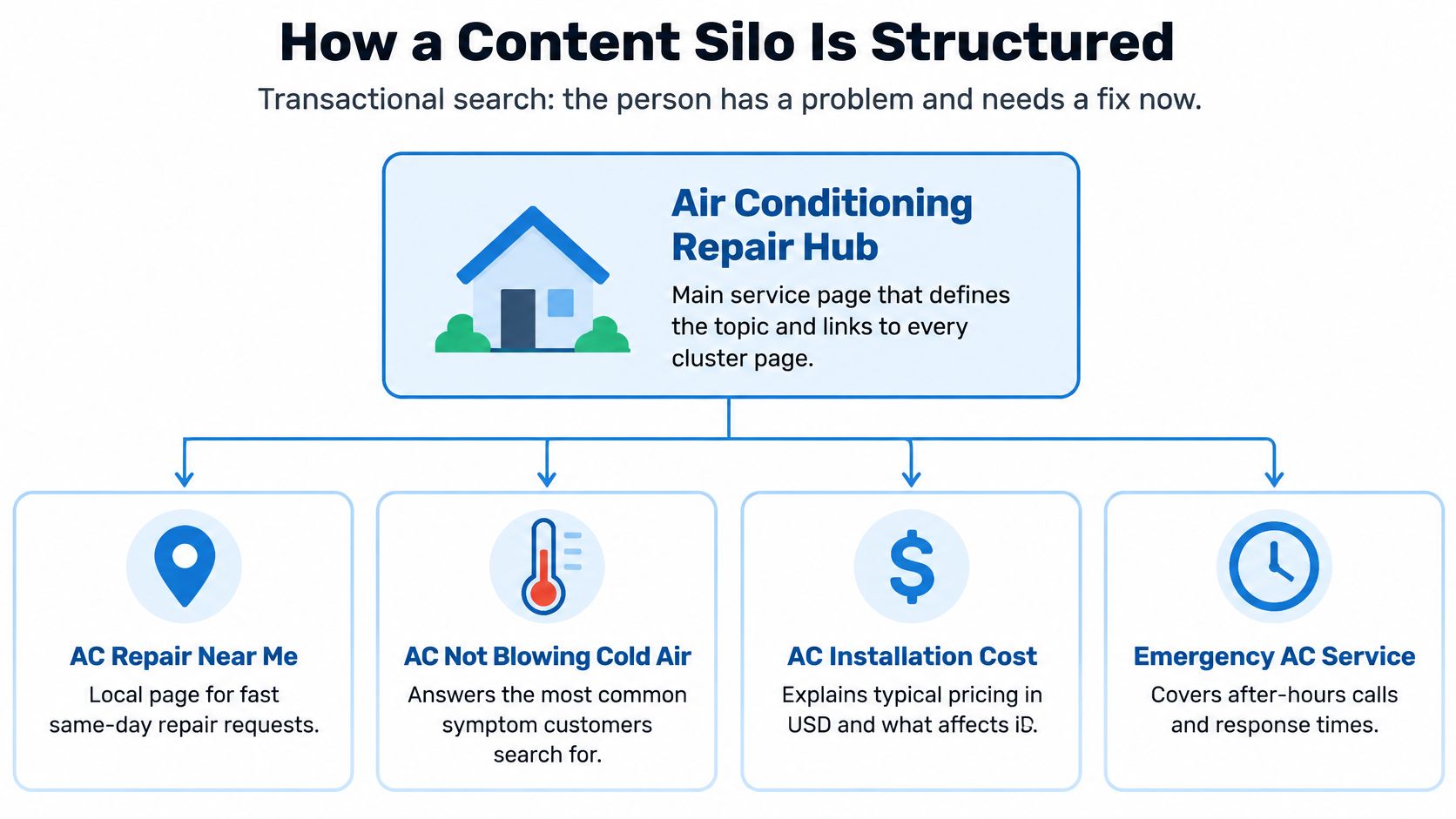
Not every illustrated topic automatically belongs under repair. Installation cost, for example, may belong in a replacement silo, with a contextual link from a repair-versus-replace discussion.
Google's SEO documentation supports logical topical grouping and recommends that every important page receive at least one internal link from another discoverable page. Folders help express organization, but connected, useful pages do the practical work.
Outrank's explanation of how subject expertise strengthens SEO provides useful context for choosing supporting topics. Coverage should demonstrate knowledge, not exhaust every keyword variation.
For content silos, SEO starts with a boundary: every page must earn its place.
If a page can't name the customer question it answers and the next action it supports, it doesn't belong in the silo yet.
Building the Silo Map and URL Structure
HVAC silo page map with URL patterns and build rules
| Page type | URL pattern | Target search | Build when |
|---|---|---|---|
| Service hub | /hvac/air-conditioning-repair/ |
air conditioning repair near me | Always, one per core service |
| Urgency page | /hvac/emergency-ac-repair/ |
emergency AC repair near me | Only if after-hours response or pricing differs from the hub |
| Symptom cluster | /hvac/ac-not-cooling/ |
why is my AC not cooling | When homeowners ask it before booking |
| Cost cluster | /hvac/ac-repair-cost/ |
AC repair cost | When you can explain the price factors clearly |
| Maintenance cluster | /hvac/ac-tune-up/ |
AC tune up near me | When recurring service is part of the offer |
| Service-area page | /hvac/air-conditioning-repair/dallas/ |
air conditioning repair Dallas | Only with a real local crew, reviews and local details |
| Booking page | /hvac/book-service/ |
book AC repair | Always, linked from every silo page |
Treat this as a proposed inventory, not an instruction to publish every row. Begin with the services that produce booked jobs and that your crew can reliably deliver. A maintenance offer shouldn't appear just because a keyword tool lists it.
Give every URL a separate job
The service hub owns the broad repair offer. It should establish equipment coverage, repair scope, service boundaries, price factors, and the booking process without becoming an encyclopedia.
An urgency page needs an operational difference. If your emergency service uses the same hours, dispatch process, and pricing as ordinary repair, explain urgent requests on the hub instead of manufacturing another landing page.
The symptom page helps a homeowner understand what to do next. The cost page explains diagnostic charges, parts, labor, access, and other price variables using approved business information. Neither should repeat the entire service hub.
Maintenance deserves its own commercial destination when you sell tune-ups or agreements. Location pages need actual local evidence, not a swapped town name and an embedded map.
The booking page is shared infrastructure. Don't create competing booking URLs for each article when the form, dispatch destination, and customer action are identical.
Set URL rules before development
Keep slugs lowercase, readable, and hyphenated. A service-first structure such as /hvac/air-conditioning-repair/ is understandable, but don't migrate established URLs solely to make the folders prettier. Any migration needs redirects, updated internal links, and canonical checks.
Use website sitemap examples to review the proposed hierarchy before commissioning copy. For WordPress implementation, Blu Dragonfly LLC's guide to optimize your WordPress site for search offers relevant technical context.
For a dedicated HVAC location profile, consider the core service hub as the website destination when it accurately represents that location's offer. Keep published business details consistent with the profile, while respecting address visibility settings for service-area businesses.
Build test: Does the proposed URL serve a different intent, a different decision, or different proof? If none applies, improve an existing page instead.
How to Link Silo Pages Without Breaking the Path
A folder doesn't create a usable customer journey. The links on the live pages determine whether someone can move from a symptom to a service decision without getting lost.
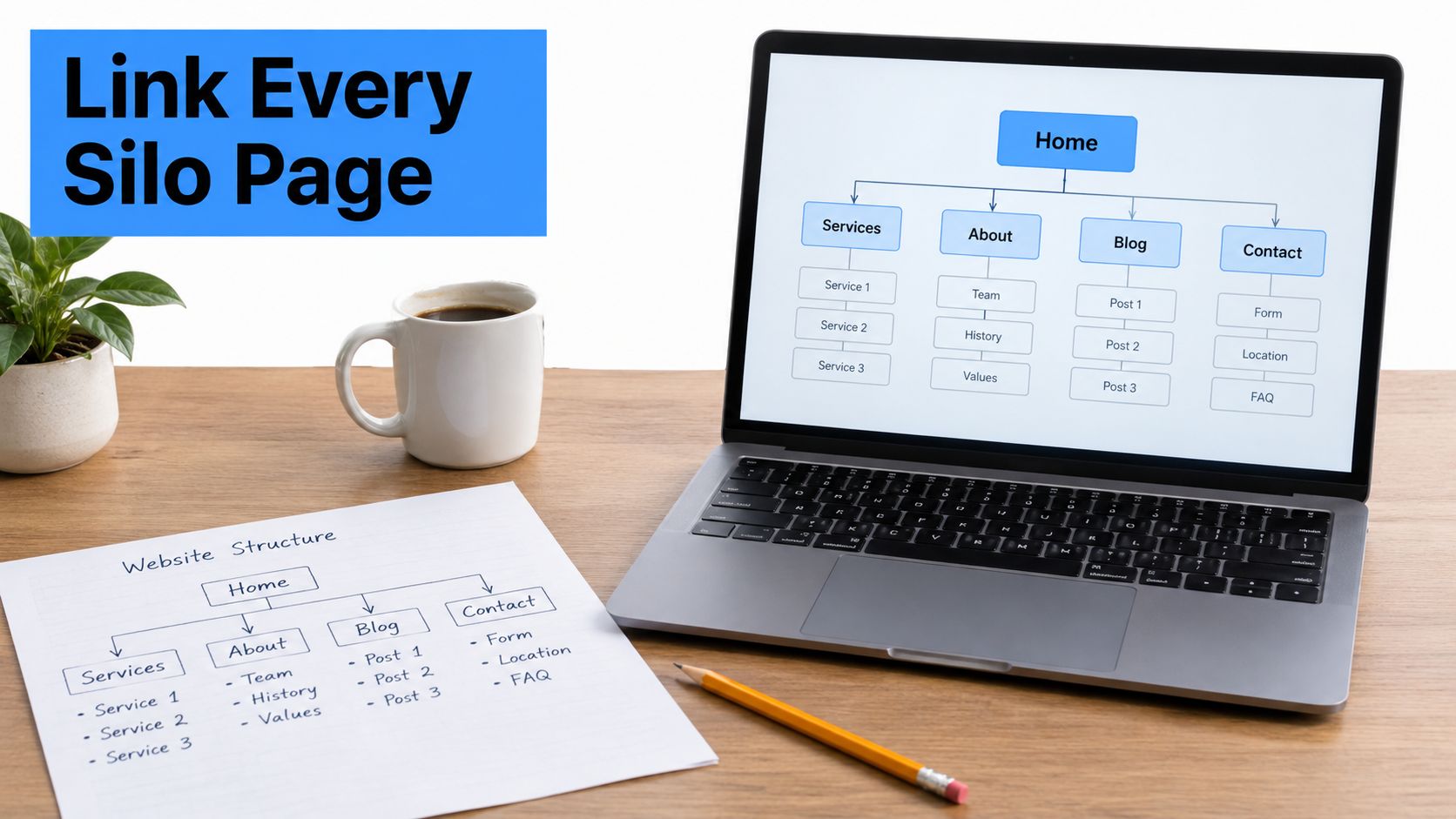
Use a structure diagram to check the routes before reviewing individual anchors.
Build routes that customers can follow
- Connect the inventory. Start at the hub and ensure every published silo page has an incoming link from a discoverable page. A URL in your spreadsheet isn't a navigation path.
- Use crawlable HTML. Build navigation with standard
<a href>links, consistent with Google's crawlable-links guidance. Don't rely on JavaScript-only controls or clickable containers. - Name the destination. Use descriptive anchors such as AC repair pricing or after-hours AC repair. Repeating click here gives readers little help choosing a destination.
- Return to the service hub. On a symptom article, place the hub link where troubleshooting gives way to professional diagnosis. Don't bury it in an unrelated closing paragraph.
- Link down selectively. The hub should expose the supporting answers customers need most. A compact question section is more useful than a directory of every article ever published.
- Offer booking at the decision point. Put the booking link beside price explanations, service eligibility, or the point where safe homeowner checks end. Don't make readers hunt for it.
- Remove forced cross-links. Connect related cluster pages when the next question warrants it. Don't link every page to every other page merely to increase link counts.
A symptom article can lead directly to booking. Readers don't need to visit the hub first, and a rigid silo shouldn't prevent useful navigation.
This walkthrough provides another way to examine the relationship between site organization and internal linking.
Crawl the published routes
Use Screaming Frog SEO Spider or Sitebulb, then inspect the pages themselves.
- Orphan URLs: Compare the crawl with your CMS inventory and sitemap.
- Click depth: For this example build, flag pages deeper than three clicks for review. That's a working preference, not a Google requirement.
- Upward-only links: Check whether articles offer useful next steps beyond returning to the hub.
- Duplicate intent: Review pages that compete to answer the same question.
- Canonical conflicts: Confirm intended landing pages aren't pointing search engines toward another URL.
- Irrelevant routes: Remove links that interrupt the homeowner's decision.
Keep an XML sitemap, but don't use it as a substitute for a navigable internal-link structure.
Publishing Workflow From Technician Interview to Launch
Publishing faster won't fix an unclear offer or an inaccurate repair explanation. The production sequence should turn practitioner knowledge into a useful page, then verify the technical implementation.
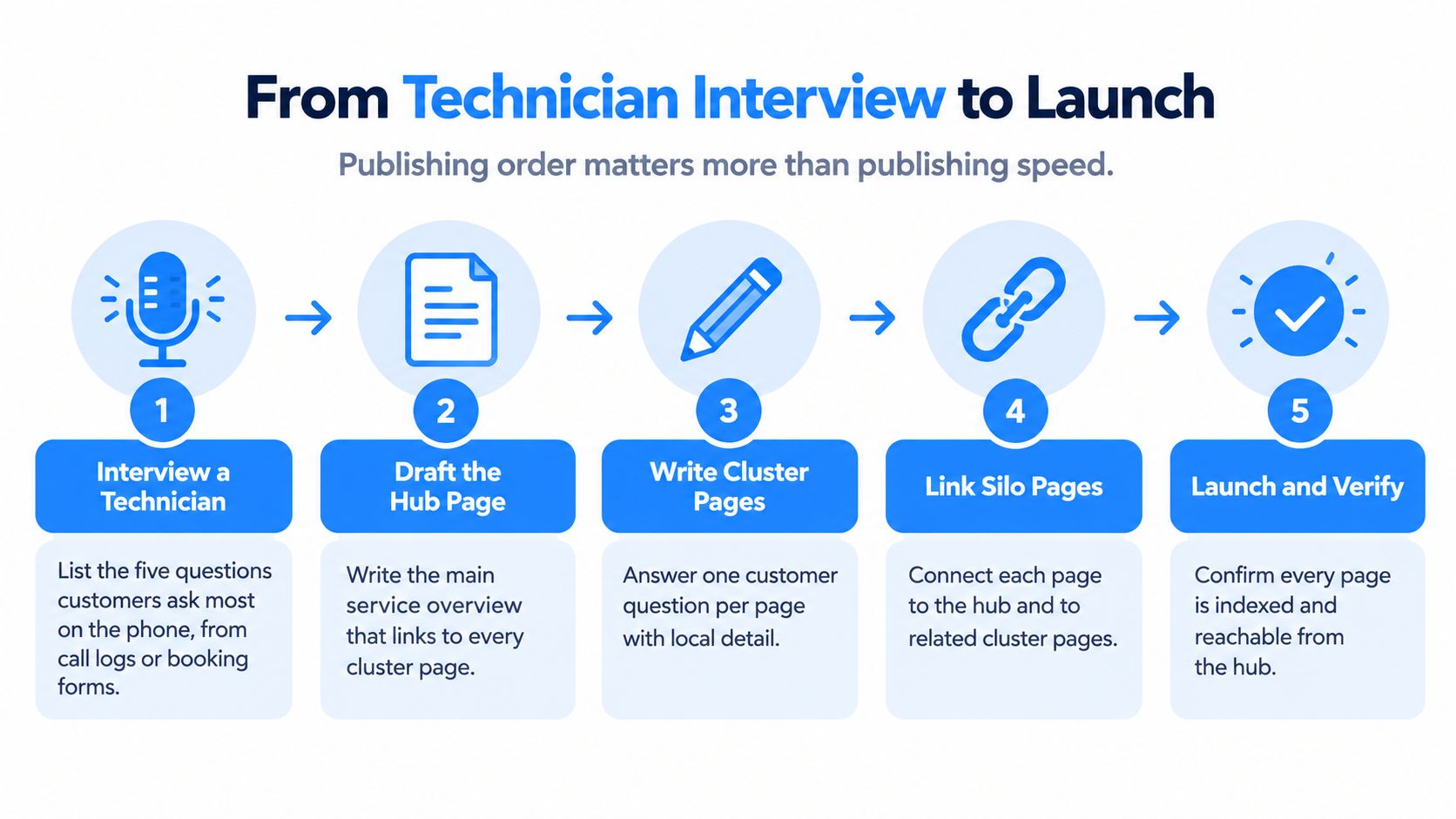
This workflow keeps interviews ahead of drafting and verification ahead of release.
Turn service knowledge into publishable pages
- Interview a technician. For this example, ask a technician to identify five recurring questions from call logs or booking forms. Record the customer's wording, the useful answer, and the point where remote advice must stop.
- Draft the hub. Include scope, equipment eligibility, service area, safety boundaries, and price factors such as system age, tonnage, refrigerant type, and access difficulty. Explain what dispatch needs before confirming an appointment.
- Write the priority clusters. I would begin this hypothetical launch with three supporting pages chosen from the questions most closely associated with qualified calls. Use the process in how to write SEO content to keep each draft focused on a distinct decision.
- Prepare the connections. Add contextual links, verify the booking route, and prepare the sitemap update. Submit the updated sitemap after approved pages are live, then check discovery and indexing status.
- Require human approval. A technician or owner should check repair claims, service promises, title tags, meta descriptions, and image alt text before publication. Google's guidance on generative-AI content emphasizes accuracy, quality, relevance, and manual fact-checking across search-facing elements.
- Resolve overlaps. Combine overlapping drafts before either becomes a competing live page. If redundant URLs are already published, retain the stronger destination, use a 301 redirect where appropriate, and update links.
- Record the launch baseline. Log publication dates, query groups, indexed pages, and conversion tracking status. For this build, schedule operational checks at 30 and 90 days without treating either checkpoint as a promised ranking deadline.
Use AI for preparation, not invented experience
AI can organize interview notes, propose outlines, and identify unanswered questions. It shouldn't invent repair incidents, technician observations, customer reviews, or local service coverage.
Ask for verified detail: what the technician measured, which symptoms were misleading, and what changed the recommendation. Avoid converting a plausible equipment failure into a claimed real-world example.
Structured data also needs review. Google's guidance on succeeding in AI search says markup should match visible information and follow the relevant feature guidelines.
No technical claim or service promise goes live until someone responsible for delivering the work approves it.
Signs Your Silo Is Overbuilt and What to Cut
More pages don't automatically create more authority. They can create more editing work, more competing destinations, and more low-value URLs for crawlers to revisit.
Google's AI-search optimization guidance warns against creating separate pages for every query variation to manipulate search or AI visibility. For an HVAC business, a smaller collection of well-supported answers is often the more sensible investment.
Diagnose before adding content
Silo warning signs and the action each one calls for
| Signal | What it usually means | Action |
|---|---|---|
| Two URLs rank for the same query in Search Console | Signals are split and one page is weaker | Merge into the stronger URL and redirect the other |
| City pages differ only by the town name | Near-duplicate content that reads as thin | Combine into one service-area page with real local details |
| Cluster page gets impressions but no calls | Intent mismatch with a question nobody buys from | Rewrite around the next decision or retire the page |
| Page built only for a query variant seen in an AI answer | Scaled-content risk with no proven demand | Don't publish; wait for demand to appear |
| Page with visits but no calls or bookings for two review cycles | Informational traffic that never reaches a decision | Add a booking path or merge into a stronger page |
These are investigation triggers, not automatic deletion rules. Multiple URLs appearing for a query doesn't prove cannibalization, and an informational page may assist a later conversion without generating the first call.
Keep a page with a distinct audience, decision, price explanation, evidence, or booking path. Merge overlapping intent. Cut a page only after checking tracking, assisted conversions, links, and whether its information still serves a necessary customer task.
Fund the unanswered decision
Say a homeowner learns why their AC isn't cooling and then asks whether an older system is worth repairing. That follow-up may belong within the symptom page or in an existing repair-versus-replacement guide. It doesn't automatically justify another URL.
Don't publish a standalone AC blowing warm air page when AC not cooling already answers the same question for the same homeowner. Add missing diagnostic distinctions to the stronger page instead.
Apply the build test before assigning a writer. Preventing an unnecessary draft saves writing, review, development, and ongoing maintenance costs, not just crawl attention.
Confirm the Silo Works Before Adding Another Cluster Page
A new cluster page should earn its place by serving a local search that can lead to a booked call. Rankings alone do not show whether searchers are inside the service area, need equipment the HVAC company repairs, or become customers.
Separate branded searches from nonbranded demand. Group queries by intent, such as air conditioning repair, repair in a specific city, and tune-ups. Then compare search exposure with calls, forms, and booked work before approving another URL.
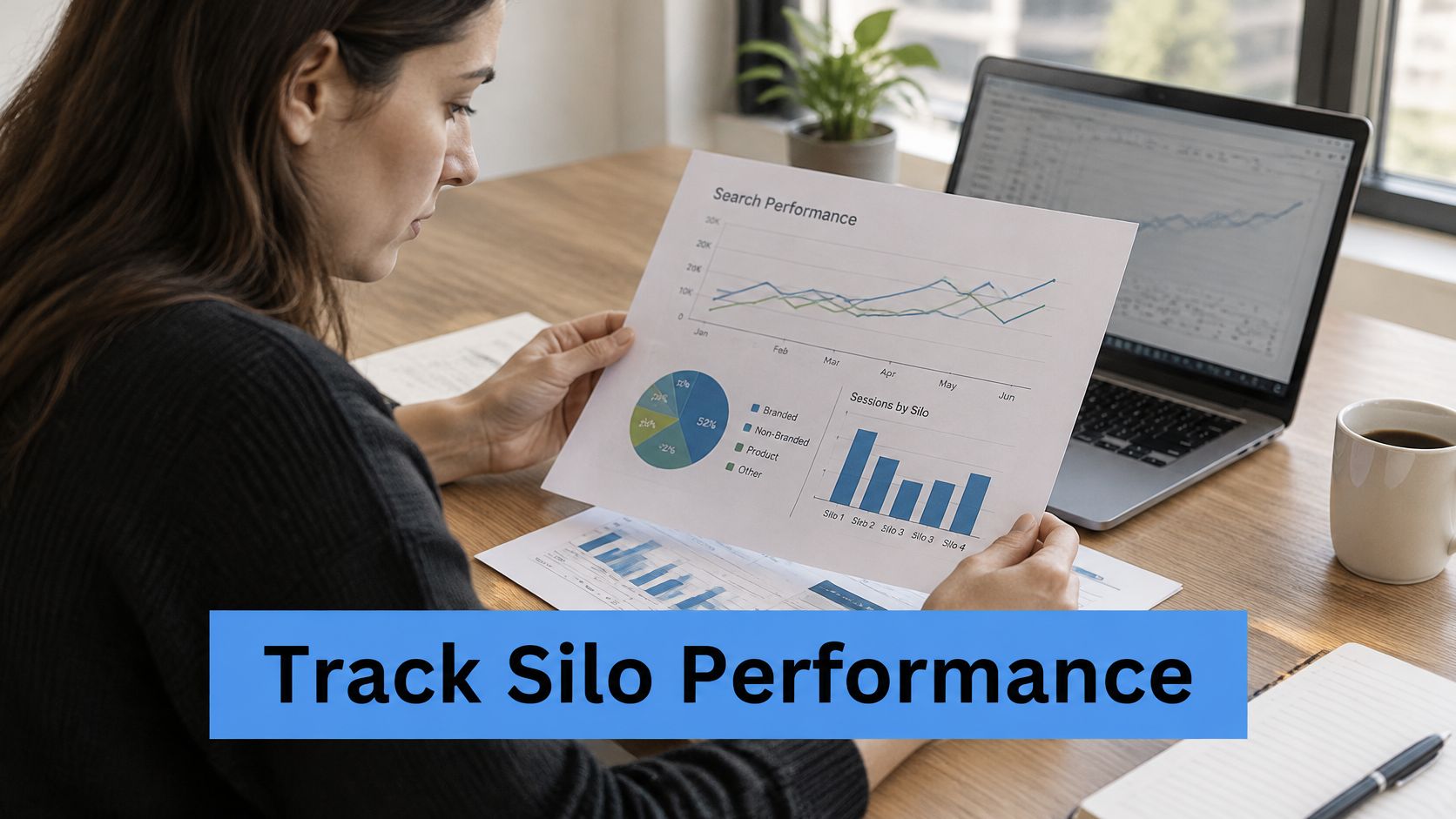
Review demand, conversions, and coverage together
Silo measurement metrics and add-or-hold rules
| Metric | Review cadence | Add-or-hold rule |
|---|---|---|
| Impressions and average position by service-city query group | Rolling 28- and 90-day comparisons | Add a page only when impressions reveal a question no current page covers |
| Calls and forms by URL cluster | Weekly | Hold a cluster with visits but no calls for two review cycles |
| Google Maps heat map across the service area | Monthly | Investigate distance in poorly placed zones before adding pages |
| Booked-lead quality by cluster | Monthly | Build a dedicated service page only when booked jobs justify it |
| Indexed URLs and orphan check | Monthly | Hold new pages until each has an internal link |
| Manual AI answer check for target questions | Monthly | Consider a cluster only when an unanswered follow-up has credible customer demand |
Use these as operating cadences, not performance benchmarks. Google's people-first content guidance focuses on creating helpful content and does not prescribe a measurement window. The rolling comparisons above are a practical review schedule, rather than a reason to react to isolated daily changes.
Set a search baseline with Google Search Console setup instructions. Track forms and calls with GA4 and a call-tracking platform, then compare those events with dispatch outcomes. A click-to-call event records an action, not a completed conversation or booked job.
Interpret Maps results without promising geography away
Google Maps can put local businesses in front of customers before they visit a website. However, Google's local-ranking guidance identifies relevance, distance, and prominence as the primary factors. A profile field cannot guarantee a top-three placement across an entire service area.
Compare geographic rank grids with customer locations and booked jobs. Weak visibility far from the business may reflect distance rather than a missing article. Strong map placement alongside poor booking rates points to a different problem, such as the offer, response time, or lead quality.
Transactional LLC focuses on transactional search terms such as air conditioning repair near me. For an HVAC silo, connect city-level service searches to the calls they produce. Broad informational traffic is useful only when it helps a customer choose a service and reach the booking path.
Keep ranking timelines and call-volume forecasts separate from commitments. Site quality, competition, proximity, and operational capacity all affect campaign outcomes, so adding URLs cannot guarantee more booked work.
This week, review the silo map on one page and inspect the three pages producing the most calls in this hypothetical prioritization exercise. Fix booking friction on those pages before approving another article.
Keep the Silo Current With Local Facts and AI Answers
An accurate launch can become an inaccurate website when hours, service boundaries, equipment coverage, or dispatch policies change. Maintenance should follow operational changes, not wait for traffic to fall.
AI optimization also requires current evidence. LLM-based search experiences can help customers discover businesses through detailed questions and follow-ups, but visibility isn't a substitute for a verifiable offer and a working booking route.
Maintain facts before expanding coverage
- Schedule a quarterly review. Check prices, hours, crew coverage, and service areas against current business records. Treat this as a recommended maintenance cadence.
- Compare visible claims and markup. Remove outdated service promises from both the page and its structured data.
- Inspect cited answers. Read the pages referenced in AI responses to target questions and identify useful distinctions your own content lacks.
- Refresh practitioner detail. Add approved technician observations, current equipment constraints, and clearer decision criteria instead of generic paragraphs.
- Retire unverifiable material. Correct unsupported claims promptly, and remove pages whose central purpose no longer reflects the business.
Evaluate AI visibility without chasing tricks
Google's guidance on AI features applies the same technical accessibility, reliability, and people-first principles used in ordinary Search. No special schema is required for inclusion in AI search features.
The MyMentions guide to GEO offers context for evaluating generative search discovery. Use that perspective to examine whether your pages provide clear answers supported by business-specific evidence, not to generate a separate page for every possible follow-up.
Keep AI search engine optimization tied to the same service boundaries as the HVAC website. A repair page should help a homeowner choose the next safe, useful action, whether they arrive from a conventional result, a map listing, or an AI-assisted search.
The maintenance priority is straightforward: accurate local facts, distinct customer decisions, and an easy route to a qualified call.
Transactional LLC offers service-specific SEO planning, Google Maps optimization, and AI-assisted content production with conversion tracking. If your HVAC site has overlapping articles or weak booking paths, visit to discuss a silo audit that identifies which pages to build, merge, and improve.