


Maria owns nearly every HVAC search in her home ZIP code. Her two trucks stay busy there, yet twelve miles east, a competitor appears across three ZIP codes while her business seems to disappear. The calls aren't necessarily going to the better technician. They're going to the company Google can connect with that customer's location and immediate need.
That gap is where service area pages earn their place. A well-built page can connect one service business with multiple cities without pretending to operate offices it doesn't have. It can turn a transactional search such as “air conditioning repair near me,” “plumber near me,” “dentist near me,” or “roofer near me” into a measurable path from search result to phone call.
Transactional Marketing focuses on those high-intent searches. A person searching for a roofer near me or a dentist near me often has a problem, a budget, and a reason to act now. A city-specific service page should meet that urgency with local proof, clear logistics, and an obvious next step.
Why Service Area Pages Are the Bridge to More Local Jobs
A generic HVAC service page can explain what the company does. It can't fully answer whether the technician works in a nearby city, how quickly the crew can arrive, or whether customers in that area have hired the business before. A service area page fills that local gap.
The page should connect one service to one real market, such as “air conditioning repair in Naperville” or “emergency plumbing in Waco.” The city name matters, but it isn't enough by itself. Buyers use city names as trust signals because local language suggests proximity, familiarity with local conditions, and a more credible response time.
Google's local results rely mainly on relevance, distance, and prominence. Google explains that distance may be calculated from the searcher's location when the searcher doesn't provide one, while prominence can be influenced by signals such as links and review volume in its guidance on local search rankings. Your website can't control a searcher's location, but it can make relevance and local usefulness much clearer.
Practical rule: A city page earns its place when it helps a customer decide whether to call, not when it merely repeats the business name beside a city.
Build the page around the transaction
The funnel is straightforward:
- Search: The customer enters a service-and-location query.
- Visit: The result leads to a page written for that city and service.
- Proof: The page shows licensing, reviews, work examples, service boundaries, and local details.
- Action: The customer taps to call, submits a short form, or requests an appointment.
Google's service-area guidance has evolved toward pages that provide genuine local value. Pages with near-identical copy and only a swapped city name can resemble doorway pages and may be treated as spam, while useful pages should contain unique local evidence and service information. This policy evolution is why modern service area pages need more than keyword insertion, as summarized in this overview of service area page SEO.
A Google Business Profile also doesn't replace the website. Service-area businesses must define their coverage in actual geographic terms, and guidance summarizing Google's rules says a business can list up to 20 service areas, generally within about a two-hour driving distance of its base, using cities or postal codes rather than a radius. The website gives those markets the detail a profile can't provide.
For a company targeting transactional searches, the page is the bridge between map visibility and lead generation. A qualified city page earns a tap. A tap earns a call. A call books the job. The broader conversion strategy belongs alongside your local SEO lead generation process, where page structure, tracking, and follow-up work together.
Service Area Pages Versus Location Pages
The decision starts with the business model, not the keyword list. A location page represents a public, staffed place customers can visit. A service area page represents the places a business travels to serve.
A dental clinic in Wicker Park, a retail shop in Schaumburg, and a medical office with signage and staff at the address can support location pages. Each physical location may have its own profile, reviews, hours, street-level photos, and citation footprint.
A plumber, roofer, mobile detailer, or pest control technician may operate from a hidden address and travel to customers. That business needs service area pages because it shouldn't imply that every city has a storefront.
| Criterion | Service Area Page | Location Page |
|---|---|---|
| GBP eligibility | Supports a business that serves customers at their locations and may hide its address | Supports a public, staffed address customers can visit |
| Address display | Uses the legitimate business base where appropriate, without presenting each service city as an office | Displays the real street address of the staffed location |
| NAP strategy | Keeps business details consistent without creating false city offices | Keeps name, address, and phone consistent across the location's profiles and citations |
| Citation strategy | Builds credibility around the actual business and service footprint | Builds local authority around the physical address |
| Content emphasis | Service coverage, response logistics, local proof, neighborhoods, and job conditions | Storefront access, parking, directions, staff, hours, and location-specific experience |
| Primary conversion | Call, request service, or submit a job form | Call, book, visit, or request directions |
Ask three questions before publishing:
- Do customers walk into the business?
- Does the address have signage and staff during stated hours?
- Is the service radius fixed around a mobile crew, or is the business serving customers at a permanent location?
If the profile hides the address, the website generally needs a service area page. If the profile shows a legitimate public address, the website needs a location page. Businesses with both storefronts and mobile work may need both types, but each page must represent a different customer reality.
This distinction also affects page architecture. A clinic's page can emphasize accessibility and in-person care, while a mobile roofer's page should explain inspection scheduling, travel coverage, emergency response, and local project evidence. Businesses building a broader location framework can also review this resource on how to build local landing pages without confusing storefront and service-market intent.
Planning Your City Cluster the Right Way
Publishing a page for every nearby city sounds efficient. It usually creates a pile of weak URLs unless the business first proves that those cities deserve dedicated coverage.
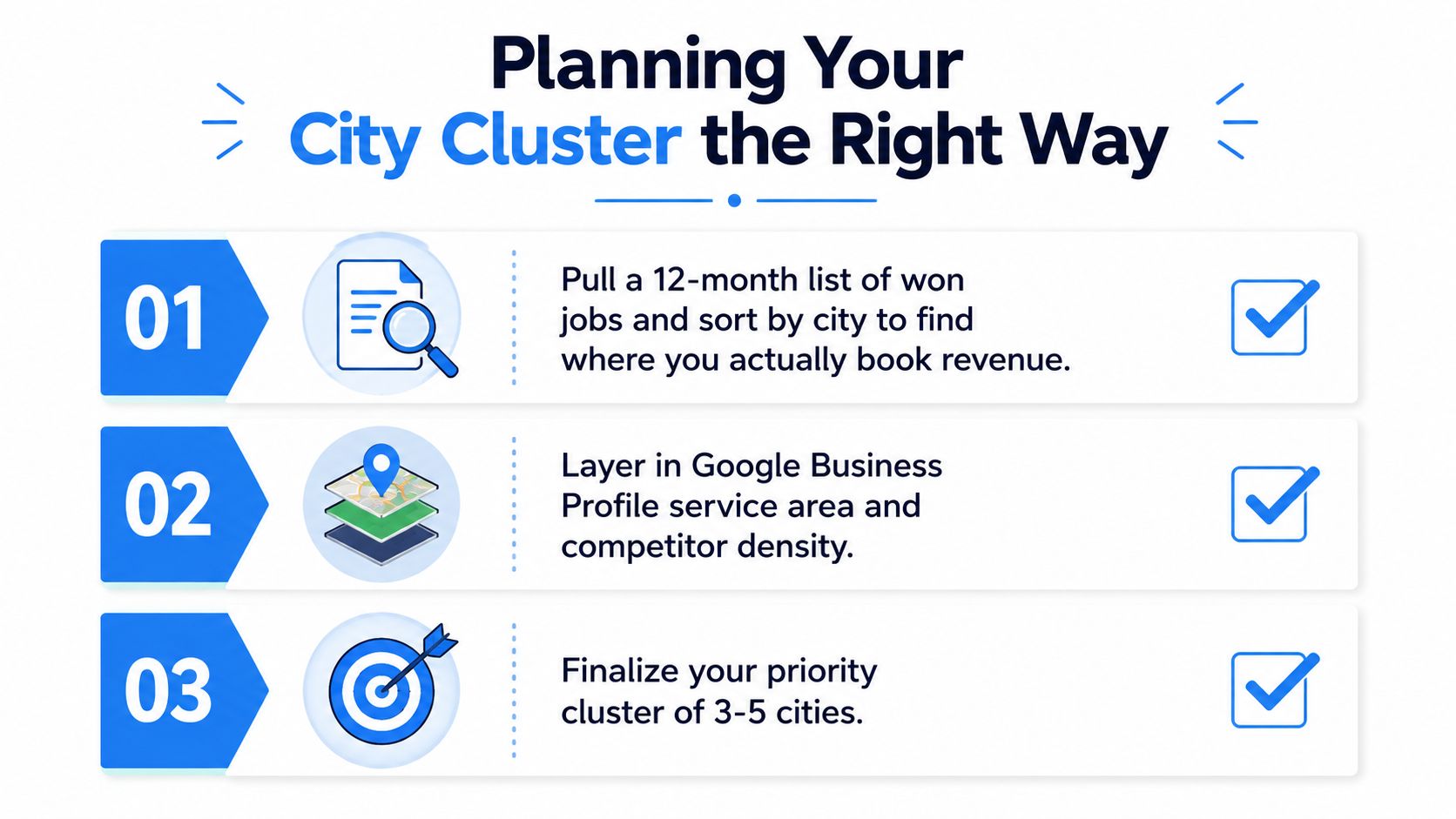
Start with revenue, not imagination. Pull a 12-month list of won jobs, sort it by city, and identify where the company books work. A roofing company may want to target a distant suburb because the population looks attractive, but its own job history may show stronger demand in a smaller nearby market. The pages should follow real commercial activity.
A four-step city triage
Sort completed jobs by city. Separate booked revenue from inquiries, referrals, and places the company merely hopes to serve. This produces a practical first list of markets with customer evidence.
Validate one transactional query per city. Use a phrase such as “emergency plumber Waco” or “roof repair Naperville,” not only the broad “plumber near me.” The page needs a clear service intent tied to a defined market.
Check operational coverage. Compare travel time, technician routes, traffic patterns, equipment needs, and crew capacity. Drop cities the business can't serve reliably within an hour if that response expectation matters to the service.
Assign a focused keyword map. Give every page one primary keyword and a supporting cluster of three to five secondary phrases. Secondary terms might cover emergency service, repair types, neighborhoods, appointment timing, or the local conditions customers mention.
The most useful cluster is often smaller than the owner expects. Most service businesses can rank more cleanly with 8 to 20 well-built city pages, while 60 thin pages can be filtered when they provide little unique value. That isn't a publishing quota. It's a warning against treating city names as interchangeable variables.
Organize ownership before production
Assign one canonical owner page for each service and location combination. If “Naperville HVAC repair” is covered by a city page, don't create several overlapping URLs that target the same customer task. Consolidate weaker drafts instead of forcing every keyword variation into its own page.
Automation can help with page inventory and production controls, but it shouldn't decide whether a city deserves a page. A LPagery location page builder can support structured local page workflows, while the business still needs to supply real service boundaries, proof, and useful differences.
For businesses expanding across multiple markets, the cluster should sit inside a broader multilocation local SEO strategy. That keeps city pages connected to service pillars, conversion tracking, and the actual geography of the operation.
The Service Area Page Template That Earns Calls
The strongest page structure follows the customer's questions in order. It doesn't bury the service, location, or phone number beneath a long brand introduction.
1. Lead with a specific promise
Use a unique city-and-service H1:
Emergency Air Conditioning Repair in Naperville
Then write a short introduction of roughly 40 to 60 words that answers the immediate job. For example:
Need air conditioning repair in Naperville? Our technicians diagnose cooling failures, electrical issues, and airflow problems for local homeowners. Call to discuss the symptoms, confirm service coverage, and schedule the next available visit.
The wording should explain what happens next, not just announce that the company “serves Naperville.” A plumber might write, “We repair burst pipes, blocked drains, and leaking fixtures throughout Naperville homes and businesses.” A dental practice could explain who the appointment is for, what the first visit includes, and how patients schedule.
2. Put proof near the decision point
The proof block should contain facts the business can verify:
- License and insurance details
- Years serving the city, if accurately documented
- Reviews from customers in that area
- Photos from completed local jobs
- Relevant technician or clinical credentials
- A clear statement of the service boundary
Don't create a fake local office, invented testimonial, or unsupported claim about response times. A page becomes more credible when it says exactly what the company can prove.
3. Add neighborhoods and service detail
A “neighborhoods we serve” list can help customers recognize their area, but it shouldn't be a pasted list on every page. Link meaningful neighborhood references to relevant service or informational pages where those destinations exist.
The service section should explain the actual work:
- What symptoms trigger the service
- How diagnosis or inspection works
- Which repair options may be available
- What affects pricing
- Whether emergency appointments are offered
- How customers prepare for the visit
A roofer might explain inspection, temporary protection, documentation, and repair recommendations. A dentist might describe the appointment process, treatment options, and what patients should bring.
4. Make the conversion block impossible to miss
Include a click-to-call button, short form, business hours, and a concise service-area reminder. Use a phone number customers can tap on mobile, and make the form ask only for information needed to respond.
Conversion test: If a customer reaches the page from a phone and has to hunt for the number, the page isn't finished.
Google can evaluate local relevance through the relationship between the service, location, business details, and surrounding content. Customers judge the page through proof and clarity. The page succeeds when both audiences find specific information instead of generic filler.
On-Page SEO, Schema, and Internal Links That Compound
A city cluster gains strength when every page has a defined role. The technical setup shouldn't be treated as decoration added after publication. It tells search engines how the service, business, and coverage relate.
Use a clean URL pattern such as /hvac/naperville/ or /roofing/naperville/, provided it matches the site's existing architecture. Keep the page title, H1, opening copy, metadata, and visible service language aligned without repeating the same sentence everywhere.
Use structured data carefully
For a service business, relevant structured data may include LocalBusiness and Service, with properties such as:
nametelephoneurlareaServedserviceTypeaddress, only when the address is legitimate and appropriateopeningHoursSpecification, when the hours are accurateimagesameAs, where official profiles exist
Schema should describe visible, truthful page content. It can't manufacture a storefront in a city or guarantee a rich result. The page still needs local evidence and a useful customer experience. Businesses that want a deeper implementation reference can review this guide to schema markup for services.
Create a link graph, not isolated URLs
The service pillar should link to priority city pages using descriptive anchors such as:
- “HVAC repair in Naperville”
- “roof replacement in Schaumburg”
- “pest control services in Waco”
Each city page should link back to its service pillar and, where useful, to nearby city pages. Don't force every page to link to every other page. Link based on proximity, service overlap, and the next customer question.
Images should show real work, equipment, technicians, or facilities connected to the page. Use descriptive alt text such as “technician inspecting an HVAC condenser in Naperville,” only when that accurately describes the image. A filename or alt attribute can't substitute for genuine local evidence.
Prevent doorway-style duplication
Reuse a layout, not a finished article. Change the local proof, service conditions, neighborhoods, project examples, customer questions, and logistics. A page for a dense urban area may discuss parking and building access, while a suburban page may address larger properties, travel routes, or seasonal equipment demands.
For near-duplicate areas, choose one canonical owner page and redirect or consolidate weaker URLs where appropriate. Don't publish competing versions merely to capture slight keyword variations. The goal is a clear set of pages that each solve a distinct local task.
Wiring Service Area Pages to the Map Pack and the Phone
A service area page can attract organic visitors and still fail commercially. The owner may see impressions rise while the phone stays quiet because the page isn't connected to the Business Profile, review activity, call tracking, or a usable follow-up process.
The better question isn't “Did this URL rank?” It's “Did this city page generate qualified calls, form submissions, or direction requests?” Direction requests may matter for businesses with a public location, while mobile operators should focus more heavily on calls and service inquiries.
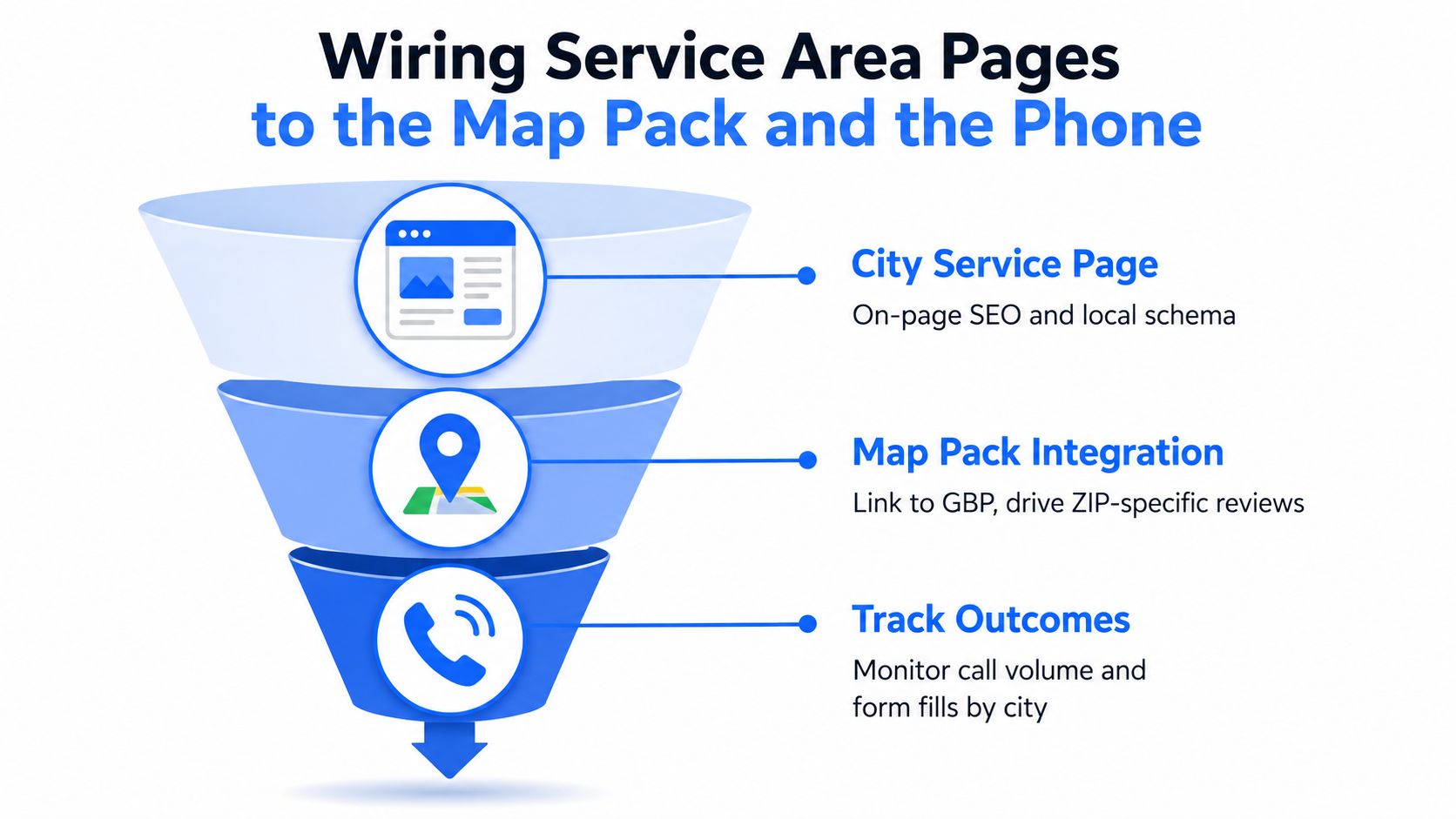
Connect the page to local signals
Match each city page to the relevant Business Profile service area or physical location. Ask customers from that ZIP code for honest reviews, and make sure the review describes the actual service without scripting language or incentives. Add accurate Business Profile photos and posts that reinforce current services, completed work, and the markets the business covers.
Google Business Profile guidance says service areas should be defined by cities or postal codes, not vague radius settings, and should remain within the business's credible operating footprint. The website and profile should tell the same geographic story.
Track the phone, not just the visit
Use a dedicated tracking setup that preserves attribution by city and page. Record:
- Calls per service area page
- Form submissions by URL
- Map-pack appearances in a geo-grid
- Business Profile actions
- Qualified leads and booked jobs
- Cost per booked job
- Assisted conversions in GA4
A useful phone experience matters as much as the button. Review the implementation principles in this guide to putting a phone number on your website, then test the number on mobile devices and verify that call data reaches the reporting system.
Transactional Marketing describes a page-one system built around a 30 to 60 day timeframe, as stated in its company positioning. That timeframe should be treated as a process target, not a promise that every city or keyword will perform identically. The work still depends on competition, authority, local proof, technical health, and operational follow-through.
Businesses with several storefronts can use a resource on multiple locations in Google Business Profile to keep profile structure aligned with the actual location model. Map visibility isn't separate from the website funnel. The page creates relevance, the profile supports local presence, and the phone system shows whether the effort produces jobs.
A 90-Day Rollout Plan and Measurement Loop
A city cluster works best when production and measurement happen together. Don't publish a large batch, wait several months, and then guess which pages helped.
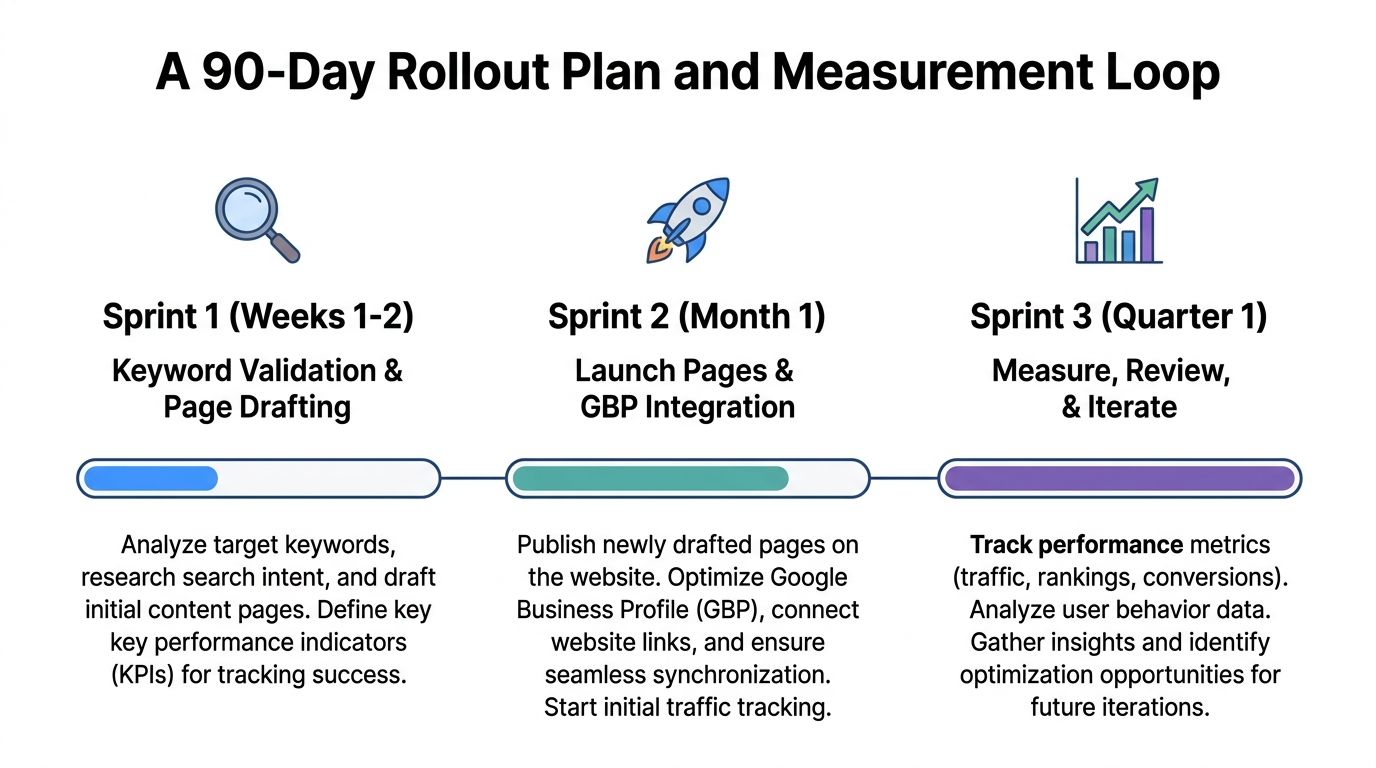
Sprint one, weeks 1 to 2
Validate the keyword and city list. Sort won jobs by city, confirm the service footprint, review Business Profile settings, and prepare a brief for every page. Each brief should specify the primary transactional query, supporting phrases, local proof, service details, internal links, conversion action, and schema fields.
Track the starting position for each target in a local ranking grid. Record existing calls, forms, Business Profile actions, and assisted conversions so later changes have a baseline.
Sprint two, weeks 3 to 6
Publish the first cluster of 5 to 10 service area pages using the approved template and schema stack. Link each page to its service pillar, connect relevant sibling pages, submit the sitemap, and monitor indexing in Search Console.
During this sprint, collect legitimate local reviews, add relevant project photos, and inspect every page on a phone. Track calls and form fills by URL rather than relying on total website traffic.
Sprint three, days 61 to 90
Launch the next tier only where the business has evidence to support it. Add review and case-study proof blocks, prune thin pages, consolidate overlapping URLs, and tighten the internal link graph. Recheck map-pack grid rankings and Business Profile actions by city.
Use a monthly review cadence. Keep pages that generate qualified engagement or show a clear strategic role, and investigate pages that remain thin, unindexed, or disconnected from real service demand. Refresh a page when rankings decay, competitors enter the market, service details change, or new local proof becomes available.
Independent local SEO guidance recommends measuring page-level Search Console impressions, geo-grid rankings, and Business Profile actions such as calls and direction requests. One local landing-page testing benchmark reported average conversion rates of 5.31% for pages containing local relevance, proof, and conversion design, compared with 1.89% for pages missing at least one of those elements, a roughly 2.8x lift reported in that guidance from Search Engine Land's service area page guide. Use that benchmark as directional context, not as a guarantee for every business.
A service area page earns its keep when it helps the right customer find the business, trust the offer, and take action. Build fewer pages where necessary, connect them to Google Maps and phone tracking, and judge the cluster by booked opportunities rather than vanity metrics.
Transactional LLC offers industry-specific local SEO, Google Maps optimization, Google Business Profile setup, AI-driven content planning, and service-city pages built around high-intent searches such as “air conditioning repair near me,” “dentist near me,” and “roofer near me.” Visit Transactional LLC to discuss a measurable service area page and map-pack strategy for your business.