


A homeowner searches “roofer near me” on a phone at 9:14 p.m. Your dispatcher is offline, three competitors appear in Google's local results, and your website takes long enough to load that the searcher leaves before seeing your phone number. Nothing looks broken from inside the office, yet the next job has already gone elsewhere.
That's the operational reality of small business website management. It isn't cosmetic upkeep. Hosting, page speed, contact forms, service-area content, Google Business Profile connections, and conversion tracking determine whether a high-intent searcher reaches a human at your company. Transactional Marketing focuses on those searches, including terms such as roofer near me, dentist near me, and air conditioning repair near me, where the person searching is often ready to choose a provider.
Why Most Local Service Sites Lose Leads Without Warning
A local service site can look acceptable in the office and still fail during a real search. A mobile visitor may wait through a slow load, reach a form that stopped sending after a plugin update, or find a service-area page naming towns the company no longer serves. The phone number may also differ across the site, directories, and Google Business Profile.
These are operational failures, not cosmetic defects. Contact information matters especially in B2B buying journeys, where 44% of buyers abandon a small business website if contact details aren't readily available, according to Zippia's small business website statistics. Residential customers may behave differently, but the practical test remains the same. If the next action is unclear, the prospect can call a competitor instead.
Operator's rule: Treat every service page as a possible emergency landing page. It must load, explain the service, establish the service area, and make calling effortless.
The recurring failure patterns are easy to identify:
- Slow rendering: Heavy sliders, oversized hero images, and unused scripts delay the first useful view.
- Silent form failures: A form can look normal while submissions never reach the office.
- Stale local content: Old neighborhoods, missing service areas, and thin location pages weaken relevance.
- Broken structured data: Invalid schema can make it harder for Google to interpret the business, service, or location.
- Inconsistent business details: Conflicting name, address, and phone information creates uncertainty across local listings.
Owners often label the result “low traffic,” but that diagnosis can hide the core issue. In practice, low visits may reflect weak local visibility, a poor page experience, or a conversion path that loses people after they arrive. A page can rank for a service and still produce no calls if its promise, proof, or contact route fails.
Start with a page-by-page inspection of transactional routes. Review the highest-value service pages, test every phone link and form, confirm business details, and compare the landing pages connected to the Google Business Profile. The same discipline used for improving website conversion rate should guide maintenance. Each fix must answer one operational question: will the next high-intent searcher reach a person who can book the work?
The Four Pillars of Small Business Website Management
A converting local website rests on four operating pillars. If one fails, the other three have less value. A secure site that nobody can find is weak, and a well-ranked site with a broken contact form is equally unproductive.
Website ownership has become a baseline business function. An independent 2025 small business website report says 83% of small businesses had a website by 2025, compared with 64% in 2018. The same report says 12% launched their website during the previous year, showing that businesses continue to invest in their sites rather than treating them as finished projects.
Infrastructure
Infrastructure includes hosting, uptime monitoring, SSL, DNS management, and backups. The minimum standard is simple: pages should remain available, secure connections should work across the site, and a recent backup should exist before anyone changes the CMS, theme, or plugins.
The usual failure mode is invisible until a prospect encounters it. A hosting outage, expired certificate, or failed backup can turn a normal marketing day into lost calls and an expensive recovery exercise.
Security
Security means timely CMS and plugin patching, malware scanning, strong administrator access, and protective firewall rules. Owners don't need to manage every technical setting personally, but someone must own the process.
A compromised site can redirect visitors, inject spam, damage search trust, or expose customer information. Security maintenance protects both the business and the signals that support local visibility.
Content
Content covers service pages, location pages, internal links, metadata, schema, and meaningful updates. The minimum standard is a clear page for each important service and a consistent explanation of where the business operates.
Thin or outdated content makes it harder for Google to match a page to a transactional query. It also forces visitors to guess whether the company handles their specific problem or serves their area.
Conversion tracking
Conversion tracking connects visibility with business outcomes. Configure call tracking, form attribution, analytics events, and a dashboard that separates useful inquiries from general visits.
Industry roundups place the average small business website conversion rate around 2.1% to 2.6%, with one cited benchmark reporting a 1.8% median, according to World Metrics' small business website statistics. Those figures aren't a promise or a target for every company. They're a reminder to measure the baseline before changing the entire site.
| Pillar | Core Tasks | Minimum Standard | Revenue Impact If Ignored |
|---|---|---|---|
| Infrastructure | Hosting, uptime, SSL, DNS, backups | Reliable access and recoverable site data | Prospects encounter outages or insecure pages |
| Security | Patching, scans, access control, firewall rules | Current software and controlled administrator access | Hijacks and malware damage trust and visibility |
| Content | Service pages, schema, internal links, local updates | Clear, accurate pages for valuable services and areas | Google and customers struggle to match intent |
| Conversion tracking | Calls, forms, analytics events, reporting | Every primary contact path is measured | You can't identify which pages produce opportunities |
Good user experience optimization sits across all four pillars. A visitor experiences one website, not separate hosting, content, and analytics departments.
The Recurring Maintenance Loop That Keeps Everything Working
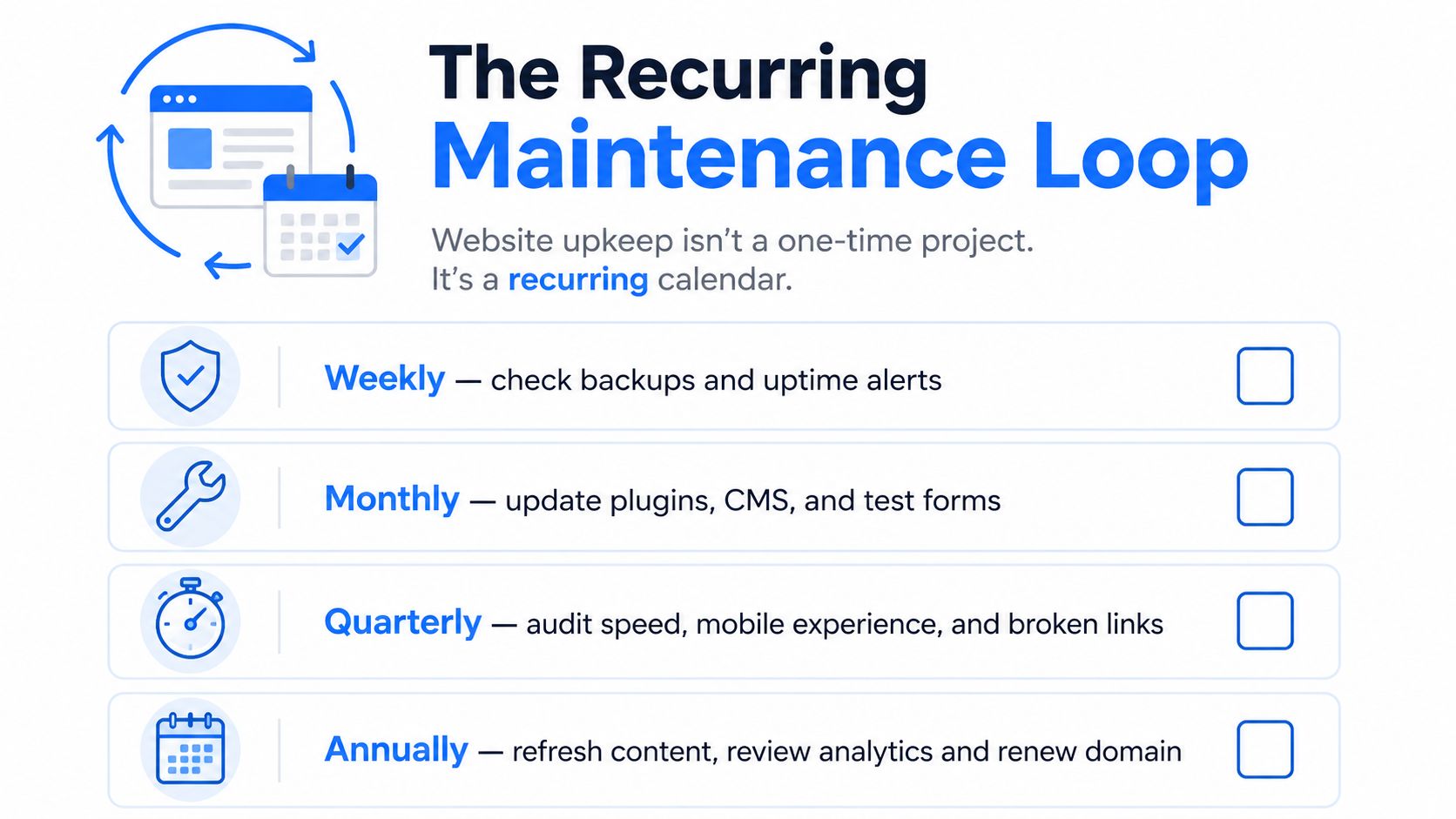
Website management works better as a recurring calendar than as a rescue project. The schedule below gives an owner or vendor a usable operating rhythm and ties each check to the failure it prevents.
Weekly checks
Start with availability and recovery. Confirm uptime alerts, verify that the latest backup completed, review security scan notifications, and submit a test through the main contact form. Check the top five revenue pages on a phone and desktop for visual drift, missing buttons, changed copy, or an incorrect phone number.
These checks catch the problems customers report first, often before analytics makes the pattern obvious. A weekly form test is especially valuable because a form can break while the page continues to look perfectly normal.
Monthly checks
Use a staging copy for CMS, plugin, and theme updates whenever the site supports it. After updates, test navigation, forms, phone links, tracking events, and important templates before publishing changes.
Pull Core Web Vitals data, scan for broken links, validate schema, and review call and form attribution. If a page receives visits but produces no tracked action, investigate the tracking and the experience before deciding that the keyword has no value.
Quarterly checks
Refresh the pages tied to revenue, not just the blog. Review service details, pricing language where appropriate, operating areas, internal links, images, testimonials, and calls to action. Compare the site with local competitors to find missing services, weak explanations, or better ways to answer urgent questions.
Audit hosting, administrator accounts, password practices, and security controls. Review opportunities to add or improve service-area content, but don't create thin pages that only swap a city name.
Skipping one maintenance cycle rarely feels expensive. Skipping several turns a small repair into a cleanup project involving content, tracking, security, and lost visibility.
The loop should have an owner, a documented checklist, and a record of changes. Without that accountability, “we'll check it later” becomes the default operating system.
Speed, Mobile, and Contact Visibility That Convert Searchers into Calls
A local prospect will not wait for a slow page to reveal its phone number. The cause might be a slider, tracking script, or oversized image, but the business still loses the opportunity. Most local searches happen on a phone, so mobile testing belongs in routine website management, not only in a redesign checklist. The site's operational plumbing determines whether high-intent searches such as roofer near me lead to a call or a quick exit.

Start with PageSpeed Insights, then test the page on a real phone. Check visual rendering, viewport scaling, tap-target spacing, pop-ups, and whether the phone number appears before the visitor has to scroll. A report identifies technical problems. A real-device test shows what a potential customer experiences when deciding whether to contact you.
Fix the revenue path first
Remove anything that competes with the primary action. A service page for an HVAC company, roofer, dentist, or plumber usually needs a clear service explanation, service-area details, trust evidence, and an immediate way to call or submit a request.
Place click-to-call buttons near the top, add a sticky phone action when it helps mobile users, keep business details accurate, and limit forms to information the office needs for a response. Decorative sliders and autoplay effects can wait until the contact path works.
A mobile-optimized site makes the next action clear without forcing visitors to pinch, scroll through irrelevant content, or search for a phone number.
For management purposes, remove render-blocking elements, compress important images, test on a real device, and track calls after each change. Those checks connect technical work to the outcome that matters, whether a visitor calls, submits a form, or leaves.
The Network Solutions small business website statistics summary reports that a one-second delay can cut conversions by about 7%. Treat that figure as a testing priority, not a guaranteed forecast for your company. Your own call and form data should determine which improvement deserves the next hour.
Connecting Website Management to Local Search Visibility
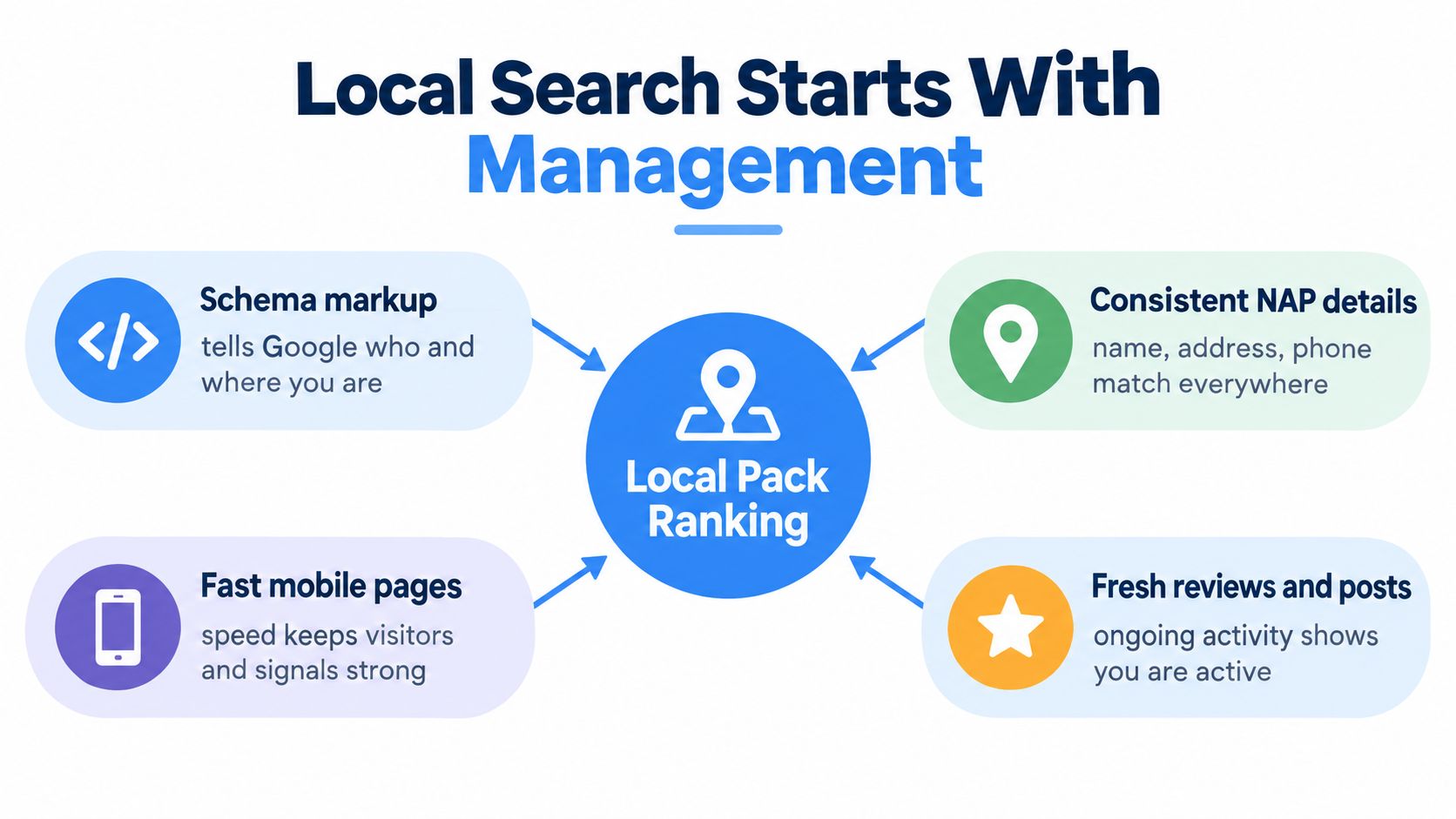
A roofing company can rank for roofer near me on Monday and disappear by Friday after a service page is changed, a profile detail goes stale, or a broken form stops turning visits into calls. Local pack visibility depends on the website, Google Business Profile, and contact process continuing to agree.
Google's local pack, also called the 3-pack or map pack, shows three local business listings for searches with local intent and often appears above standard organic results, according to Thrive Agency's local SEO guidance. Transactional searches remain the practical target for service companies. Google can recognize local intent without the words “near me,” so both roofer near me and roofer may return local businesses when the query signals a need to hire, as explained by Uberall's explanation of Google local search.
How the signals connect
The website supports the Google Business Profile with accurate service pages, service-area details, embedded maps, and consistent business information. The profile sends prospects to calls, directions, and website visits. If a landing page does not answer the request or provide a working contact route, visibility produces activity rather than booked work.
Google Business Profile provides a foundation for local-pack visibility. Claim, verify, and maintain it, then keep the website aligned with the listing. Commonly cited local ranking factors include relevance, distance, and prominence, as described in HigherVisibility's Google 3-Pack guide.
Maintenance protects those connections. Schema clarifies the business and its services, while HTTPS and reliable uptime support trust. Consistent name, address, and phone information reduces confusion across the website and listings, which is the core of local SEO optimization. Each update should be checked against the profile and the contact path.
AI-driven search gives businesses another reason to keep pages structured and current. Generative engine optimization aims to increase references and traffic from generative AI search and LLM responses. Recommended work includes crawlability, brand-entity management, and coordinated optimization across LLM search channels, according to Wix's generative engine optimization overview.
That work means publishing clear service information, maintaining consistent business entities, marking important facts accurately, and keeping pages easy for search systems to interpret. A maintained site can support traditional local results and AI-assisted discovery.
After an inquiry arrives, response operations determine whether the opportunity survives. Resources such as get website leads can help connect website demand with follow-up. If the site, profile, and contact process disagree, a 3-pack position has limited business value.
Choosing the Right Service Tier for Your Business
The build-versus-buy decision should reflect team capacity, operational risk, and growth stage, not price alone. A solo owner may be able to manage a simple site with a checklist, while a multi-location company can lose more from one missed update or untracked call than it saves by assigning maintenance to whoever has spare time.
| Tier | Monthly Cost Range | What's Included | Owner Responsibility | Best Fit For |
|---|---|---|---|---|
| DIY | Variable internal time and software costs | Hosting, updates, content edits, backups, and profile activity managed internally | Follow the checklist, test changes, and own reporting | Solo operators with time and technical confidence |
| Freelancer or virtual assistant | $75 to $150 per hour for a vetted WordPress maintainer | Updates, uptime monitoring, minor edits, and troubleshooting | Set priorities and retain conversion strategy | Smaller teams needing flexible technical help |
| Managed website service | $249 to $799 per month in the described service tier | Hosting, security, backups, reporting, on-page SEO, and conversion work with an SLA | Approve strategy, supply business information, and respond to leads | Growing or multi-location service companies |
The hourly and monthly ranges above come from the requested service-tier comparison, not from the verified data set, so they should be treated as editorial planning ranges rather than universal market facts. Actual pricing depends on the CMS, number of locations, response expectations, content workload, and reporting requirements.
DIY is cheapest in direct spend, but the owner becomes the single point of failure. It works when someone can update a staging environment, verify backups, test forms, and reserve recurring time. It fails when emergency jobs take priority every week.
A freelancer offers flexibility and specialist access. The trade-off is that many maintainers respond to tickets without owning the ranking or conversion strategy. That arrangement works when the business already has a clear SEO plan and someone internally reviews outcomes.
A managed service costs more but absorbs operational risk and can connect maintenance to rankings, calls, and lead quality. Transactional LLC offers website management alongside local SEO, Google Maps optimization, web development, and paid campaigns. For a solo operator below $500K in revenue, a documented internal process or targeted freelance support may be sufficient. A multi-location company scaling beyond seven figures generally needs defined ownership, reporting, and service-level accountability, regardless of the provider it selects.
A Practical First 30 Days of Better Website Management
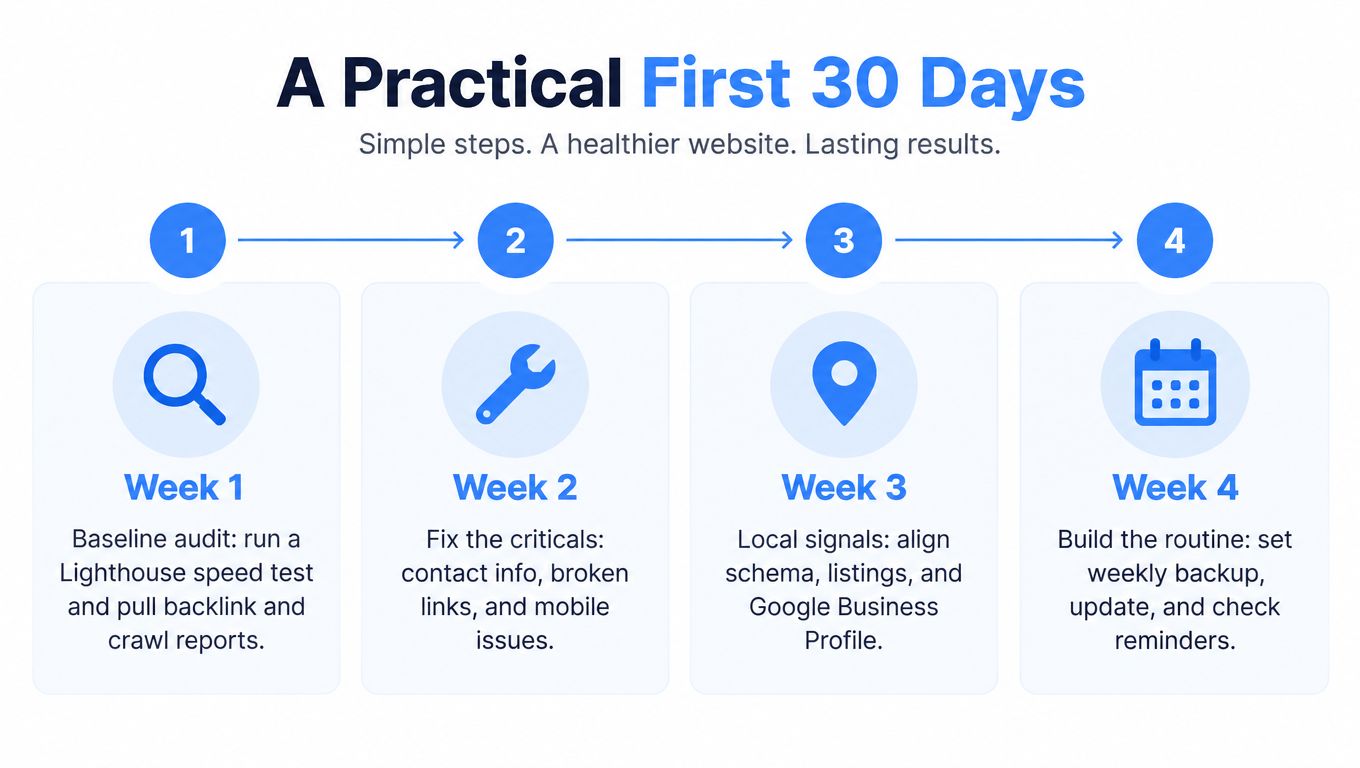
The first month should produce control, not a cosmetic redesign. Assign one person to own the checklist, record every change, and establish a baseline before editing pages or changing campaigns.
Week 1 builds the baseline
Run a Lighthouse or PageSpeed Insights test, pull a crawl and backlink report, and capture current rankings for the transactional searches that matter in each service city. Inventory every login, plugin, subscription, domain renewal, analytics property, call-tracking number, and form destination.
Also test the primary phone and form paths. If nobody can explain where a submission goes or which calls are attributed, conversion reporting isn't ready for decision-making.
Week 2 fixes the criticals
Address availability, security, and recovery first. Move to managed hosting if uptime has been unreliable, enforce SSL, enable automated backups, and configure a Web Application Firewall. Review administrator access and remove accounts that no longer need control.
Don't combine this work with a large visual redesign. Stabilize the operating base first so later SEO changes can be measured.
Week 3 improves transactional pages
Rewrite title tags and meta descriptions around the service and location intent the business wants. Add appropriate schema, compress images, fix Core Web Vitals issues, and place click-to-call actions where mobile visitors can use them immediately.
Use an editorial workflow that keeps industry pages separate. SEO services for a roofing company should speak to roofing searches, proof, service areas, and customer concerns. A dental article needs different language, conversion paths, and local relevance. Combining unrelated industries weakens both the content strategy and the page's usefulness.
When visual content supports the site, a tool such as cinematic AI video starter can help a team explore video concepts, but the finished asset still needs sensible file sizes, captions, accessibility, and a clear role in the conversion path.
Week 4 connects local signals and reporting
Align the website with the Google Business Profile, confirm business details, publish useful location pages, and connect call tracking with form attribution. Build a monthly dashboard covering traffic, conversions, page speed, and rankings by service city.
Then schedule the weekly, monthly, and quarterly tasks on named calendars. Review the first month's changes, keep a record of what affected calls or forms, and set a quarterly strategy meeting. That rhythm is how a website becomes operational plumbing for Transactional Marketing, where the objective is to show up for high-intent searches such as air conditioning repair near me, dentist near me, and roofer near me, then turn that visibility into a reachable business.
Transactional LLC provides website management, local SEO, Google Maps optimization, web development, and conversion-focused marketing for service businesses that want stronger visibility in transactional searches. Visit Transactional LLC to review the approach and discuss which maintenance, local search, and AI optimization priorities fit your service area.