


You notice the problem while checking a customer's call history: the Google listing still shows last winter's hours, or sends callers to a phone number your business stopped using. Someone nearby searched for a service, saw your profile, and may have chosen another company before you knew anything was wrong.
That's why a Google Business Profile update isn't just a settings chore. It can determine whether a person searching “roofer near me” or “dentist near me” reaches your business at the moment they're ready to hire. Transactional Marketing focuses on those high-intent searches, where the customer is looking for a provider, not browsing for general information.
The Moment a Wrong Listing Costs You a Job
A roofing business owner opens Google Maps and sees that the profile says the office is closed. The crew is taking emergency calls, the phone is on, and jobs are available, but the listing gives a potential customer a reason to move on. A plumbing company can face the same problem when an old number still appears, or a service-area business when its profile fails to reflect the towns it serves.

That isn't an abstract visibility issue. It's a potential transaction lost at the point where a searcher is choosing whom to call. A person searching “air conditioning repair near me” or “dentist near me” wants a provider who fits the need and appears reachable. If the hours, phone, service area, or services are wrong, the profile can undermine that decision before your website gets a visit.
A useful way to think about local visibility is to follow the buyer's path. The searcher enters a service query, scans nearby businesses, checks whether a listing looks relevant and credible, then calls or clicks through. Each inaccurate detail adds friction. A correct profile can't guarantee a call, but a wrong one can give a ready-to-buy customer a clear reason not to contact you.
Operator's rule: Fix the information that could stop a customer from reaching you before spending time polishing details that don't change the buying decision.
For service-area businesses, geographic accuracy matters too. A company serving parts of the East Valley can use a clearly defined Mesa service area as a practical reference for explaining where it operates. Keep your profile and website aligned so customers and Google encounter a consistent picture of your coverage.
This guide focuses on three operating questions: what changed in profile management, which fields deserve your attention, and how to measure whether an edit helped attract transactional searches. The aim isn't to keep the dashboard busy. It's to make your business easier to find and contact when a local customer is ready to act.
How Google Decides Which Local Businesses Win
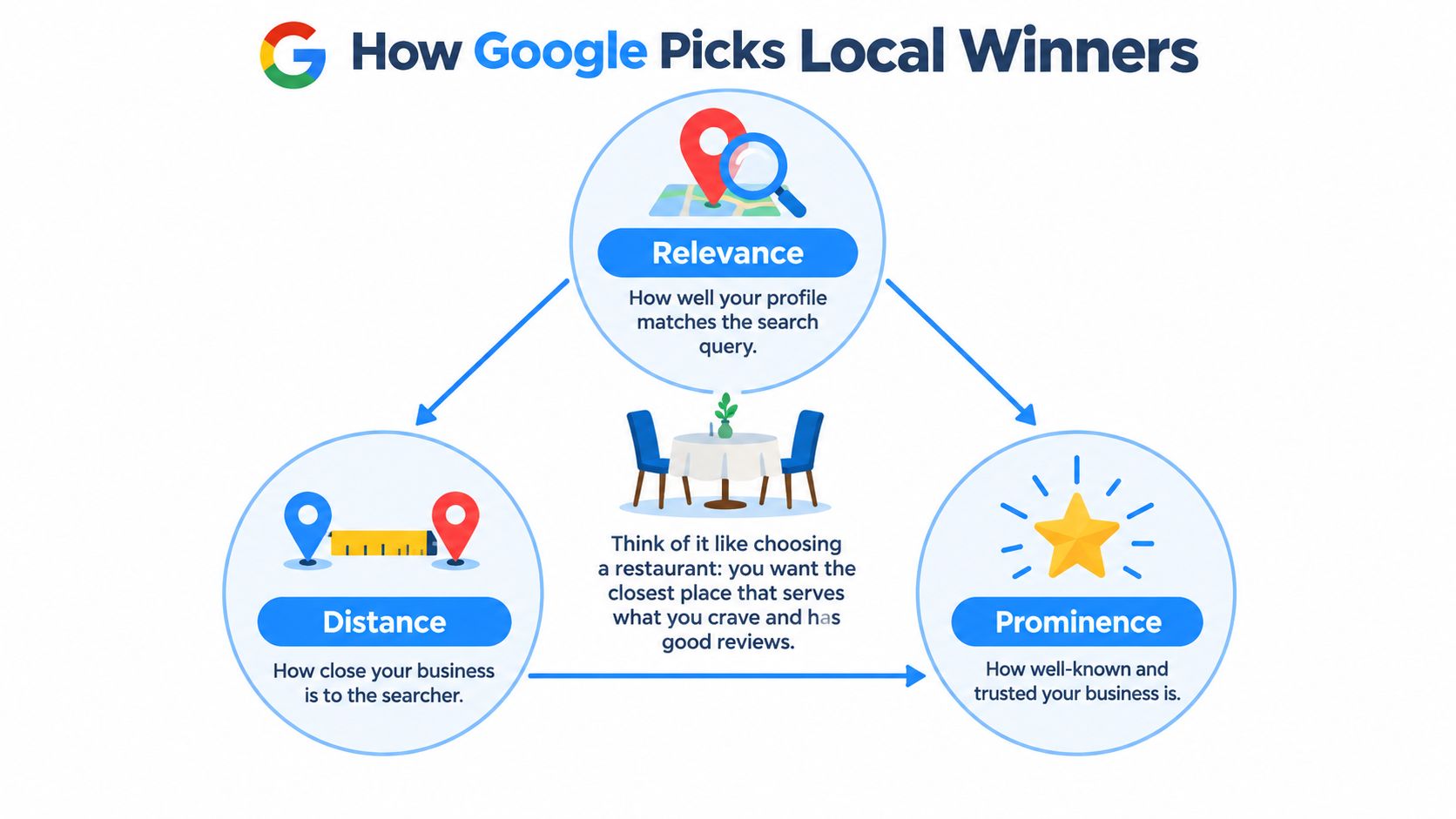
Google describes local rankings through relevance, distance, and prominence. Relevance is how closely a Business Profile matches the search, distance is how far the business is from the searcher or a location in the query, and prominence reflects how well-known the business is across the web, including links and customer reviews (Google's local ranking guidance).
A restaurant analogy makes the mechanics easier to remember. Relevance is whether the restaurant serves what you want to eat. Distance is how close it is. Prominence is whether people know and trust it before they walk through the door. Local service searches work similarly: the profile needs to match the requested service, be eligible for the searcher's location, and present a credible business.
Relevance starts with what you actually do
Categories, services, and complete business information help Google understand which searches fit your business. If a roofer's profile describes roofing work clearly, that gives Google a stronger basis for matching it to a roofing query than vague or outdated information. The same principle applies to a dental practice trying to appear for appropriate dental services.
This is why profile fields aren't decoration. They help communicate the services and locations the business can serve. Accuracy matters more than stuffing in search phrases. A profile should describe the business, not a wish list of queries.
Distance sets a geographic limit
A well-maintained profile can't erase the distance between a searcher and a business. Google considers the searcher's location or the place named in the query. If the searcher doesn't specify a location, Google estimates it from available location signals. That means a business may appear for a search in one part of its market and not another.
Prominence takes more than profile edits
Google considers information across the web, including links and reviews, when assessing prominence. A profile update can improve clarity, but it doesn't replace the broader work of building a trustworthy online presence.
The practical conclusion is direct: reaching the top three in Maps depends on these factors working together. Transactional Marketing's approach combines profile accuracy with off-profile prominence work, rather than treating the listing as the entire strategy. For a deeper breakdown of the ranking mechanics, see this guide to Google Maps ranking factors.
What You Can Actually Edit on Your Profile
Google moved core profile management closer to the customer-facing products. In August 2020, Google announced that owners could create posts, reply to reviews, add photos, and change business information directly from Google Search and Google Maps, shifting the primary management experience away from the earlier Google My Business workflow (Google's announcement about managing profiles in Search and Maps).
That shift made a Google Business Profile update more practical. A verified owner can find the profile in Search or Maps and manage customer-facing details without treating a separate dashboard as the only route. For example, if holiday hours change, the owner can update the profile where customers are already looking.
Start with the fields that affect contact and fit
For a local service business, check the profile fields in a useful order:
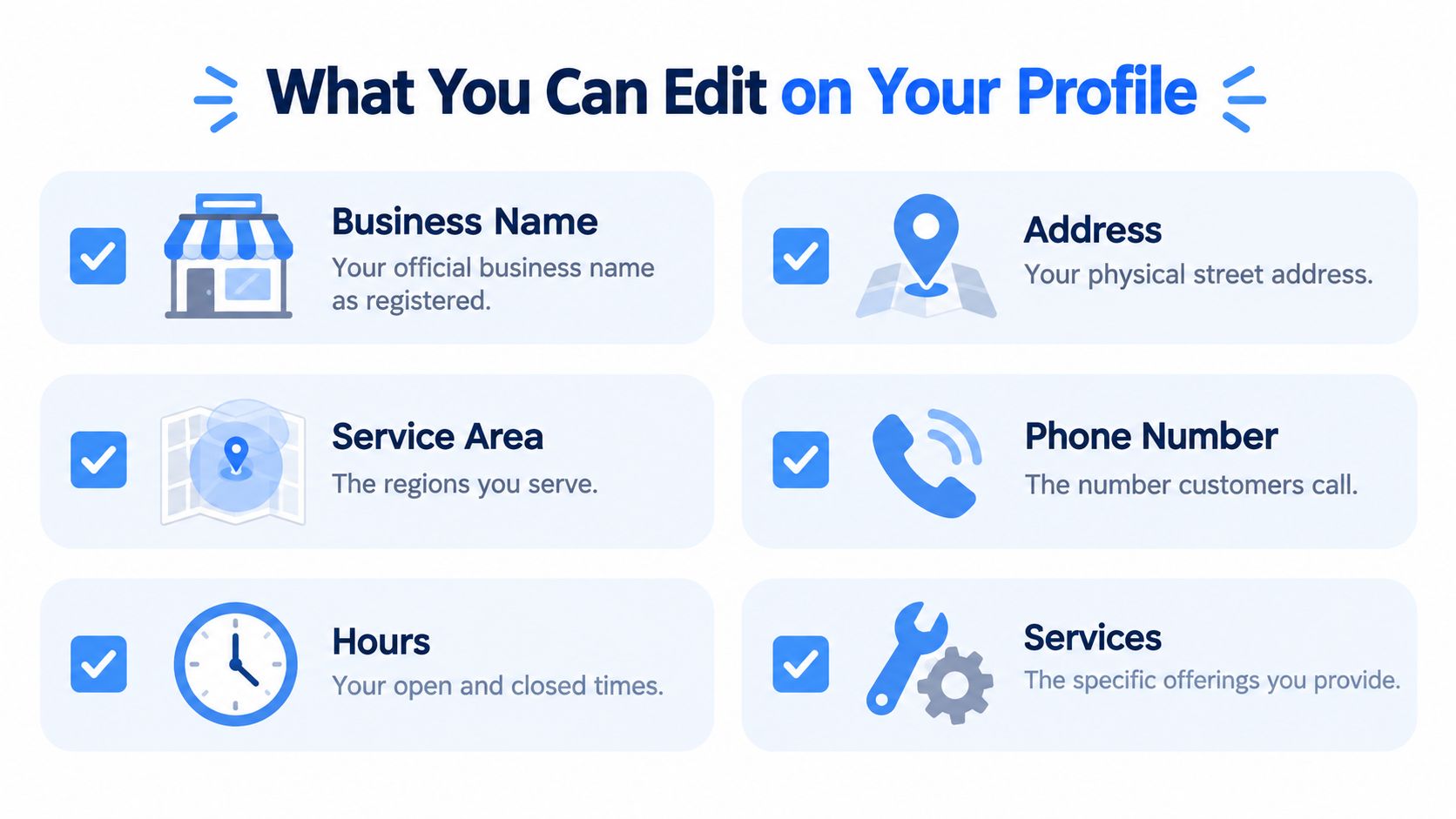
- Business name: Use the actual business name customers recognize. Don't add extra keywords that aren't part of the name.
- Phone and website: Confirm the number reaches the right team and the website link leads to a relevant, functioning page.
- Hours: Check ordinary operating hours and special hours when schedules change.
- Address and service area: Make sure the location information reflects how the business operates and which areas it serves.
- Categories and services: Keep the primary category, additional categories, and listed services aligned with the work you offer.
- Attributes and description: Use relevant details to clarify the business, not to make claims it can't support.
The reason to check these fields is simple: together they tell customers what you do, how to reach you, and where you operate. They also help Google interpret the profile's relevance and geographic fit.
A helpful local resource can make the setup process easier to follow. For instance, business owners looking to optimize your Grandview Google listing can use that guide as a reference while reviewing the information shown to customers.
“Editable” doesn't mean “instant.” Google reviews changes, and other sources can contribute information to a profile. Before you rely on a major update, check that the live listing reflects it. The review process and the risk of suggested edits deserve close attention, especially when details change across multiple locations.
The Four-Day Clock Most Owners Miss
Google doesn't rely only on the business owner's edits. It combines information from different sources, including user reports and licensed content, and may show changes across Search, Maps, and other Google services. That makes regular monitoring part of profile management, not an optional cleanup task.
When Google asks an owner to review a suggested edit, the business has four days to accept or reject it. If the owner doesn't respond, Google may publish the change automatically when other public information supports it, such as the company website. Direct edits to verified profiles are often reviewed within 10 minutes, but can take up to 30 days when Google can't readily confirm accuracy (Google's edit review guidance).
Practical rule: Don't assume silence means the profile stayed unchanged. Check for alerts, inspect the live listing, and make sure your public information agrees.
Use the Performance dashboard to test edits
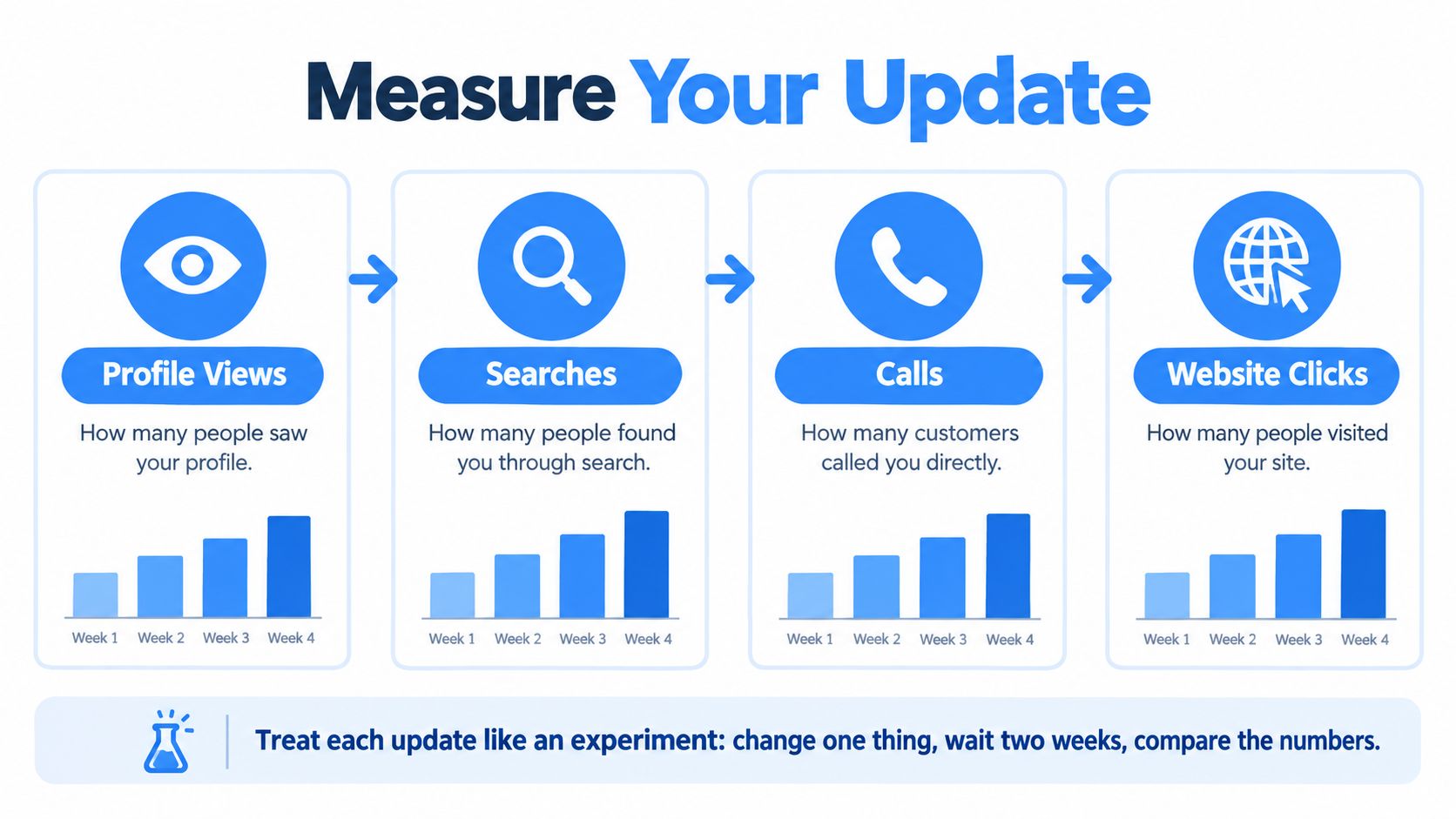
The operational discipline is to separate profile maintenance from performance testing. Google Business Profile performance data includes profile views, searches, calls, and website clicks. Google's Performance API also provides daily and monthly metrics, including keyword impressions, with impressions counted once per user per day. Interactions update daily, while some other metrics update monthly, so a single day isn't a reliable verdict (Google's Performance metrics documentation).
For a clean test, record a baseline, change one variable, then compare matched 28-day periods. You might update hours, correct a service attribute, change a category when the business qualifies, or point the profile to a more relevant landing page. Track calls, website clicks, searches, and impressions separately. Discovery isn't the same as a customer taking action.
Multi-location businesses also need a consistent editing process. Google supports spreadsheet-based bulk updates. Unchanged fields are ignored, but a changed field replaces both the prior value and any updated information. Review the data before upload so one correction doesn't overwrite a more recent, accurate detail.
After a rebrand, relocation, phone change, or holiday-hours update, use a short verification routine:
- Review the profile's edit panel and confirm the intended information is saved.
- Check the live Search and Maps display from a customer's perspective.
- Confirm that the website and other authoritative pages agree with the profile.
- Keep supporting evidence, such as licensing records or signage photographs, in case Google needs verification.
Businesses working through a verification issue can also consult this guide to Google Business Profile verification. The essential point is to treat the listing as an actively monitored source of customer information, not a form you fill out once and forget.
Measuring Whether an Update Actually Worked
A profile dashboard becomes useful when you treat it as a measurement instrument. Views and impressions help show discovery. Calls and website clicks show whether people took a next step. Those metrics answer different questions, so don't combine them into one vague claim that an update “worked.”
Run a controlled test
Use a simple test protocol instead of changing several parts of the profile at once:
- Record the baseline. Note profile views, searches, calls, and website clicks for the period you're using.
- Choose one variable. Change a specific item, such as accurate service attributes, operating hours, a legitimately justified category, or the destination URL.
- Compare matched periods. Use one 28-day window before and one 28-day window after the update, and review available breakdowns by metric and device.
- Add context to the result. Note advertising changes, seasonality, outages, and review activity so you don't credit the profile edit for a change with another likely cause.
Google's reporting system includes daily and monthly data, so don't judge an update from a single day. Use the matching windows to evaluate whether discovery changed and whether the actions that matter to your business moved with it. A rise in impressions without more calls or website visits isn't the same outcome as more customer contact.
Google also notes that impressions are counted uniquely per user per day, rather than every time the profile is displayed. Keep that definition in mind when comparing impressions with interaction metrics.
For service businesses, connect profile activity to the booking path. Use tagged links to distinguish profile-driven website visits, then check whether those visits lead to calls or completed forms. A customer searching “roofer near me” doesn't help the business merely by seeing a listing. The meaningful outcome is a qualified call, an enquiry, or a booked job.
The useful question isn't “Did we update the profile?” It's “Did this change help the right local customers find and contact us?”
Transactional Marketing uses that distinction when evaluating transactional searches such as “roofer near me” or “dentist near me.” The dashboard is not a trophy case. It's a way to test whether a specific update contributed to the customer actions the business wants. For additional context on interpreting the numbers, review Google Business Profile insights.
Why Posting More Often Can Actually Hurt You
“Post regularly” is easy advice to give. It's less useful when it ignores where posts appear, how long they stay current, and whether they lead to a real customer action.
Google may show posts in different places depending on the device. On mobile, a post can appear under Updates or Overview; on desktop, it can appear under From the owner. Posts older than six months are archived unless a date range is specified. Google also warns that a phone number in the post description may trigger rejection if it can't verify that number as connected to the business (Google's post guidance).
That matters for seasonal offers. An HVAC company promoting maintenance, a plumber advertising a service, or a dental practice filling appointment openings should tie the post to a current offer and a useful destination. A generic update stream can create work without giving the customer a clear next step.
Compare activity with accountability
An owner-managed profile can be enough for a business that has time to review the listing, check the live display, and measure the actions that follow. But publishing posts alone doesn't answer whether the business is becoming more visible across its service area.
A managed process can add a different layer: map-rank heat maps and call tracking help operators compare visibility across locations and connect it to customer contact. The value isn't the reporting itself. It's replacing “I searched from my office and saw us” with a more useful picture of where the profile appears and whether people call.
Make each post serve a defined purpose. Choose one offer or service, send the customer to one relevant page, tag the destination link, and set an end date that fits the offer's availability. Review calls and form completions, not just impressions. Google's API documentation also indicates that recurring local posts can be scheduled, which can help multi-location teams coordinate publishing, but scheduled content still needs checks for expired offers and broken destinations.
The direct recommendation is to publish less generic content and maintain more useful content. A concise, timely post tied to a real service page is easier to assess than a frequent post that no one owns after publication.
Reviews, Rank, and the Top-Three Maps Trap
Reviews help, but they don't buy a guaranteed place in the local results. Google says that more reviews and positive ratings can support local ranking, while treating reviews as one signal within prominence. It doesn't promise a specific position, and results can vary with the searcher's location, the terms they use, and local competition (Google's explanation of review influence on local ranking).
A business can have a strong review profile and still struggle to appear for a service query if its categories or service information don't fit the search. A company can also appear in one neighborhood and not another because the searcher's location changes the distance calculation. Reviews matter, but they can't fix every mismatch.
That's why one manual search isn't a reliable test of whether a business has reached the top three across its market. A search from the owner's office shows one location and one moment. A heat map can reveal how map visibility changes across service-area points, making it a more practical way to assess whether a business is reaching buyers beyond its immediate block.
Define visibility by the outcome: a relevant local search, a credible Maps listing, and a customer who can take the next step.
For Transactional Marketing, “showing up” should connect transactional intent, map visibility, and calls. The target isn't to appear for a broad term. It's to earn attention for searches such as “air conditioning repair near me,” “roofer near me,” or “dentist near me,” then make it easy for that searcher to call or book. Keep reviews genuine and make it easy for satisfied customers to leave them. Learn more about building a sound process for Google Business Profile reviews.
Transactional LLC helps service businesses improve Google Business Profile accuracy, Google Maps visibility, and search performance for high-intent local queries. Its work includes profile management, local SEO, and reporting tools such as map-ranking heat maps, so businesses can assess visibility across their service areas. Visit Transactional LLC to discuss a profile and search strategy built around the customers you want to reach.