

Businesses almost never delete a third-party review directly. Google's policy system allows a business to report any review, but only policy-violating content is eligible for removal, and large-scale enforcement removed or blocked more than 240 million reviews in 2024 and over 292 million in 2025, according to an industry summary (Google review enforcement data).
You're drinking coffee, checking your phone, and there it is: a new one-star review for your HVAC company, dental practice, roofing business, or plumbing shop. The complaint may be unfair, written by someone who never hired you, or tied to a competitor. It may also be completely legitimate.
That distinction determines what you should do next. The right question isn't, “How do I delete reviews?” It's, “Which platform rule does this review violate, what evidence proves it, and what response protects my visibility if the platform keeps it?”
For service businesses, that process matters because reviews contribute to the prominence side of local search visibility. Google says local results are shaped by relevance, distance, and prominence, with prominence reflecting how well-known a business is online and offline (Google Maps ranking factors explained). Your review strategy should therefore support the searches that produce calls and bookings, including “air conditioning repair near me,” “roofer near me,” and “dentist near me.”
What “Deleting a Review” Actually Means for Your Business
Most owners begin with the wrong assumption. They believe a negative review works like a photo on their own website, something an administrator can select and erase. On Google, Yelp, Facebook, Apple Maps, Bing, and Amazon, businesses generally can't unilaterally remove third-party reviews.
They can flag, report, document, appeal, and respond. The platform makes the final decision.
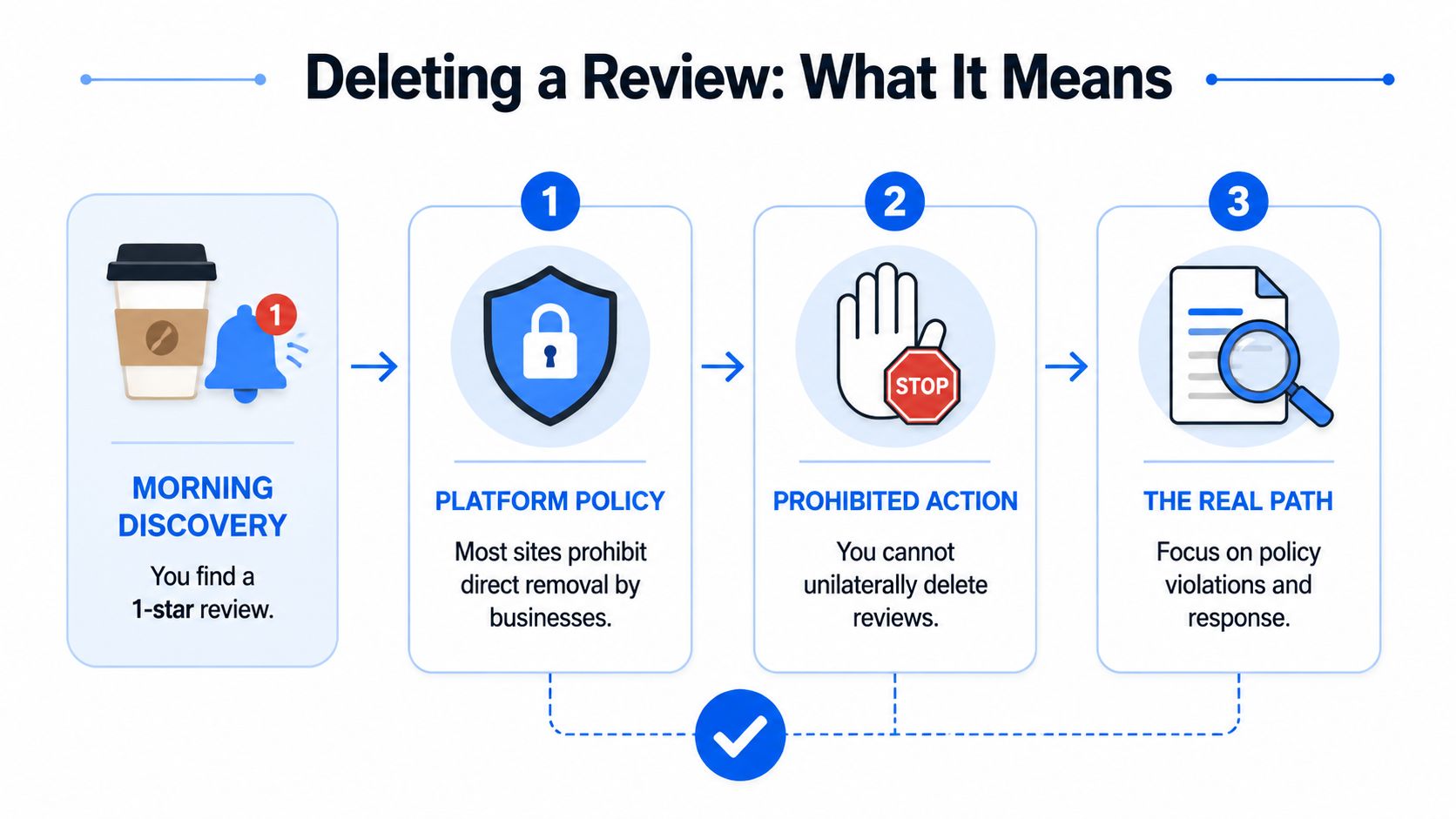
Treat review removal as a policy-evidence pipeline, not a reporting chore. You identify the rule, collect proof, submit a precise report, and track the result. A vague complaint about unfairness rarely helps because platforms moderate conduct, not business owners' feelings.
The three outcomes you should expect
Removal is the clean outcome. The platform accepts that the review violates a rule and takes it down.
Retention with a public reply is common when the review describes a real customer experience, even if the customer is angry or the account is incomplete. A legitimate negative review usually remains visible because platforms protect authentic feedback.
Escalation becomes appropriate when the first report is rejected despite stronger documentation, or when several reviews reveal a coordinated pattern. Your job is to select the most accurate category, attach evidence, and avoid filing the same weak complaint repeatedly.
Practical rule: Report the specific conduct, not the damage the review caused.
That vocabulary applies across every major review platform. “Fake,” “off-topic,” “conflict of interest,” “harassment,” and “illegal content” are useful policy concepts. “This review is hurting my business” isn't a removal category.
Reporting Reviews on Google Business Profile
Google gives businesses two official reporting routes, the Business Profile review flow and the Reviews Management Tool. Both require you to select the review, choose a violation reason, and submit it for Google's assessment (Google's official review-removal process).
The Business Profile reporting flow
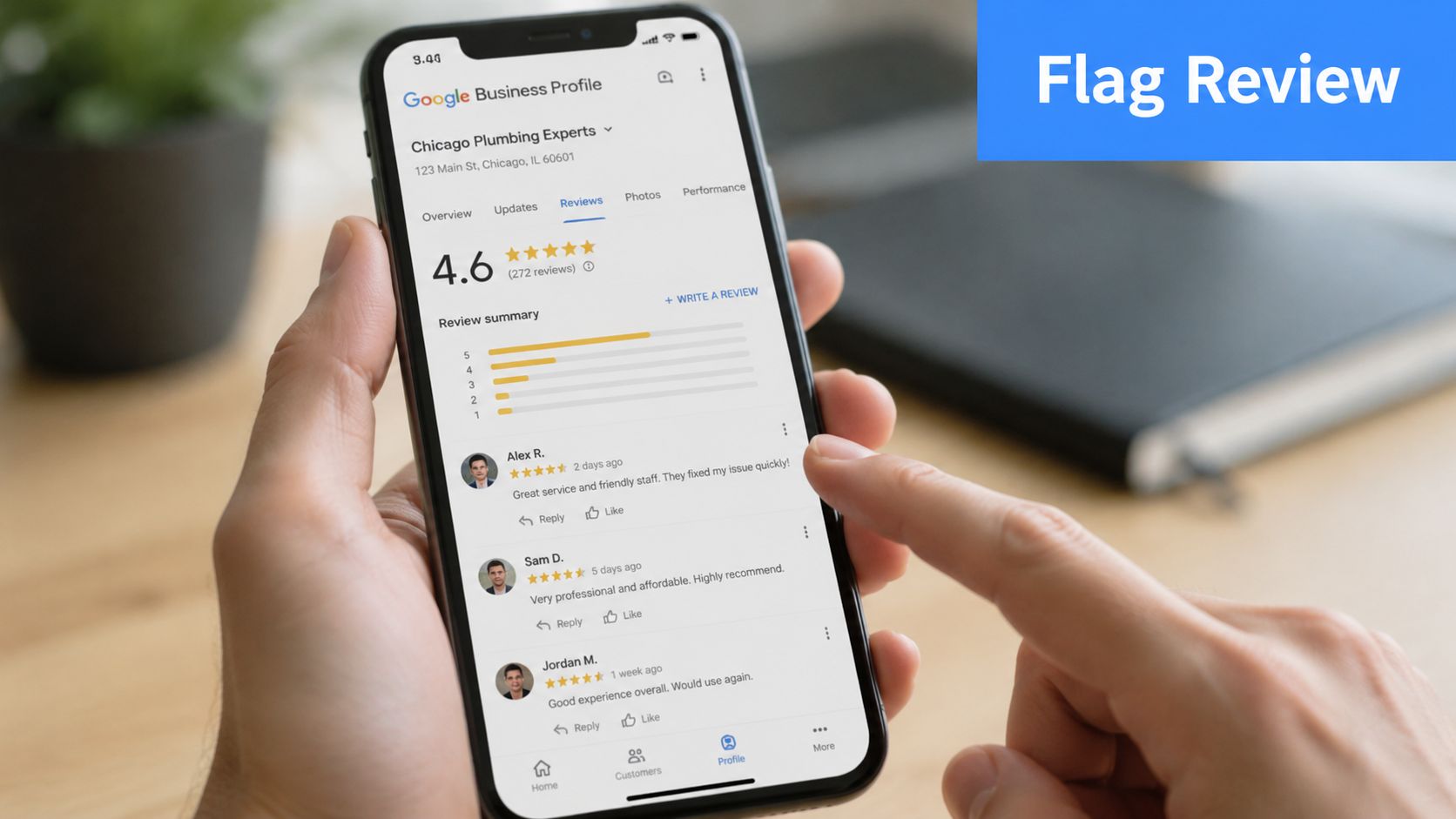
Open your Google Business Profile dashboard and go to the review area. Find the review, open its three-dot menu, choose Flag as inappropriate, and select the violation category that best fits the content.
Google's removal framework is narrow. The categories that can support a takedown include:
- Spam or fake content, such as fabricated experiences or manipulated engagement.
- Off-topic content, where the review discusses a different business or unrelated subject.
- Restricted content, where the review includes material Google limits under its policies.
- Illegal content, including content that violates applicable law.
- Sexually explicit material, where the review crosses Google's stated content boundaries.
Don't choose “spam” just because the customer gave you one star. A harsh opinion about a genuine job is still usually a customer review. Your report must show why the content falls inside a prohibited category.
The Google review takedown guide is useful when the review involves a complicated evidence trail, especially a suspected competitor or a non-existent transaction. If you're managing the process internally, keep a dated record of the review URL, screenshots, account details, report category, and every response from Google. Businesses can also use this Google review dispute process to organize an appeal when the initial report doesn't succeed.
The Reviews Management Tool
The Reviews Management Tool is more practical for multi-location businesses and agencies handling several profiles. It lets you identify the review, select the reason, and submit the report through a structured interface instead of relying only on the dashboard view.
Google may notify you by email when a review is removed. If the initial flag is denied, use Google Support's appeal path rather than changing the wording slightly and submitting the same argument again.
Attach evidence that maps directly to the policy category:
- Transaction screenshots: Show booking records, job notes, invoices, or messages when they establish that no transaction occurred.
- Reviewer inconsistencies: Document contradictory locations, repeated copy, or account activity that supports a fake-content claim.
- Conflict evidence: Save public pages or profiles that connect the reviewer to a competing business, former employment, or another relevant relationship.
A strong report is short, factual, and organized. Google's platform-controlled process rewards evidence that helps a reviewer verify the policy violation.
Removal Paths on Yelp, Facebook, Apple, Bing, and Amazon
Each platform uses different labels, but the principle stays consistent. You don't remove a review because it's negative. You report it when it violates the platform's content, trust, safety, or conduct rules.
| Platform | Where to Report | Valid Removal Categories | Typical Decision Time |
|---|---|---|---|
| Yelp | Use Report Review on the public review page, or use the business-owner response tools | Content that violates Yelp Content Guidelines or Trust & Safety rules | Varies by review and investigation |
| Open the Page's Reviews tab, select the three dots, choose Find support or report, then select the closest reason | Harassment, scam, irrelevant content, or another applicable policy violation | Varies by case | |
| Apple Maps | Open the place card and use Report a Problem | Incorrect, abusive, misleading, or otherwise policy-inconsistent listing content | Varies by report |
| Bing Places | Use the dashboard reporting or flagging option, then pursue a Bing webmaster reconsideration route when appropriate | Spam, misleading content, or another applicable platform violation | Varies by escalation |
| Amazon | Identify whether the issue is a product review or seller feedback, then use the applicable reporting route | Abusive content and violations of Amazon's review or feedback rules | Varies by review type |
Yelp requires a policy fit
On Yelp, use the Report Review link on the public review page. A business owner can also respond through the available owner tools, but a response isn't a substitute for a report. Yelp generally removes content only when it violates its guidelines or Trust & Safety rules.
Facebook separates support from disagreement
For a Facebook business page, open the Reviews tab, select the three dots beside the review, and choose Find support or report. Harassment, scams, and irrelevant content are stronger grounds than an ordinary complaint about price, scheduling, or service quality. For a more detailed workflow, see this guide to removing Facebook reviews.
Apple, Bing, and Amazon need classification
Apple Maps and Bing Places often require you to report the listing or review through a place-card or dashboard workflow. Amazon demands an extra distinction: a seller-feedback review is not the same as a product review. A buyer can be reported for abusive content, but a seller cannot remove criticism because it affects sales.
Write down the platform, review type, report category, submission date, and current status. That record prevents duplicate reports and makes escalation more credible.
Timing, Evidence, and the Categories That Get Reviews Taken Down
Timing matters, but speed doesn't replace classification. Independent analysis of a large 2026 dataset found that 65.3% of removed reviews had remained live for more than 10 days, while 34.7% were removed within 10 days. The same analysis found 7.5% disappeared within a day, and 26% of deleted reviews were more than a year old (analysis of deleted Google reviews).
The practical lesson is simple: report the strongest violation promptly, then continue monitoring. Don't wait for perfect documentation if the review clearly contains a policy problem. At the same time, don't assume an older review is untouchable. Older content can still be removed when new verification or better evidence clarifies the violation.
Build the evidence around the rule
A useful evidence file answers one question: Why does this content violate a specific policy?
| Violation Category | Yelp | Amazon | ||
|---|---|---|---|---|
| Spam or fake engagement | Strong fit when evidence supports fabrication or manipulation | Potential fit under content and trust rules | Potential fit under spam or deceptive behavior rules | Potential fit under review abuse rules |
| Off-topic content | Strong fit when the review concerns another business or subject | Potential fit under relevance guidelines | Strong fit when the content is irrelevant to the Page | Usually depends on product or seller-feedback context |
| Harassment, threats, or hate | May fit restricted or prohibited content rules | May fit Trust & Safety rules | Strong fit for harassment or abusive conduct | May fit abusive-content rules |
| Conflict of interest | Strong fit when a competitor, former employee, or vendor connection is documented | Potential fit when trust concerns are proven | Depends on the conduct and applicable policy | Depends on whether the activity violates Amazon's review rules |
Category choice matters more than report volume. Filing several weak reports can create administrative noise without improving the case. Select the highest-fit category, attach dated screenshots, and explain the connection between each piece of evidence and the rule.
If the platform rejects the report, preserve the decision, add material evidence, and escalate as a pattern only when multiple reviews support that conclusion. Rephrasing the same accusation isn't escalation.
Responding When a Review Cannot Be Deleted
A legitimate negative review usually stays online. That doesn't mean you've lost control of the situation. Your public reply becomes a sales message for the next person searching for your service.
Keep the response calm, specific, and brief. Don't reveal private customer details, argue point by point, or make claims you can't verify. A future customer wants to know whether your business takes problems seriously and offers a clear path to resolution.
When the customer is real and wants a remedy
“We're sorry the service didn't meet expectations. We'd like to review what happened and discuss the appropriate resolution. Please contact [named manager] at [phone or email] with your service details so we can address this directly.”
That response acknowledges the experience without conceding facts you haven't confirmed. Use the same approach for refund or service-recovery complaints, then move the conversation offline.
When the review makes a safety accusation
“We take service and safety concerns seriously. We're reviewing the details internally and would like to speak with you directly so we can verify the visit and respond accurately. Please contact [named manager] at [phone or email].”
Avoid loaded wording that turns the thread into a confrontation. Your goal is to show prospective customers that the business follows a process rather than reacting emotionally.
When the review appears designed to provoke
“We can't match this review to a customer record, but we're happy to investigate any genuine service concern. Please contact [named manager] at [phone or email] with the appointment details so we can verify what occurred.”
Don't name a suspected competitor in the reply. Report the suspected conflict with evidence through the platform instead. For more response examples and workflow guidance, use this resource on responding to negative reviews.
Escalation, Legal Options, and When They Are Worth It
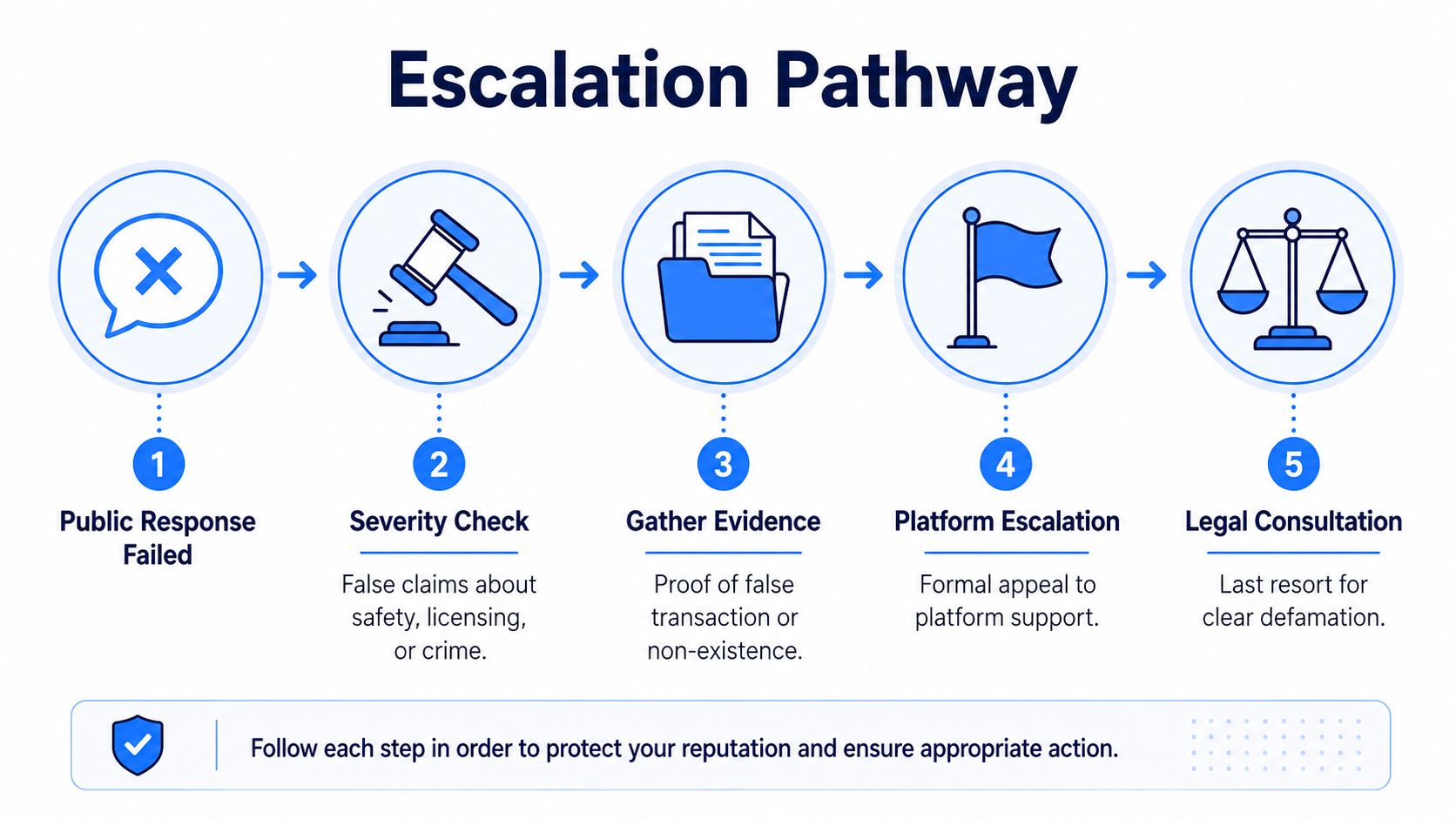
Escalation makes sense only when the review contains a provable falsehood about safety, licensing, criminal conduct, or a non-existent transaction, and your public response hasn't corrected the impression. A bad review is unpleasant. A demonstrably false accusation that can affect bookings is a different problem.
Start with documentation. Save the original review, account profile, timestamps, customer records, relevant licenses, job notes, messages, and every platform decision. A cease-and-desist letter may be appropriate for an unidentified poster when the evidence is clear, but it should support a documented factual case rather than serve as an emotional threat.
Escalation threshold: If you can't prove the statement is false, don't spend heavily trying to force its removal.
Legal action involving tortious interference, trade libel, defamation, or narrow platform-liability exceptions can be slow and costly. Small businesses should weigh the likely business impact against attorney fees, discovery demands, and the possibility that litigation creates additional attention around the review.
A practical sequence looks like this:
- Check severity. Confirm the claim concerns a serious, provable falsehood.
- Preserve evidence. Capture the content before it changes or disappears.
- Appeal to the platform. Use the formal support route with a policy-specific explanation.
- Seek qualified advice. A business handling a complex record may use virtual legal assistant services for document organization, while legal strategy belongs with a qualified attorney.
- Choose the business response. If the case is weak, redirect effort toward accurate reviews, owner responses, and local prominence.
Protecting Prominence, Reviews, and Transactional Visibility
Review hygiene supports more than reputation. It supports the prominence component of local search, which affects how your business competes in Google Maps for high-intent searches. Google also reports that “near me” searches containing purchase language such as “can I buy” or “to buy” grew by more than 500% over a two-year period (Google local-search purchase intent data). Those searchers are closer to calling, booking, or visiting than someone browsing general information.
Your weekly routine should be practical:
- Monday: Check Google Business Profile and Yelp alerts.
- During the week: Log each new review with sentiment, screenshots, and transaction status.
- Within a day: Report clear policy violations with the strongest category and evidence.
- Within two days: Respond to legitimate negative feedback professionally.
- Later in the week: Request honest reviews from completed customers without incentives or manipulation.
- On the weekend: Audit Google Business Profile questions, answers, services, and photos.
AI search adds another reason to keep business information consistent. LLM systems are more likely to surface businesses when their profile, structured data, citations, services, location, hours, and reviews create a clear, verifiable entity (entity optimization for LLM search). Transactional Marketing focuses on those service-and-location combinations so businesses can be found for searches such as “air conditioning repair near me,” “roofer near me,” and “dentist near me.” Its local SEO and review workflows are described through online review management.
Transactional LLC helps service businesses organize review disputes, improve Google Maps visibility, and build SEO and AI-search content around transactional terms such as “plumber near me” and “dental implants near me.” Visit Transactional LLC to discuss a review-management and local search plan built around the cities and services you want customers to find.