


It is 9 pm, the house is already warm, and the air conditioner has quit. The homeowner types air conditioning repair near me, calls the first company that picks up, and books whoever can be there tonight. That call is the whole job of online lead generation for a service business. Rankings, map pins, and website visits only count when they become a person you can reach and a job you can put on the calendar.
What Online Lead Generation Means for Service Businesses
That late call is not a brand impression. It is a buyer with a broken system and money ready to spend. Online lead generation is the work of turning search, map, and website activity into identifiable prospects who call, book, or request a quote.
Think of it as four stages, not a single metric.
- Visibility. The business appears for a transactional search, a query that pairs a service, a place, and an immediate need, such as roofer near me or dentist near me.
- Interest. The searcher taps the listing, the call button, or the page.
- Contact. Someone on your side answers, or calls back while the need is still urgent.
- Booked job. The inquiry becomes an appointment, a dispatch, or a sold estimate.
A shop window only earns money when a passer-by walks in and buys. A map pin with no answer is a display, not a sale. Transactional searches are the highest-value prospects local firms get, because the person already decided to spend. We build programs around those terms, city by city, rather than around broad awareness phrases that never name a job.
The rest of this article tracks three numbers, and only those three decide whether a channel is working: leads, qualified leads, and booked jobs.
A click that never becomes a conversation is a cost. A conversation that never becomes a booking is a leak.
Channels That Generate Leads and How They Compare
| Channel | Searcher intent | Time to first leads | Cost model | Best fit |
|---|---|---|---|---|
| Google Business Profile and Maps | High, local and immediate | Weeks once categories, photos, and reviews are in place | Staff time, free listing | Businesses with a defined service area |
| Paid search ads | Very high, urgent need | Days after launch | Cost per click | Emergency and same-day services |
| Organic search and service pages | High, service plus city | Months as pages gain ranking | Content and SEO effort | Competitive markets where patience pays off |
| Paid social ads | Low to medium, interrupted attention | Days after launch | Cost per click or impression | Seasonal offers and promotions |
| Review and directory listings | High, comparing options | After a steady run of recent reviews | Staff time, sometimes paid listings | Trust-driven categories such as dental and medical |
| Email and SMS to past customers | Medium, existing relationship | Immediate on send | Software and list upkeep | Repeat and maintenance services |
Those timelines are typical patterns, not guarantees. A crowded suburb moves slower than a thin one.
Speed against durability
Paid channels buy speed and control. Leads can show up within days, and they stop when the budget stops. Profile and organic channels take months to build, then keep producing between campaigns. Search is the infrastructure under both. In the United States, search advertising generated $114.2 billion in revenue in 2025, 38.8% of the country's $294.6 billion internet-advertising market, and search revenue rose 11% from the prior year, according to 2025 U.S. internet-advertising figures. That spend is not the same thing as lead quality. It does show where advertisers put money when the query already names a need.
Say an emergency HVAC firm runs paid search on air conditioning repair near me for same-day calls, and at the same time keeps a verified Google Business Profile plus city pages that earn those calls after the ads pause. If social is part of the mix, start from Meta ads with reliable conversion tracking so a promoted post is tied to a call or a form, not to a like. The trade-off between buying clicks now and earning them later is laid out in our notes on organic versus paid search.
I would start with two channels, not six. One fast channel, paid search aimed at urgent services. One durable channel, a complete Google Business Profile with a page for each service and city. A trust-driven practice can lean on reviews and directories first. A repeat-service company, pest control for example, can lean on email and SMS to people who already bought.
Local Search Strategies for Transactional Searches
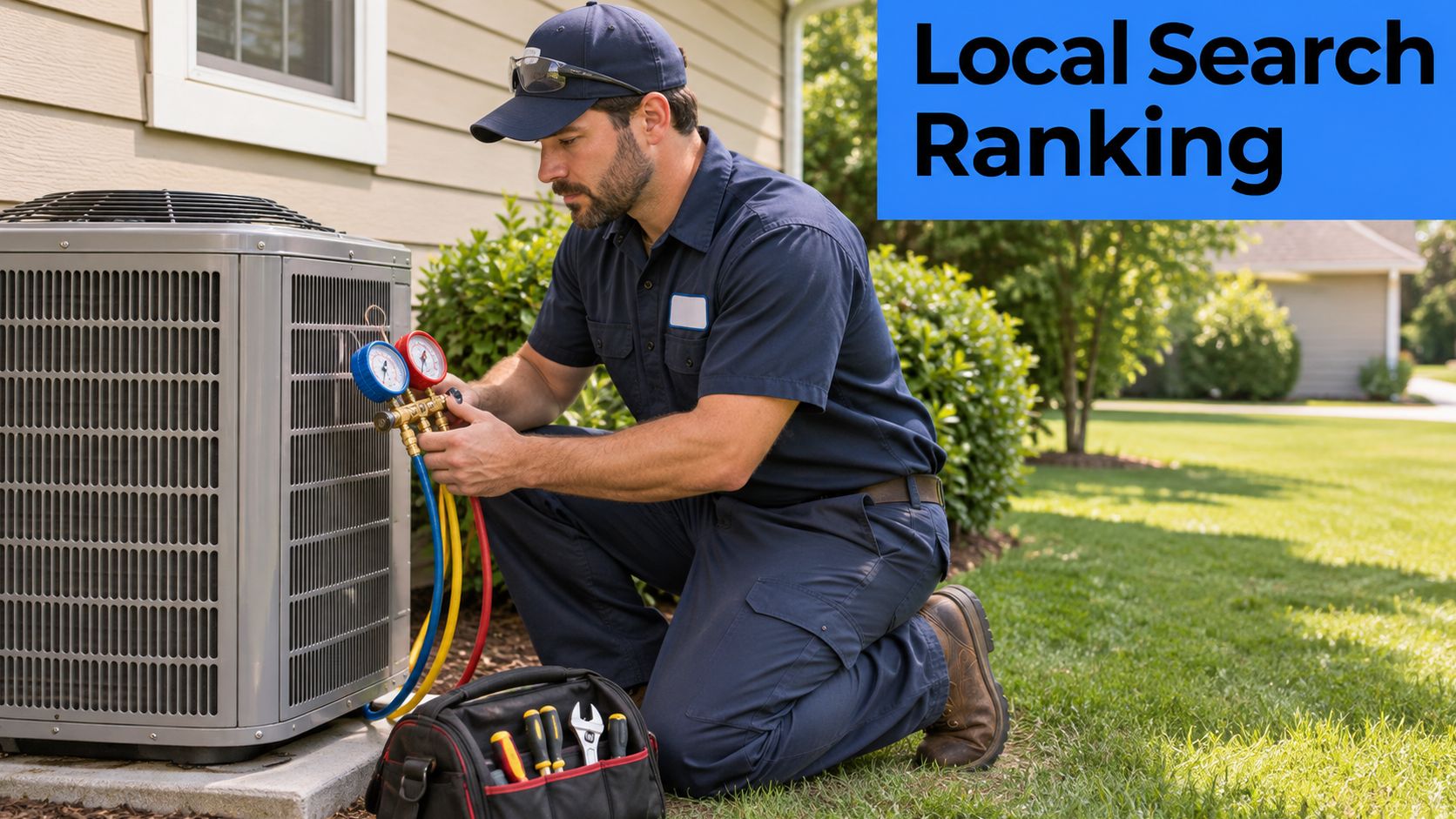
A homeowner types "air conditioning repair" plus a suburb at 9 p.m. Google does not return a traffic chart. It returns a short map list. If the hours, the service name, or the city on the profile disagree with the page, tonight's call goes to the listing that matches. A wrong listing costs the booked job even when search volume looks fine.
Google ranks local results on three mechanisms: relevance, distance, and prominence. Google's local ranking explanation is direct about that mix. Relevance is how closely the Business Profile matches the query. Distance is the gap between the searcher and the business, or the place named in the query. Prominence is how well known the business is, through links, articles, directories, web-search position, review volume, and review ratings.
Turn each signal into one action
Work one service area at a time. Do not stuff the profile with every town you would like to serve.
- Match the query. Set a primary category and secondary services that name the job. An HVAC company that lists air conditioning repair as a primary service is relevant for that search. A profile that only says "home services" is not.
- Respect distance. You cannot move the searcher. You can set an honest service area and publish one page per service per city, such as air conditioning repair in a named suburb, so the location in the query has a page to land on.
- Build prominence without shortcuts. Keep the name, address, and phone identical on the profile and the site. Ask for reviews on a steady cadence and reply to each one. Links and directory citations support the same reputation, but fake volume does not.
The placement that changes the phone is a top-three spot in the map pack for that service area. Keyword stuffing does not get you there. The three factors work together, so map work is a weekly operating habit, not a one-time edit. The practical sequence for profile categories, photos, and service-area pages is in our guide to generating leads from Google Maps. Our process laser-focuses those transactional terms in each city we serve, so the profile and the pages say the same thing.
I would not buy more clicks for a service area until that match is in place. Extra visits still fail if the listing sends the caller to a competitor.
What AI answers read
Business Profile details also help products and services show up in AI-generated responses as well as ordinary results. Google's AI optimization guide tells site owners to keep local details accurate and to measure generative-AI visibility in Search Console. Hours, services, and service areas have to match on the profile and the website, or the generated answer can send the caller somewhere else.
There is no special Schema.org tag required to appear in Google's AI features. Google's AI features documentation says to use foundational SEO, useful and crawlable pages, and a complete profile. LocalBusiness structured data can make hours, ratings, directions, and booking actions eligible for search features. It does not guarantee a map placement. Treat it as a machine-readable copy of facts you already keep accurate.
If the profile says you close at 5 and the website says you take emergency calls until 10, both the map and the AI answer can send tonight's job to a competitor.
Conversion-Focused Websites That Turn Visits Into Calls
A homeowner standing beside a leaking water heater, phone already in hand, has very little time to find a number. A header that is only a logo and a menu sends them back to the results. The visit never becomes a call, and a call that never happens cannot become a booked job.

What stops the lost call
A sticky click-to-call number in the mobile header stops the hidden-number failure. Put the same number in the footer so the buyer does not have to hunt through menus.
A short form asks for name, phone, service, postcode, and preferred time. Ready buyers quit on a long questionnaire. If you need model numbers or access notes, collect them on the call, after someone has already answered.
Online booking belongs on work you can schedule, such as a maintenance visit or a new-patient exam. Emergency dispatch should stay a phone path. A calendar that offers Tuesday when the customer needs tonight trains them to call the next listing, even if your rankings are fine.
One page per service and city carries a clear offer, the towns you serve, and proof beside the offer: reviews, licences, and recent job photos. A single "Services" page with no geography sends the buyer to a competitor who named their suburb. Extra traffic does not fix that page. The buyer already arrived and still left without calling.
Trust sits next to the button, not three scrolls down on an About page. A licence number and two recent reviews next to "Call now" answer the question that decides the job: will this crew show up. Keep the offer, the proof, and the next step in one view. The same layout idea appears in this guide to coaching pages that convert, written for a different kind of buyer.
Fast mobile pages matter because the search happens on the same phone that will place the call. A heavy slider that stalls on cellular is a hang-up you never hear.
A tracking number on each key page ties the call to the page that produced it. Without that split, a city page and the homepage look the same in the reports, and budget keeps flowing to the page that does not book work. The changes that move a visit to a call are the ones covered when you improve a website conversion rate.
A page that names the service, the city, and the next step will out-convert a prettier page that makes the buyer guess. I would take the plain page that produces a booked job over a polished one that only records a bounce.
How to Respond to Every Lead Within Minutes
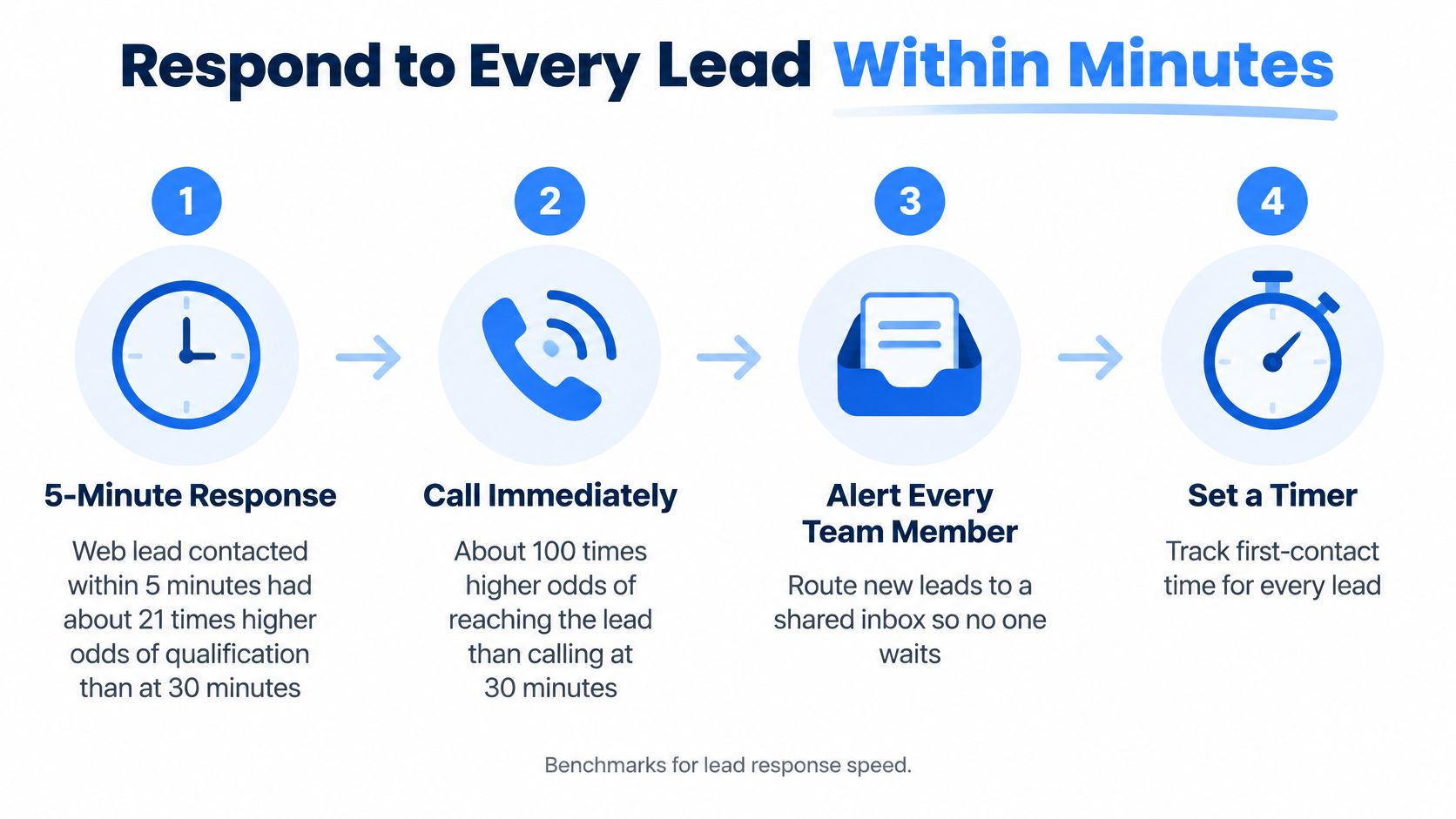
Speed changes the odds more than another ad usually will. An analysis of more than 15,000 web-generated leads and over 100,000 call attempts found that calling within five minutes produced about 100 times higher odds of reaching the prospect and about 21 times higher odds of qualifying the lead than waiting 30 minutes, as reported in this write-up of web-lead call attempts. A separate Vida summary of the Harvard Business Review analysis covered about 1.25 million leads at 42 U.S. companies. Firms that attempted contact within one hour were nearly seven times more likely to qualify the lead than firms that waited another hour. Waiting at least 24 hours cut the likelihood by more than 60 times compared with sub-hour contact.
The seven-step routine
- One queue. Send every web form, click-to-call, and booking into a single CRM queue. An inquiry that sits in a personal inbox is already late.
- Instant acknowledgment. Send an automatic SMS or email within seconds so the prospect knows the request landed. That message is not the qualification. It buys you the next few minutes.
- Route by urgency. Emergency plumbing, HVAC breakdowns, and high-value dental or roofing inquiries go first. A filter change can wait behind a no-cool call.
- Round-robin on shift. Assign to whoever is working, with on-call coverage outside posted hours. A 9 pm form with nobody scheduled is a gift to the company that answers.
- A human call within five minutes. The text does not replace the voice. The call is what the benchmarks measured.
- Two timestamps. Log submission-to-first-dial and submission-to-live-contact. Median first-response time, percent contacted within five minutes, contact rate, and qualification rate are the numbers to manage, not monthly volume alone.
- Retries on a clock. Missed leads get set intervals, and each attempt is recorded. One unanswered ring is not a follow-up.
Clinics that cannot staff the phone every evening can hire medical virtual assistants for after-hours coverage, as long as the handoff still hits the same five-minute attempt. The acknowledgment, the assignment, and the retry schedule are what follow-up automation should do. A person still has to dial.
Hold campaign, geography, and lead type constant, then compare an automatic acknowledgment plus a rapid callback against delayed manual follow-up. If the fast path wins on qualified leads, keep it.
That research measured qualification, not closed revenue. Connect the CRM timestamps to booked jobs and collected revenue before you judge return on ad spend. Speed does not create demand. Once demand exists, delay is how you lose it.
Measuring Leads, Calls and Booked Jobs
Impressions, rankings, and clicks do not book the job. In Q2 2025, tracked local listings saw uneven visibility while total listing actions rose 11.3% quarter over quarter, direction requests rose 21.6%, and year-over-year actions beat the prior year by more than 4%, per Rio SEO's Q2 2025 local search trends. More actions can coexist with weaker lead quality. You have to separate discovery from revenue.
| Metric | What it tells you | How to calculate it | Common pitfall |
|---|---|---|---|
| Calls from search and Maps | Discovery and call intent | Count calls by tracking number and source | Counting the same caller twice across calls and forms |
| Form and booking submissions | Interest on the site | Count completed forms and calendar bookings | Including spam or incomplete forms |
| Qualified lead rate | Share of leads worth working | Qualified leads divided by total leads | Qualification rules differ between staff members |
| Booked job rate | Share of leads that become appointments | Booked jobs divided by qualified leads | Bookings not linked back to the original source |
| Revenue per lead by source | Which channel pays | Closed revenue by source divided by leads by source | Revenue arrives days or weeks after the lead |
| Cost per booked job | Efficiency of paid spend | Ad spend divided by booked jobs from that source | Ignoring organic and listing sources |
One lead, one ID
Give every tracking number and every form a source tag. Match Google Business Profile actions and Search Console queries to the same service and city. Use one lead ID so a caller who also fills in a form is counted once. A roofer can get fewer clicks and more high-intent calls. In that case the booked-job rate matters more than click volume. A dental form pile looks healthy until slow follow-up shows up as empty chairs.
Segment by service, city, and device, and review monthly. Compare qualified leads with booked jobs, not raw volume. Closed revenue often lands days or weeks later, so keep it in the same CRM export as the source tag. Our reports cover rankings, website traffic, and lead growth on that same view, so a rising map position is read next to calls and bookings rather than instead of them.
Confirm Your Lead Pipeline Before You Spend More
The choice is simple. Fix the leaks, or buy more traffic into a pipe that already drops calls.
Run this in one afternoon:
- Listing match. Hours, services, and phone number are the same on the Business Profile and the website.
- Answer rate. Measure a typical week, including evenings if you advertise emergency work.
- Reviews. Recent reviews exist, and someone replies to them.
- First response. Median time against the five-minute benchmark, split by source and by business hours.
- Mobile booking. The path completes on a phone, not only on a desktop.
- Booked-job rate. Each source has one, from the metrics above.
If hours are wrong, calls go unanswered, or replies are slow, fix that before you add spend. More traffic into a leaking pipeline only increases waste. If the pipeline is clean, put the next budget behind the source with the best booked-job rate.
A 2025 local search consumer study found that 53% of consumers would be driven away by inaccurate business listings, 59% expect a response within 24 hours, and 75% read at least four reviews before deciding. Those are operational failures, not traffic shortages. We collect the details on an intake form, then show how the company is performing in its service area, including where calls die before a booking. You can schedule that review from the calendar on the page.
This week, pull one month of calls and form leads by source and by time to first response. Mark the three biggest leaks. Spend against the clean sources only.
Transactional LLC builds local SEO and Google Maps programs around transactional searches such as air conditioning repair near me, so service companies show up where buyers are ready to call and book. We pair that visibility with conversion-focused pages and reporting on rankings, traffic, and lead growth, and we would rather fix a leaking follow-up path than sell you more clicks into it. If you want to see how your service area is performing, visit Transactional LLC and book a time on the calendar.