


Most homeowners looking for an HVAC contractor start on a phone. They type a transactional term such as air conditioning repair near me, scan the first few map pins, and call one of them.
Those pins decide which truck gets dispatched. The profile behind each pin decides whether yours is in the set. A thin description or old photos rarely explain a missing listing. The usual stall is earlier: Google still needs proof the company legitimately operates, and a profile that fails that test can sit one bad signal away from suspension while someone keeps polishing photos and categories.
I recommend fewer compliant profiles over a larger network of questionable listings. Get the entity right and prove it operates. Then optimize the fields that turn a map view into a booked job. That order is what makes a Google Business Profile for HVAC produce calls instead of paperwork.
Which Service Areas and Profiles Google Allows
Google's eligibility rules line up surprisingly well with how HVAC companies operate. Pick the row that describes your business today, not the version you'd like to be running in three years.
| Business model | Profile setup | Address shown publicly | Service areas |
|---|---|---|---|
| Staffed storefront or branch with customer visits | Standard location profile | Yes | Areas served from that location |
| Home-based contractor, technicians travel to customers | One service-area profile | No | Up to 20 cities or postal codes within about two hours of driving |
| Warehouse or dispatch base, no customers visit | One service-area profile tied to the actual base | No | Named areas within about two hours of driving |
| Franchise or multi-branch with staffed branches | One profile per genuinely staffed branch | Yes, for branches customers visit | Each branch's own service areas |
| Virtual office or mailbox | Not eligible | Not applicable | Do not create a profile |
The rule behind the table is simple. Google's business profile guidelines allow one profile for each genuine location when those locations have separate staff and service areas, and a service-area business should generally have one profile tied to its actual operating base. Virtual offices, post-office boxes and invented city listings don't qualify, and a service area should normally sit within roughly two hours of driving time from that base. Service areas must be named cities, postal codes or other defined areas, not an adjustable radius.
Three questions settle almost every case:
- Do customers ever walk in? If no, hide the street address. A residential address published on a trade profile invites the wrong kind of attention and adds nothing to conversion.
- Does each location have its own staff and service areas? Two branches with two dispatch boards and two teams can justify two profiles. One team covering three counties cannot.
- Can a technician reach the far edge of the list on a normal Tuesday? If the answer is no in July, it won't improve during a heat wave.
The evidence Google wants for a second or third profile is operational, not editorial: separate staffed locations, distinct teams, real customer access, and business information that stays identical between the profile and the website.
Here's where I'd push back on most HVAC map advice. A smaller set of compliant profiles outperforms a large network of questionable listings. A duplicate created at a virtual office or a fabricated city address can trigger a suspension that takes down the original profile, reviews included. Rebuilding a hundred reviews takes a year. Deleting a phantom listing takes 10 minutes.
The working rule: one profile per genuine base, service areas chosen by dispatch economics rather than municipal map completion, and city pages that describe coverage you run. If you're reconfiguring a multi-city business, this walkthrough on service area business SEO covers how the profile and the city pages work together.
Set Up Your HVAC Profile Field by Field
A customer checking their phone at 11pm isn't reading your brand story. They're looking up three things: are you open, do you come to my street, and what number do I call. The profile is a lookup tool, and every field you leave half-finished costs a call.
| Field | What to enter | HVAC example | Why it matters |
|---|---|---|---|
| Business name | Exact name from license and signage | Smith Heating and Air | Name variants split reviews across duplicate listings |
| Primary category | Core service you want found for | HVAC contractor | Sets the baseline for relevance to broad searches |
| Secondary categories | Only services you truly perform | Furnace repair service; Air conditioning repair service | Matches specific needs such as AC repair near me |
| Phone number | One tracked number used everywhere | Call-tracking number on profile and website | Lets you count calls that come from the profile |
| Hours | Regular, holiday and emergency hours | Open 24/7 for emergency AC repair | Shows availability at the moment of need |
| Service area | Cities or postal codes you reach | Mesa, Tempe, Chandler | Defines where your profile can appear |
| Services | Each service with a plain description | Heat pump installation | Helps Google match your profile to a specific need |
| Website link | City page that matches the service area | Mesa AC repair page | Connects profile visits to proof of coverage |
Google's own documentation on how the profile performance dashboard works makes the case for treating these fields as infrastructure. The dashboard separates discovery through Search and Maps, records the search terms customers used, and tracks actions such as calls, direction requests and website visits from organic results and Google Ads. None of that reporting means anything if the category, phone number or service area is wrong.
Checking Each Field Today
Search your business name plus your city and read the panel the way a homeowner would. If the name shows a shortened or keyword-stuffed version, that's the field Google reads, and it splits reviews across listings. If the primary category reads "General contractor" you're competing in the wrong pool. If secondary categories list services you don't offer, remove them before someone books a job you can't do. If the phone number differs from the one on your website footer, fix the profile or the site, not both at once. If holiday hours are blank you'll get calls on Christmas. If the service area includes cities you don't staff, you're collecting search impressions you can't convert. If the services section has three generic entries, expand it to the full list, including heat pump installation, duct cleaning and maintenance plans. If the website link points to your homepage, swap it for the city page that matches your biggest service area.
Six Setup Steps in the Right Order
- Choose your eligibility model first. Staffed location or service area, decided before you touch a single field.
- Claim or create the profile using the exact business name from your license. A shortened marketing name is the most common slip.
- Set the primary category to the core HVAC work, then add only the secondary categories you perform. Stacking every category Google offers dilutes the match to your best search term.
- Hide the street address if customers don't visit, then enter service areas in dispatch order. Rank them by dispatch economics, population density and emergency demand, and cut anything past a drive time your crews can hold on their worst day. Adding every nearby municipality is the second most common slip.
- Fill in hours, services, the tracked phone number and a plain description naming real work such as AC repair and furnace installation. If you're consolidating numbers from a phone system migration, review these porting prerequisites for multi-location teams so the number on your profile doesn't go dark mid-move.
- Start verification with your evidence ready, which is where the next section picks up.
A complete profile reads like a business card with a map attached: service areas listed, no residential address public, hours set for weekdays, weekends, holidays and emergency calls, primary category confirmed, and a website link that lands on a page proving you cover that city.
Passing Verification and Recovering From Suspension
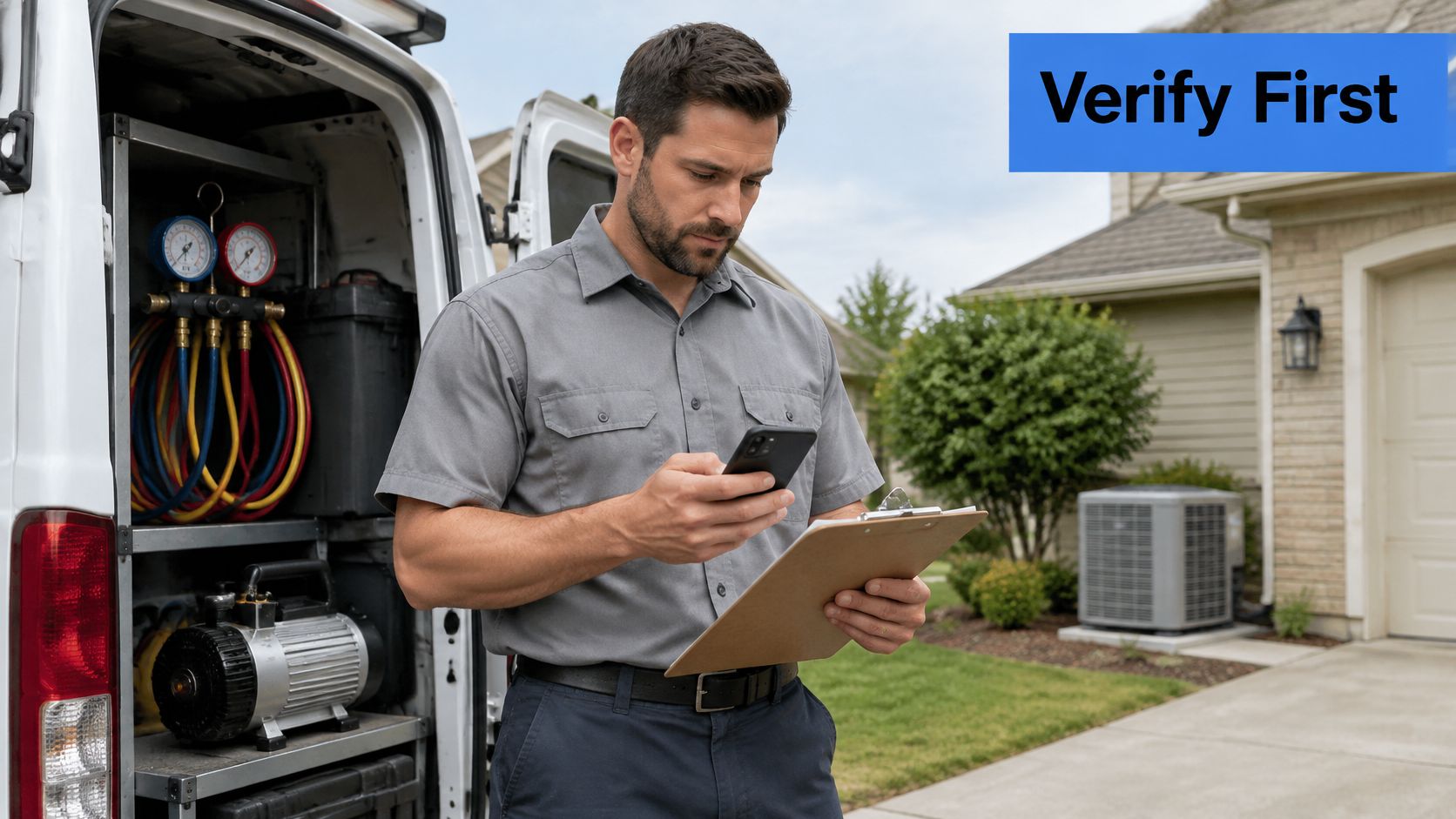
Proof of legitimate operations comes before profile polish. A mobile HVAC company can have the cleanest category structure in its metro and still be invisible, because verification never cleared. Google's current guidance for video verification of service-area businesses asks a contractor to demonstrate three things: where the business is based, that it operates, and that the person submitting the video manages or represents it.
The recording itself has rules. One continuous, unedited video of at least 30 seconds, filmed at your base, with nothing cut between scenes.
Evidence that ties you to that base without publishing a home address:
- Branded vehicles with company names and phone numbers parked at the location
- Tools and equipment that match the trade you claim
- Dispatch materials such as work orders, invoices or a scheduling screen
- Signage, licenses and controlled access to the building
A hybrid business, where customers visit a staffed counter, follows different rules than a service-area business whose technicians travel. The distinction sits in the eligibility model you picked earlier.
When verification fails, work the sequence:
- Re-read the evidence Google asked for in the rejection notice.
- Record one continuous video of at least 30 seconds at the base, no edits.
- Show branded vehicles, licenses or dispatch material that connects the company to that address.
- Resubmit, then confirm the business name, category and base match across the profile and the website.
- Search for extra listings created for virtual offices, invented cities or an old name, and remove them while keeping the original profile and its reviews.
- If the main profile is suspended, appeal with the same evidence rather than spinning up a replacement, which repeats the violation.
For a full walkthrough of the appeal itself, see how to get a suspended Google Business Profile reinstated without losing review history.
How Google Ranks HVAC Profiles for Local Searches
A good dispatcher asks three questions before rolling a truck: can this crew do the job, how far away are they, and do people around here trust them. Google runs a version of that triage when it assembles the three-pack, and it says so in its overview of local ranking factors. Relevance, distance and prominence.
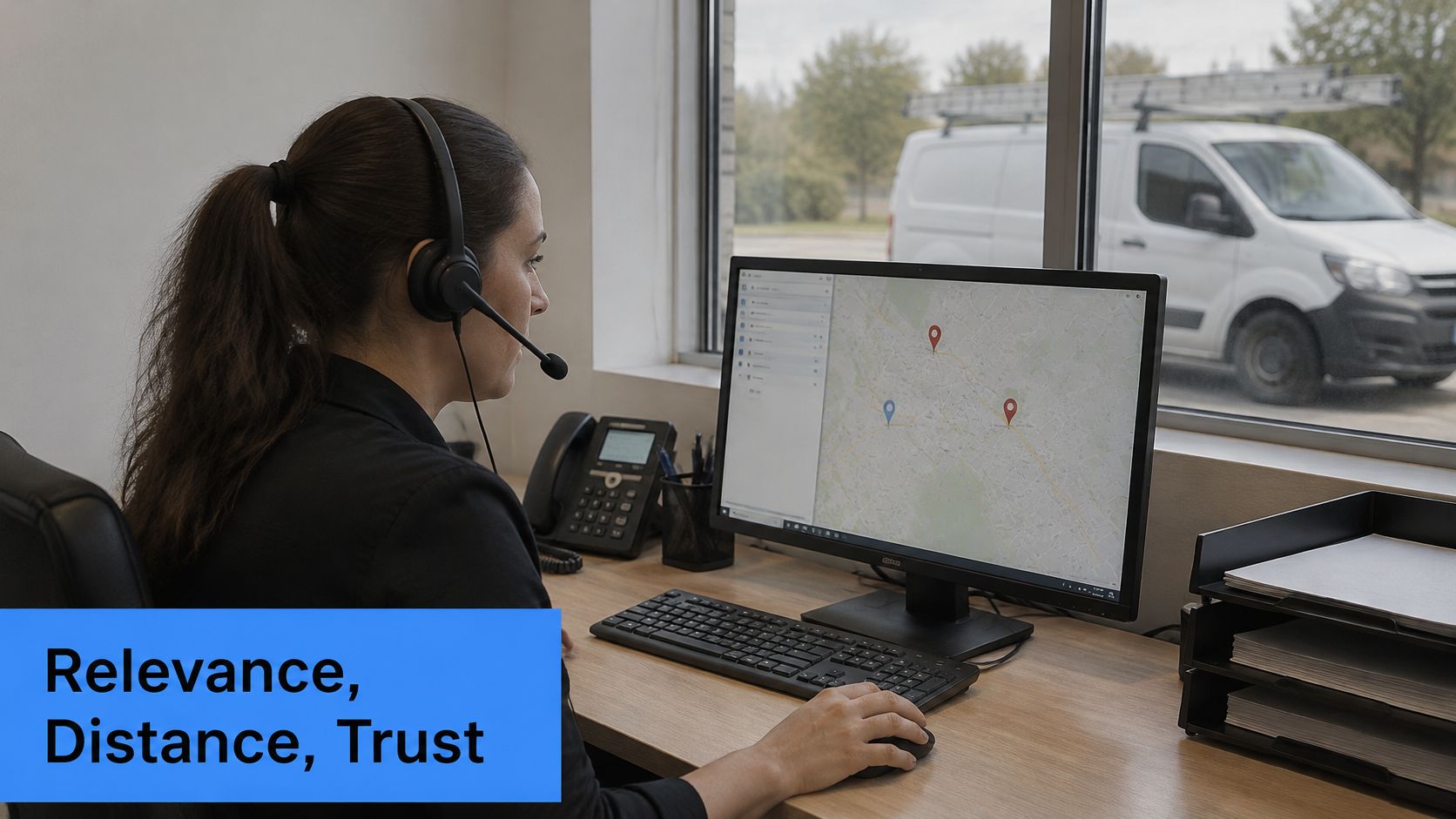
Relevance is how closely the profile matches a need. A search for furnace installation is answered by a profile whose category, services, description, hours and website all describe furnace installation. A profile that lists everything from appliance repair to handyman work answers none of them well.
Distance is anchored by your verified base and by where the searcher is standing. When a query names no location, Google estimates the searcher's position from available signals. This is the part contractors most want to argue with. Adding more service areas does not create a new ranking center in every city listed.
Prominence is reputation, measured partly by what Google finds across the web: reviews, links, articles, directory listings and trade association pages.
Visibility is earned by matching, proximity and trust together. You control two of the three, and the third one slowly.
The conversion side matters as much as the ranking side. Google-reported research found that 70% of mobile searchers had used click-to-call to contact a business directly from search results, according to the click-to-call research study. A profile that ranks and then shows wrong hours or an unanswered line converts nothing.
That's why searches like HVAC near me are transactional in the purest sense. Google is matching an immediate need with a nearby, relevant, established provider, and the homeowner is deciding in seconds.
If you want movement this month, work on relevance: categories, services, hours and the city page behind the profile link. Prominence is the slow one. Reviews and citations compound over quarters, not weeks, so start the habit now and expect the ranking lift later.
Reviews, Posts and Citations That Lift Prominence
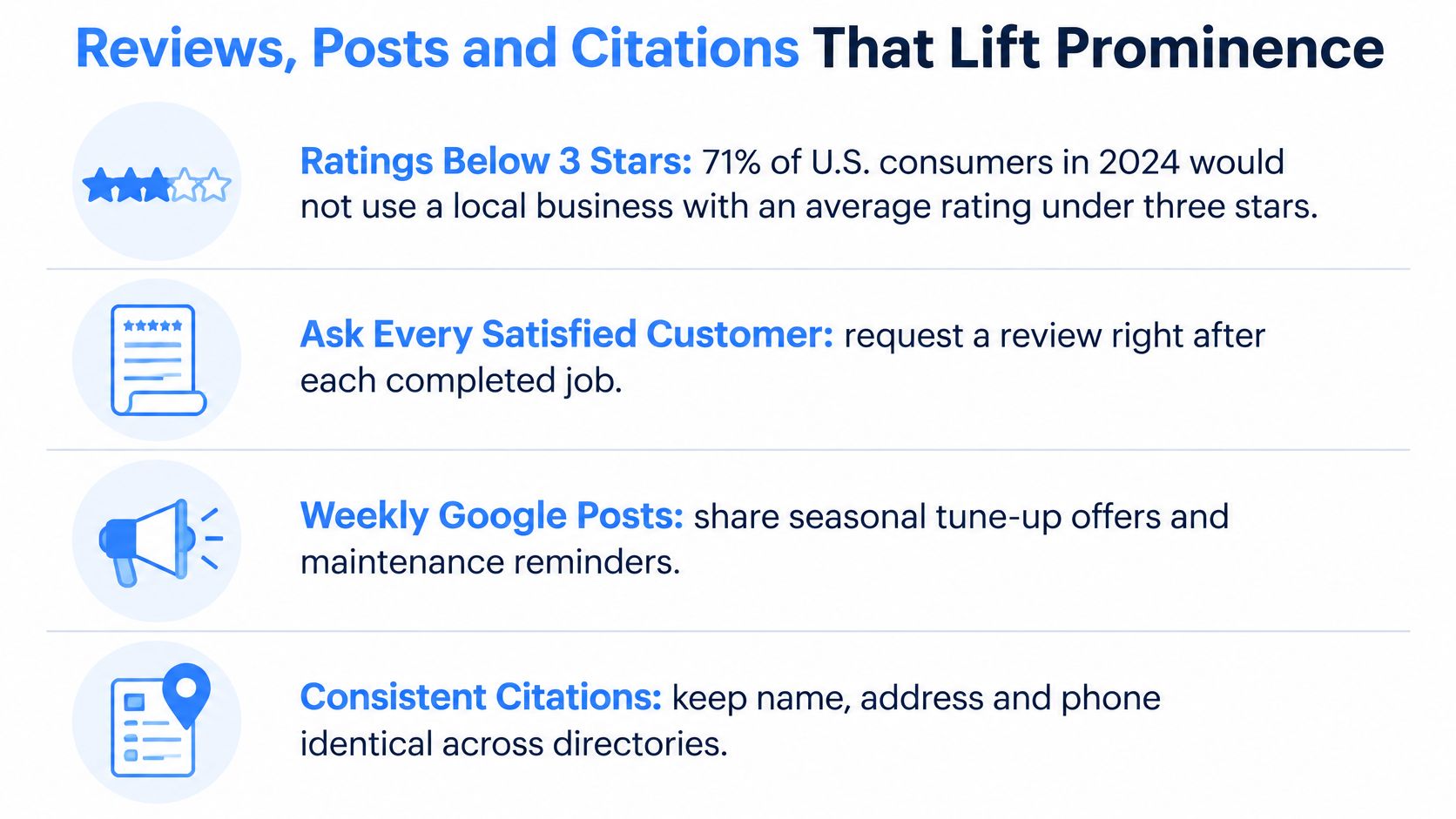
Most consumers avoid a local business whose average rating sits below three stars. Read that as a floor, not a target. For an HVAC company asking a stranger to let a technician into their home, a 4.2 average with 40 reviews is a live liability.
Fewer compliant profiles beat a larger network of questionable listings. Proof that the company runs real jobs in the cities on the profile is usually the first bottleneck, not the polish of the photos or the post copy.
The habits that move prominence are boring and repeatable. Ask after every completed job, in person before the van pulls away, then send the direct review link by text. Never gate reviews by asking only the happy customers, and never filter. Respond to every review. On a negative one, name the fix in specifics: the part replaced, the return visit booked, the refund issued. Never argue.
Publish two short posts a month covering seasonal tune-ups, emergency availability and the areas you cover, using photos from real jobs rather than stock. Keep name, address and phone identical across directories, trade associations and chamber listings. Those citations feed prominence signals. Skip the shortcuts. Generic stock photos and purchased reviews both cost you, one in credibility and one in suspension risk. I would rather hold one listing you can defend than add profiles you cannot verify.
A 30-day routine you can start this week: pull your last 20 completed jobs and ask each customer for a review, publish two posts using photos you already took on site, and audit two directories for a mismatched suite number or an old phone number.
Consistency across the web is tedious work with a real payoff. This local search engine optimization checklist covers the citation and profile tasks in order, and Transactional's guide to local SEO citations explains which directories are worth your time for a home service business.
Tracking Calls and Booked Jobs From Your Profile
Book a 30-minute review on the same day each month and read the dashboard in a fixed order, so month-over-month comparisons mean something.
| Metric | Where to find it | What it tells you | Action when it drops |
|---|---|---|---|
| Search views | Performance dashboard, Search and Maps | How often the profile appears | Check categories and service areas |
| Search terms | Performance dashboard | Queries that surfaced the profile | Add matching services to the profile |
| Calls | Performance dashboard call actions | Phone demand from the profile | Check hours and how fast calls are answered |
| Direction requests | Performance dashboard | Customers looking up your base or area | Confirm the listed base is accurate |
| Website visits | Performance dashboard | Interest beyond the call | Review the content on the matching city page |
| Booked jobs | Booking log or CRM | Revenue from profile leads | Tag every booking with its source |
Booked jobs is the metric that matters. Every other row is a proxy. If your CRM doesn't tag the source of each booking, you can't separate profile leads from referrals, repeat customers and paid search, and you'll end up optimizing whichever number is easiest to see.
Call tracking is what makes the middle rows trustworthy. If you're choosing tooling, this comparison of call tracking platforms that prove ROI covers the features that matter for a trade business.
Say a profile generates 40 calls in a month and 12 of them book jobs, with AC repair accounting for most of the volume. That's a 30% booking rate, and it tells you something a raw call count hides: the profile is pulling the right service demand. If those 40 calls produced two bookings, the ranking may be fine and the intake process is the problem.
Track it in a sheet with one row per month: views, calls, booked jobs, and revenue per profile lead. Four columns, 12 rows a year, and you'll know whether the profile is a marketing asset or a hobby. Our breakdown of Google Business Profile insights shows which of these numbers to read first.
Book Your Free Google Maps Audit This Month
One compliant HVAC profile beats a larger set of listings Google can suspend. Proof that you run a real operation, from a verified base and only in areas you serve, is usually the first bottleneck. Profile polish comes after that.
The listing should appear for searches a homeowner types when they are ready to book, terms like air conditioning repair near me, not only the company name.
Transactional LLC works with HVAC companies and other home service businesses, including plumbing, electrical, pressure washing, carpet cleaning, pest control, window cleaning, and roofing. A free Google Maps audit and a free consultation are available, and if you do not have a Google Business Profile yet, Transactional will help you set one up. The work aims to improve Google Maps visibility across each service area you serve, tracked through heat maps, calls, and booked jobs rather than screenshots. Results depend on your location, local competition, and compliance with Google's rules, so nobody can promise a fixed outcome.
Bring four things to the audit. The completed field table from this guide. Your service area list with the verified base location. The verification evidence you would submit. And the last three months of dashboard data. Those items show whether the profile is eligible and where visibility is thin. I would rather review that packet than spend the call discussing extra listings that share the same address.
Book it this month, before your busiest season sets the tone for the year. Start with a free Google Maps audit and a free consultation at Transactional LLC.